
About
Palette Creator
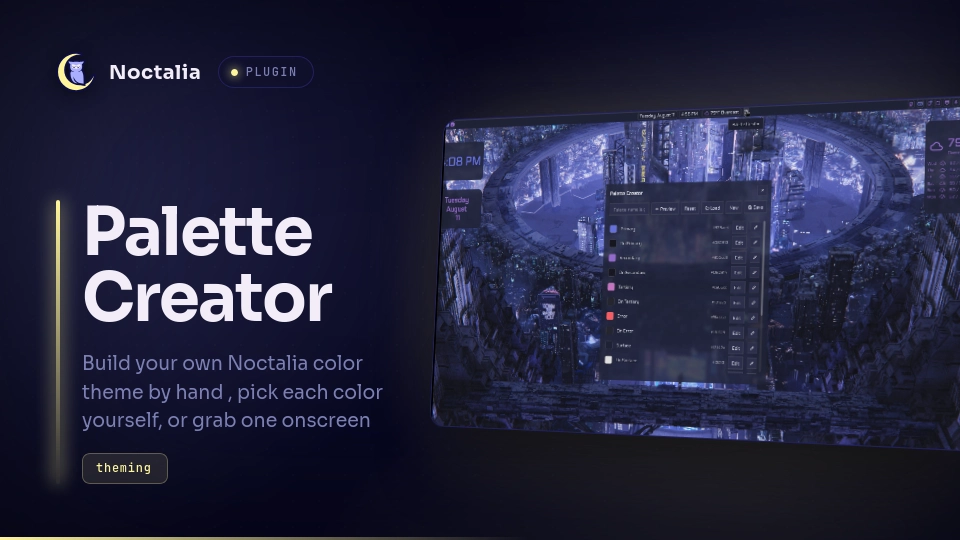
Build your own Noctalia color theme by hand — pick each color yourself, or grab one straight off your screen — then save it as a reusable palette.
Plugin
| Type | ID | Entry |
|---|---|---|
| Widget | toggle |
widget.luau |
| Shortcut | cc_toggle |
shortcut.luau |
| Panel | creator |
panel.luau |
Plugin id: decksters-lab/palette-creator
Accreditation
This plugin is heavily inspired by WerWolv's color-scheme-creator, a plugin for Noctalia v4. They have no involvement in this project otherwise, and all credit goes to them for color-scheme-creator and for making a plugin I liked so much that I made this one as a continuation of it for v5. v4 and v5 plugins aren't compatible with each other, so this is a separate, unaffiliated project — not created, maintained, or endorsed by WerWolv or the original plugin's authors — built from scratch for v5's plugin API.
Usage
Add the Palette Creator widget from the bar's widget picker (or its Control Center shortcut), then click it to open the editor:
noctalia msg panel-toggle decksters-lab/palette-creator:creator
- Edit opens Noctalia's color picker for that role
- The eyedropper next to it picks a color straight off your screen
- Preview shows your edits live across the shell before you commit
- Save writes the palette and switches to it in one step
- Load reopens any palette you've saved before
- Reset undoes unsaved edits; New starts fresh from whatever theme is active right now
A terminal color set is generated automatically from your 16 colors on save.
Wallpaper-derived themes
Noctalia can't tell this plugin what your resolved colors actually are when your theme comes from a wallpaper, only when it's a named custom palette — so the first time you open the panel, it sets up a small Noctalia template on its own (writing only its own dedicated config file, never touching anything you've configured yourself) so it can read your real active colors no matter where they came from. No setup needed on your end.
Note: after that first-time setup, or right after your wallpaper/theme changes, it can take a few seconds for Noctalia to re-render the template before the panel sees the new colors — if you open it immediately and it still looks like the old theme, give it a moment and reopen. We haven't found a way to make this instant.
Requirements
hyprpicker
Notes
- The first time you open the panel, it writes one small config file of
its own —
~/.config/noctalia/palette-creator-live-template.toml— registering a Noctalia template so it can read your real active colors regardless of theme source. It never touches any file it didn't create itself, and only writes once (it checks first). - Reads/writes
~/.config/noctalia/palettes/*.jsonand small state files under$XDG_STATE_HOME/noctalia/plugin-data/. - Runs
hyprpickerfor screen-picking, andnoctalia msgfor reading/switching your active theme, live preview, and (once, on first setup) reloading config and applying templates. - Picking from screen briefly closes and reopens the panel — hyprpicker needs it out of the way to sample what's behind it.
- Colors are normalized to plain 6-digit hex; Noctalia's palette format doesn't support per-role alpha.
- No network access.
Versions
| Version | Plugin API | Updated |
|---|---|---|
| v1.0.0 latest | 9 | Aug 14, 2026 |
Older versions stay installable on a Noctalia release whose plugin API is below the latest version's.