
Back to plugins 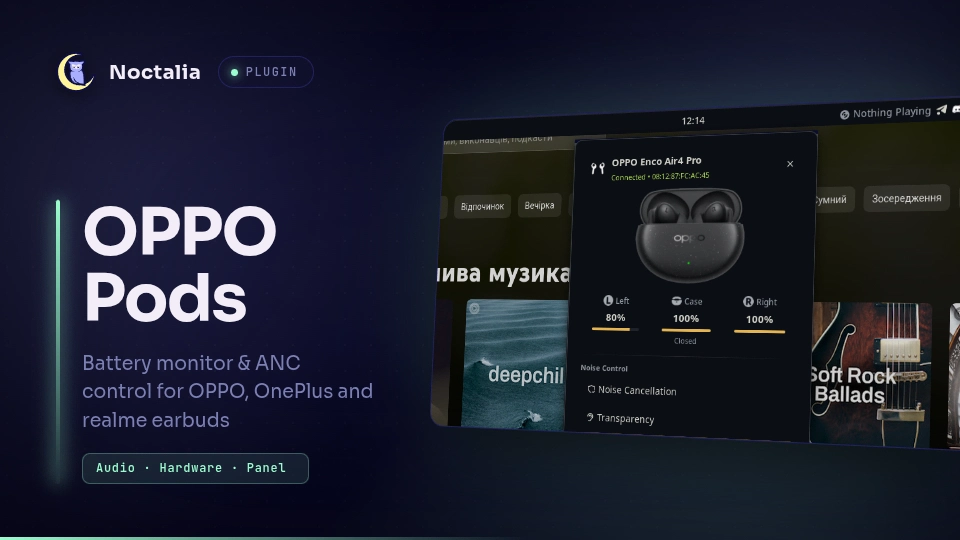
v1.0.0 osp54
About
OPPO Pods
Battery monitor and active noise cancellation (ANC) control for OPPO, OnePlus, and realme Bluetooth earbuds in Noctalia.
Plugin
| Field | Value |
|---|---|
| ID | osp54/oppo-pods |
| Entries | Bar widget: oppo-pods; panel: panel; service: service |
Requirements
python3onPATH- BlueZ Bluetooth stack with RFCOMM support
- Paired and connected OPPO, OnePlus, or realme earbuds
Usage
Add the oppo-pods widget to your bar via Settings → Bar → Widgets.
- Left-click the bar icon to toggle the control panel.
- Right-click the bar icon to cycle noise cancellation modes (
Noise Cancellation→Transparency→Off).
To toggle the panel from an IPC shortcut or keybind:
noctalia msg panel-toggle osp54/oppo-pods:panel
Settings
| Setting | Type | Default | Description |
|---|---|---|---|
device_mac |
string |
"" |
Bluetooth MAC address of the earbuds. Leave blank to auto-detect the connected device. |
hide_when_disconnected |
bool |
true |
Hide the bar widget when the earbuds are not connected. |
IPC
Cycle listening mode:
noctalia msg plugin osp54/oppo-pods:service all cycle-noise
Set a specific noise cancellation mode directly:
noctalia msg plugin osp54/oppo-pods:service all set-noise anc
noctalia msg plugin osp54/oppo-pods:service all set-noise transparency
noctalia msg plugin osp54/oppo-pods:service all set-noise off
Notes
This plugin communicates with the earbuds using their proprietary Bluetooth RFCOMM protocol (as used by the official HeyMelody app). It supports over 200 models across OPPO (Enco series), OnePlus (Buds series), and realme (Buds Air / T series).
Versions
| Version | Plugin API | Updated |
|---|---|---|
| v1.0.0 latest | 24 | Sep 5, 2026 |
Older versions stay installable on a Noctalia release whose plugin API is below the latest version's.