
About
Opencode Go Usage
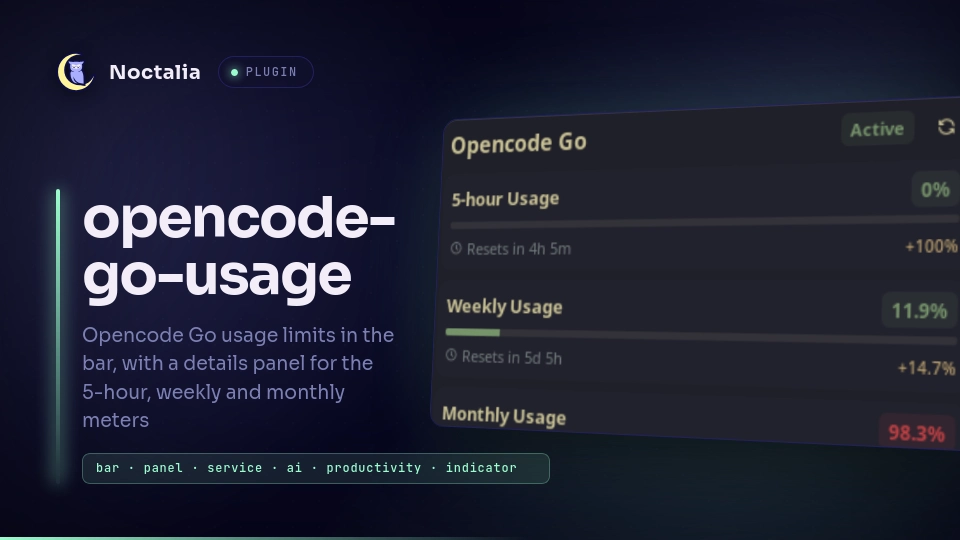
Shows how much of your Opencode Go (Zen) subscription you have used. A bar capsule reports one limit at a glance, and a details panel breaks the 5-hour, weekly and monthly meters down with progress bars, reset countdowns and daily headroom.
Plugin
| Field | Value |
|---|---|
| ID | zumik3-del/opencode-go-usage |
| Entries | Bar widget: bar; panel: panel; service: usage |
Requirements
An active Opencode Go subscription and its API key. The plugin makes no external
command calls, so plugin.toml declares no dependencies.
Usage
After installing the plugin, open Noctalia Settings → Plugins, find
Opencode Go Usage and paste your key into API key. The key looks like
oc_sk_...; you can copy it from your Opencode console.
The first poll runs as soon as the plugin is enabled, so the bar capsule fills in within a couple of seconds. Until then, and whenever a poll fails, the capsule renders an em dash and its tooltip explains why.
Add the bar capsule to a bar or desktop surface from the widget picker, then pick which limit it reports in the widget settings (Show in bar). Left-clicking the capsule toggles the details panel. You can also open it directly:
noctalia msg panel-toggle zumik3-del/opencode-go-usage:panel
The panel has a Refresh button in its header that forces an immediate poll, so you never have to wait out the interval to see a fresh number.
Settings
Plugin-level settings live in Settings → Plugins. The bar_limit setting is
per-widget, so you can show a different limit on each monitor.
| Setting | Type | Default | Description |
|---|---|---|---|
api_key |
string |
"" |
Your Opencode Go key (oc_sk_...). Required; the capsule stays empty without it. |
refresh_interval_sec |
int |
1800 |
Seconds between polls. Clamped to 60–86400. A shorter interval means more requests against a rate-limited endpoint. |
bar_limit |
select |
5h |
Which meter the capsule reports: 5h, week, month, or none to show the icon alone with the percentage hidden. The tooltip still reports the usage. |
Notes
Network access. A single background service polls
https://opencode.ai/console/api/go/status on the interval above and is the only
thing that touches the network. The bar widget and the panel only read the result
from shared state, so N capsules on M monitors still cost one request per cycle.
Refresh is guarded against overlapping requests.
Credential handling. The key is stored by Noctalia in its own plugin settings
and is sent only to opencode.ai, in an Authorization: Bearer header. The
plugin does not log it, write it to disk, or send it anywhere else. Note that it
is stored as plain text in Noctalia's settings file, like any other plugin
setting.
Nothing else runs. The plugin spawns no processes, writes no files and reads
no environment variables. It has no dependencies entry because it uses Noctalia's
built-in HTTP client rather than shelling out to curl.
Compositor support. None required. The plugin only uses the bar widget, panel and service entry types, so it works on every compositor Noctalia supports.
Versions
| Version | Plugin API | Updated |
|---|---|---|
| v1.2.0 latest | 28 | Sep 29, 2026 |
Older versions stay installable on a Noctalia release whose plugin API is below the latest version's.