
About
OmniRoute Quota
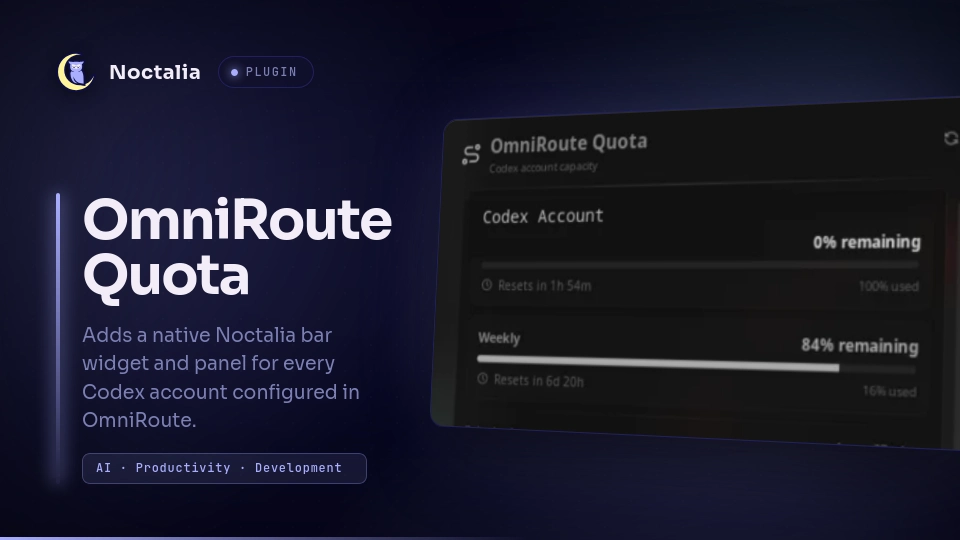
Monitor every OpenAI/Codex account connected to OpenCode or configured in a local OmniRoute installation from the Noctalia bar. The panel shows the live 5-hour and weekly quota windows, their reset countdowns, account status, and local seven-day usage.
Plugin
| Field | Value |
|---|---|
| ID | teagar/omniroute-quota |
| Entries | Bar widget: widget; panel: panel; service: service |
Requirements
- Install
node22.5 or newer onPATH, with the built-innode:sqlitemodule available. - Install and configure OmniRoute locally with at least one Codex account. The
collector reads
~/.omniroute/storage.sqliteand OmniRoute's local.env. - OpenCode V2 accounts are discovered automatically from its read-only
opencode.dbcredential store. The legacyauth.jsonis used only when the V2 multi-account table is unavailable.
Usage
Add teagar/omniroute-quota:widget to a bar in Settings, Bar. The capsule shows
the lowest remaining quota across active Codex accounts. Its colour changes to
secondary at 30% remaining and error at 10% remaining.
- Left click opens the account panel.
- Right click immediately refreshes the quotas.
- Middle click opens the widget settings.
- Hover lists both quota windows for every account.
The panel displays each account's plan, active state, 5-hour and weekly quota bars, exact reset countdowns, and successful request/token totals recorded by OmniRoute during the last seven days. OpenCode credentials are matched to OmniRoute connections by the stable OpenAI account ID, with normalized email as a fallback. Accounts connected only to OpenCode are appended automatically. Opening the panel requests fresh values; the refresh button in its header does the same.
Accounts are ordered by availability by default: active accounts with usable quota come first, ranked by their most restrictive remaining window. Exhausted accounts follow, then inactive accounts and accounts without a reading. The setting can switch this to case-insensitive alphabetical order.
To open the panel from a terminal:
noctalia msg panel-toggle teagar/omniroute-quota:panel
Settings
| Setting | Type | Default | Description |
|---|---|---|---|
refresh_seconds |
int |
120 |
Seconds between live quota checks, from 30 to 1800. |
show_inactive |
bool |
false |
Also query Codex connections disabled in OmniRoute. |
show_value |
bool |
true |
Show the lowest remaining percentage in the bar. |
sort_order |
select |
availability |
Put usable accounts first or sort all accounts alphabetically. |
IPC
Force a refresh without waiting for the configured interval:
noctalia msg plugin teagar/omniroute-quota:service all refresh
Notes
- The service spawns one
node scripts/get-omniroute-quota.mjsprocess per refresh. Widgets and panels subscribe to its shared state and do not spawn additional collectors. - The collector opens the OmniRoute and OpenCode SQLite databases in read-only
mode and reads
STORAGE_ENCRYPTION_KEYfrom OmniRoute's local.envonly when needed. - Multiple OpenCode labels for the same OpenAI account are deduplicated by account ID; the newest OAuth generation wins. A matching OpenCode credential is preferred for the live quota request, while OmniRoute remains the fallback.
- Access tokens are decrypted only in the collector process memory. They are never published to Luau state, printed, written, or exposed in the UI.
- Each active account causes one HTTPS request to OpenAI's official Codex usage
endpoint at
https://chatgpt.com/backend-api/wham/usage. - The plugin writes no files.
Tests
From the omniroute-quota directory:
node --test tests/collector.test.mjs
noctalia plugins lint .
Versions
| Version | Plugin API | Updated |
|---|---|---|
| v0.2.0 latest | 22 | Sep 27, 2026 |
Older versions stay installable on a Noctalia release whose plugin API is below the latest version's.