 Noctalia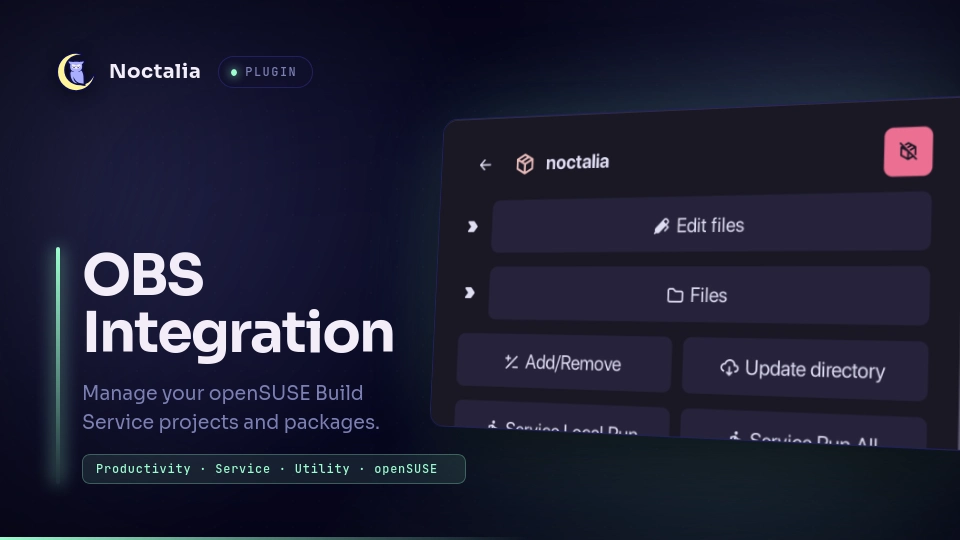
About
OBS Integration
Manage openSUSE Build Service projects and packages directly inside Noctalia. The bar widget toggles a panel for browsing your projects, checking out packages, editing metadata and files, and triggering rebuilds on OBS without leaving the shell.
Plugin
| Field | Value |
|---|---|
| ID | neyfua/obs-integration |
| Entries | Bar widget: obs-integrate; panel: panel |
Requirements
Install the openSUSE Build Service osc CLI and configure your
credentials in ~/.config/osc/oscrc (for example with osc apiservice setup
or by copying a working oscrc). The plugin shells out to osc for every
operation, so all authentication stays in your normal OBS configuration.
Usage
My Projects
The panel opens on My Projects: every project you maintain, plus every
project where you are listed as a package maintainer on OBS. Search filters the
list, and the sort button toggles A-Z / Z-A order. The pen icon edits the
project metadata (osc meta prj -e), and the external link icon opens the project page on OBS.
Inside a project
Click a project to list its packages. A package's icon turns primary when that package is checked out in your local directory. Click a package to open its actions:
- Checkout package —
osc coin the configured checkout directory (hidden once the package is already checked out). - Edit files — expandable list of editable sources:
_serviceand the package's.specopen in your$EDITOR; the.changesfile runsosc vc. - Files — lists every non-dotfile in the checkout. Each file has a remove
button; below the list, Add/Remove runs
osc arasynchronously in the panel. Commit runsosc statusfirst; if pending changes exist it opens a terminal withosc ciso you can edit the commit message, otherwise the commit runs asynchronously in the panel. - Service Local Run — runs
osc service rin the checkout, executing the package's source-service scripts locally (local side effects: the_servicescripts can modify files in the checkout). - Service Manual Run — runs
osc service mrin the checkout, running the source-service scripts locally in "manual" mode (local side effects, like Service Local Run). - Service Run All — runs
osc service rain the checkout, running all source-service scripts locally. Requires a confirmation click (turns secondary with a check glyph) before it executes. - Service Remote Run — runs
osc service rron the OBS server for the package on the remote project. No local code executes; the request triggers server-side service runs, and a confirmation is not required. - Rebuild package — pick a repository and architecture (or All) and trigger
osc rebuild. Confirmation is required before it runs. - Build Status — Shows real-time build results for the package across all repositories and architectures. Click Refresh status to pull latest results.
- Open in OBS — Opens the package page in your browser.
- Edit package meta —
osc meta pkg -ein a terminal. - Remove package — deletes the checkout from disk only (never touches the OBS project); confirm before it runs. If it was the last package in the project directory, the directory is removed too.
Sticky navigation
The panel reopens where you left off — inside the same project or package.
Settings
| Setting | Type | Default | Description |
|---|---|---|---|
checkout_dir |
string |
~/OBS |
Base directory where packages are checked out. Packages land in <checkout_dir>/<project>/<package>. |
show_label |
bool |
false |
Show the "OBS" label next to the bar icon. |
IPC
noctalia msg panel-toggle neyfua/obs-integration:panel
Notes
The plugin runs the osc CLI with your existing credentials — it stores
nothing itself beyond a small cache of project/package listings and your last
navigated view. Removal is local-only and never modifies the OBS project.
Most operations (rebuilds, service runs, updates, add/remove) run
asynchronously and display their output directly in the panel. The Commit
operation opens a terminal only when osc status reports pending changes;
otherwise, it runs asynchronously in the panel. Confirmation prompts precede
destructive and side-effecting operations: Rebuild package, Remove package,
and Service Run All.
Build status data is fetched from osc results and cached for the session. The
status display shares the same underlying osc results call used for rebuild
architecture selection, so enabling a package view pulls both in one query.
Versions
| Version | Plugin API | Updated |
|---|---|---|
| v1.2.1 latest | 43 | Oct 25, 2026 |
| v1.2.0 | 9 | Sep 20, 2026 |
Older versions stay installable on a Noctalia release whose plugin API is below the latest version's.