
About
NWG Display Profiles
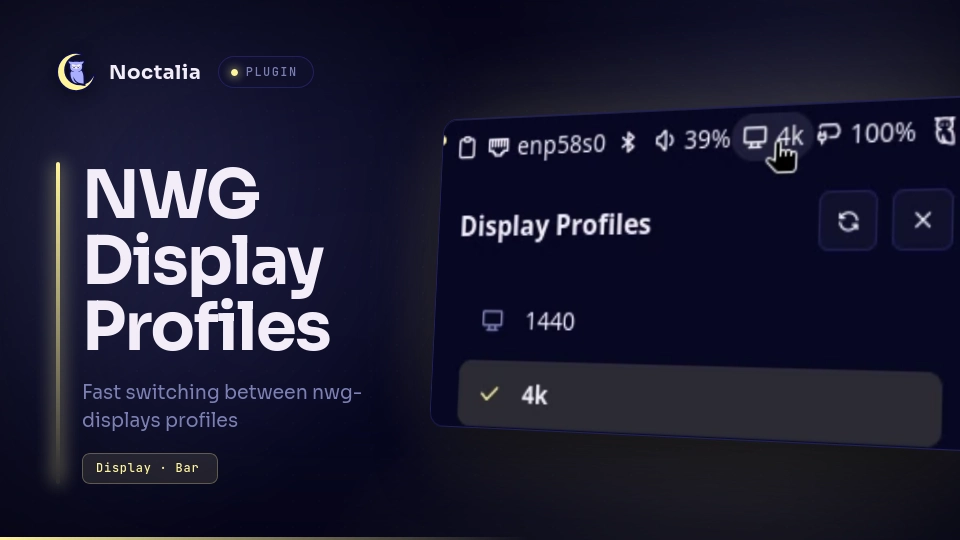
Switch between nwg-displays monitor layouts without opening the GUI: pick a profile from the bar, a panel, or the launcher and it is applied immediately.
Plugin
| Field | Value |
|---|---|
| ID | micahg/nwg-displays |
| Entries | Bar widget: widget; panel: panel; launcher provider: launcher |
| Launcher Prefix | /nwg |
Requirements
Install nwg-displays on PATH — the plugin applies profiles through its
nwg-displays-apply helper. Profiles must exist in
$XDG_CONFIG_HOME/nwg-displays/profiles/ (usually ~/.config/nwg-displays/profiles/);
create and edit them with nwg-displays itself.
Usage
Bar widget — add NWG Display Profiles (micahg/nwg-displays:widget) from
the bar's Add-widget picker. It shows the active profile name next to a display
glyph. Click it to open the panel; the click gesture is a manifest default
(panel-toggle), so it can be remapped per instance like any widget action.
Panel — lists every profile found in the profiles folder, sorted alphabetically; the active one is checked and tinted. Clicking a profile applies it and closes the panel. The header refresh button re-scans the folder. Open it directly with:
noctalia msg panel-toggle micahg/nwg-displays:panel
Launcher — type /nwg in the launcher for the full profile list, or
/nwg <query> to fuzzy-match (for example /nwg 4k). Selecting a result
applies that profile.
Applying runs nwg-displays-apply -p <name>: it writes the compositor output
config (for Hyprland, monitors.conf plus monitors.lua and hyprctl reload)
and updates active_profile.json. Failures raise an error notification; the
apply itself is visible on screen, so success is not announced.
Notes
- Reads
$XDG_CONFIG_HOME/nwg-displays/profiles/*.jsonand$XDG_CONFIG_HOME/nwg-displays/active_profile.json(XDG_CONFIG_HOMEdefaults to~/.config). - Spawns
nwg-displays-applywith the profile name passed as an argument vector — no shell parsing. - The active profile is shown in the bar widget. It is read when the plugin loads and after every apply made through the plugin; opening the panel (or its refresh button) re-reads it and updates the bar too, so a profile applied outside Noctalia reaches the bar the next time the panel is opened.
- The profile name is the JSON filename without its extension; a missing profiles folder is reported in the panel instead of failing silently.
Versions
| Version | Plugin API | Updated |
|---|---|---|
| v1.0.0 latest | 26 | Oct 19, 2026 |
Older versions stay installable on a Noctalia release whose plugin API is below the latest version's.