
About
NVTOP
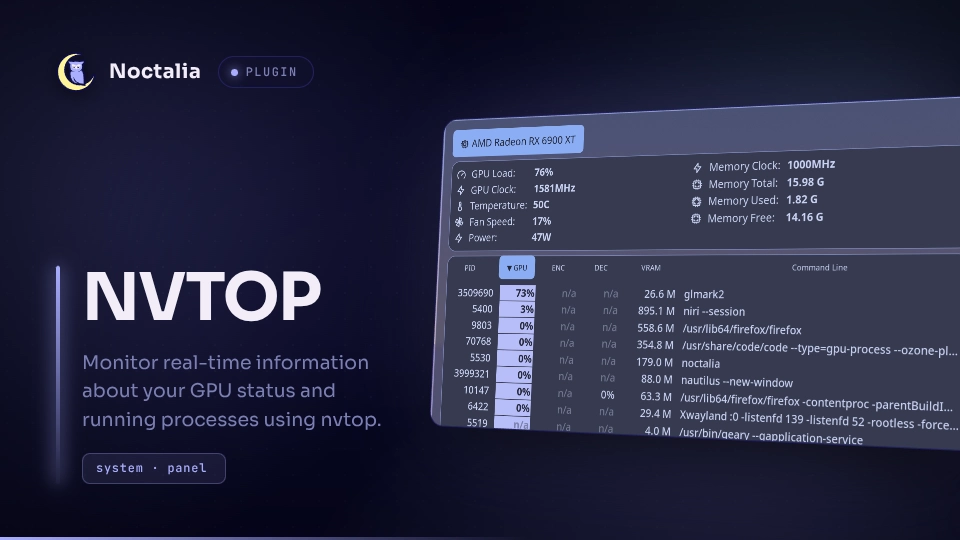
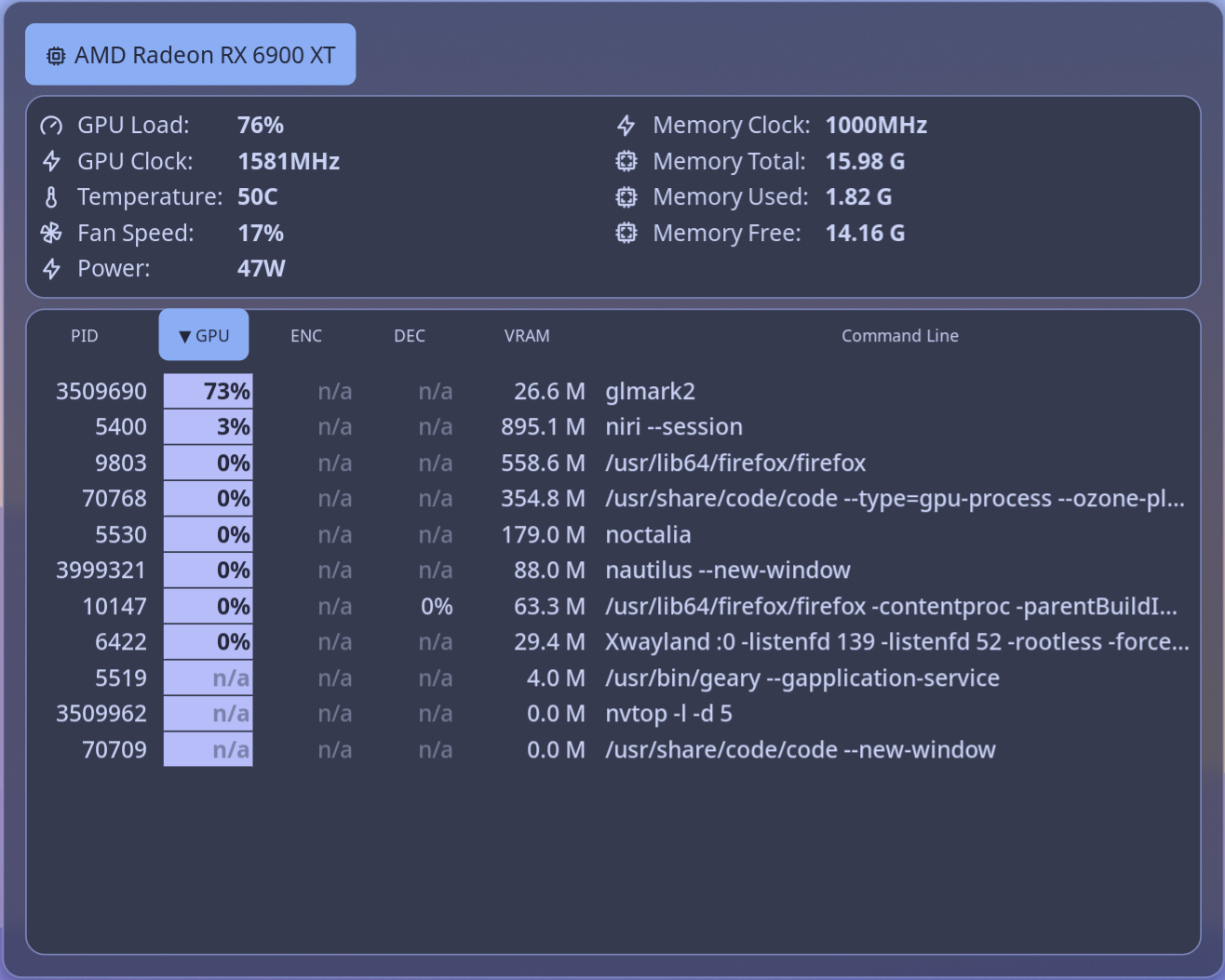
Monitor real-time information about your GPU status and running processes with nvtop.
Features
- Uses
nvtopto monitor real-time GPU status. - Supports multiple GPUs.
- View processes using the GPU.
- Process columns: PID, GPU Usage, Video Encoder Usage, Video Decoder Usage, GPU Memory Usage, and Command Line.
- Sort processes by any column by clicking its header.
- Kill a process with SIGINT or terminate it with SIGKILL.
- Copy a process PID or command line to the clipboard.
- Customizable polling interval.
- Customizable colors for the sorted column.
- The plugin launches
nvtopwhen the panel opens and closes it when the panel is closed. This helps save resources.
Plugin
| Field | Value |
|---|---|
| ID | tordex/nvtop |
| Entries | Panel: panel; bar widget: widget |
Requirements
The plugin requires nvtop, python3, kill, and pkill to be installed and available in $PATH.
The plugin uses python script to run and collect nvtop output and draw GPU Load and VRAM graphs. You have to install the Pillow module with pip:
pip install Pillow
Usage
Add the NVTOP bar widget in the shell's bar-widget picker and click it to open the plugin panel.
You can also open the panel by binding it in your compositor or by setting the action for sysmon widgets:

[widget.GPU_Usage]
stat = "gpu_usage"
type = "sysmon"

    [widget.GPU_Usage.actions]
    left = "panel-toggle tordex/nvtop:panel gpu"

[widget.GPU_VRAM]
stat = "gpu_vram_used"
type = "sysmon"

    [widget.GPU_VRAM.actions]
    left = "panel-toggle tordex/nvtop:panel mem"
To open the panel from the command line, use:
noctalia msg panel-toggle tordex/nvtop:panel [order_by]
Possible values for order_by:
order_by value |
Effect |
|---|---|
pid |
Sort by Process ID (PID) |
gpu |
Sort by GPU Usage |
enc |
Sort by Video Encoder Usage |
dec |
Sort by Video Decoder Usage |
mem |
Sort by GPU Memory Usage |
cmd |
Sort by Process Command Line |
Without order_by, the panel opens with the previous sort mode.
Add - before order_by to reverse the sort order. For example:
noctalia msg panel-toggle tordex/nvtop:panel -mem
Note: some GPUs share an encoder/decoder. In this case, the ENC and DEC columns are replaced by a single ENC/DEC column. The order_by values enc and dec still work, and both sort processes by the ENC/DEC column.
Settings
| Setting | Type | Default | Description |
|---|---|---|---|
delay |
int |
5 |
Refresh rate. 1 == 0.1s. Valid values: 5-20. |
sort_column_background |
color |
surface_variant |
Background color for the sorted column. |
sort_column_color |
color |
on_surface_variant |
Text color for the sorted column. |
process_hover_background |
color |
surface_variant |
Background color for the hovered row. |
process_hover_color |
color |
on_surface_variant |
Text color for the hovered row. |
Notes
The panel writes some files to the ${XDG_RUNTIME_DIR} directory when it is opened:
| File name | Description |
|---|---|
noctalia_tordex_nvtop_params |
The information about selected GPU. |
noctalia_tordex_nvtop.json |
The information collected from nvtop. |
noctalia_tordex_nvtop_gpu_usage.png |
Gauge for GPU usage |
noctalia_tordex_nvtop_mem_usage.png |
Gauge for VRAM usage |
PNG files are not deleted on panel close to prevent error messages in the noctalia log. Other files are deleted when the panel closes.
Versions
| Version | Plugin API | Updated |
|---|---|---|
| v2.3.0 latest | 32 | Oct 8, 2026 |
| v2.2.0 | 24 | Oct 7, 2026 |
| v1.0.0 | 20 | Aug 24, 2026 |
Older versions stay installable on a Noctalia release whose plugin API is below the latest version's.