
Back to plugins 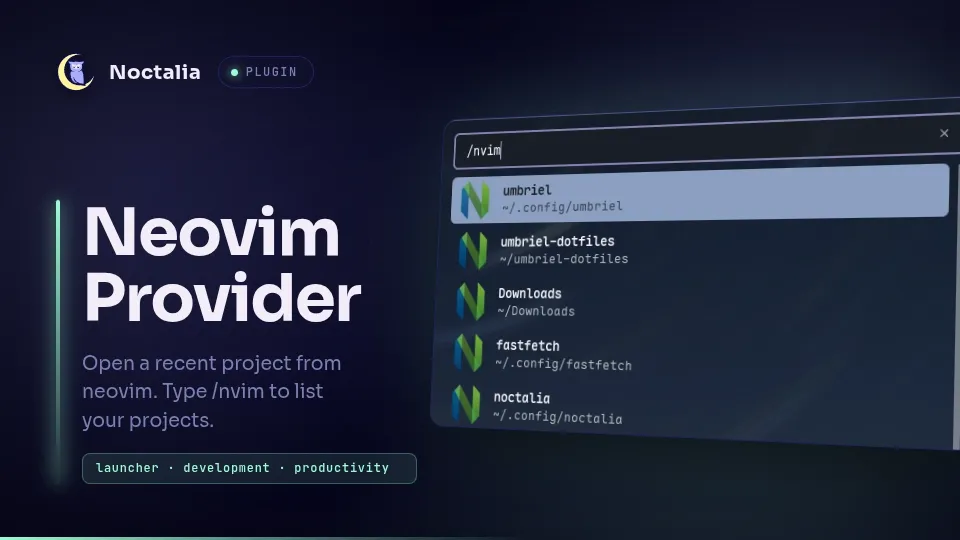
v1.1.1 Ashur-D
About
Neovim Projects
Quickly search and launch recent Neovim workspaces and project directories directly from the Noctalia launcher.
Plugin
| Field | Value |
|---|---|
| ID | ashur-d/nvim-projects |
| Entry | Launcher provider: provider |
| Launcher Prefix | /nvim |
Requirements
Ensure nvim is available on your system PATH. Projects open using Noctalia's default terminal discovery, or any custom terminal emulator configured in settings.
Usage
Open the Noctalia launcher and type /nvim to list recent local Neovim sessions and workspaces. Continue typing to filter projects by name or path, then select one to open it in your terminal running Neovim.
Settings
| Setting | Type | Default | Description |
|---|---|---|---|
max_results |
int |
20 |
Maximum number of recent projects to show in the launcher. |
projects_dir |
folder |
~/Projects |
Directory where your local projects and git repositories reside. |
terminal |
string |
"" |
Custom terminal command to launch Neovim (leave empty to use Noctalia's default terminal). |
command |
string |
nvim |
The Neovim executable or frontend to use. GUI frontends should include -- after the command, e.g. nvim-qt --. |
run_in_terminal |
bool |
true |
Whether to run the command in a terminal emulator. Should be enabled when using plain text-based nvim, and disabled when using a GUI frontend. |
Notes
- Sessions are automatically decoded from
persistence.nvim,persisted.nvim,auto-session,neovim-session-managerornvim-possessionsession files located at~/.local/state/nvim/sessions/or~/.local/share/nvim/sessions. - The plugin also scans subdirectories in your configured
projects_dir, as well as~/.config/nvim. - Opens session projects with
nvim -S <session_file>, and directory projects withnvim -c cd <dir>, usingnoctalia.runInTerminal(or your configured custom terminal).
Versions
| Version | Plugin API | Updated |
|---|---|---|
| v1.1.1 latest | 24 | Oct 19, 2026 |
| v1.0.1 | 3 | Sep 5, 2026 |
Older versions stay installable on a Noctalia release whose plugin API is below the latest version's.