
About
Nothing Ear
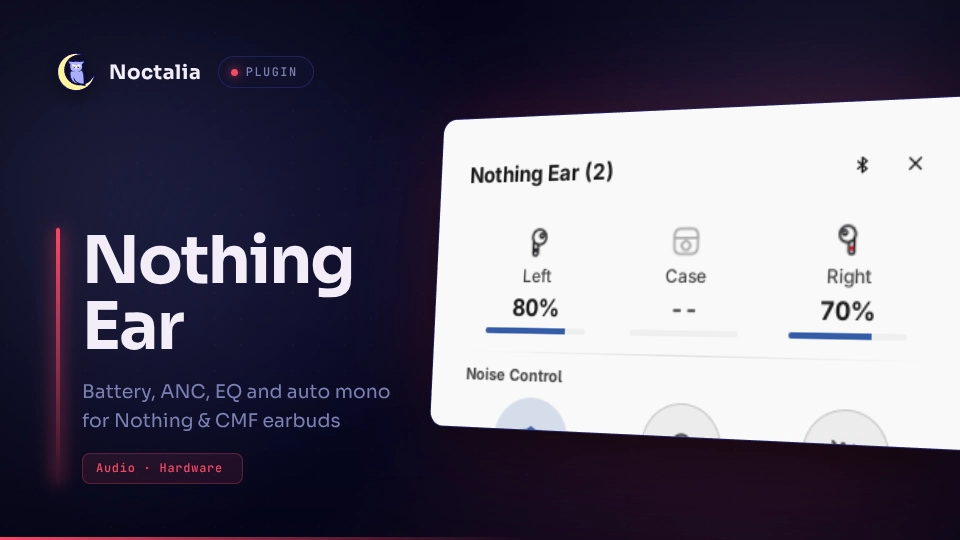
Battery, noise control, EQ presets, Personalised ANC, Personal Sound Profile, low-latency mode and auto mono audio for Nothing and CMF earbuds, controlled directly over Bluetooth. No Nothing X app and no background daemon.
Tested on a Nothing Ear (2) only. The other models below use the same protocol according to two community reverse-engineering projects (protocol notes). The plugin detects your model and hides controls it lacks. If something is off on your device, please open an issue.
| Model | ANC |
|---|---|
| Nothing Ear (1), Ear (2), Ear (a), Ear (2024) | yes |
| Nothing Ear (stick), Ear (open) | no |
| CMF Buds, Buds Pro, Buds Pro 2 | yes |
Plugin
| Field | Value |
|---|---|
| ID | zyrex/nothing-ear |
| Entries | Bar widget: nothing-ear; panel: panel; desktop widget: desktop; service: service; shortcut: refresh |
Requirements
python3onPATH(standard library only).bluetoothctl(BlueZ) onPATH, to list paired devices.pactlonPATH(PipeWire or PulseAudio), for mono audio only.- The earbuds must already be paired. The plugin doesn't pair devices.
Usage
Enable zyrex/nothing-ear in Settings → Plugins, then add the nothing-ear bar widget from
Settings → Bar → Widgets.
- If exactly one Nothing/CMF device is paired, it's picked automatically. Otherwise open the panel and choose one. The Bluetooth button (Switch earbuds) in the panel header brings the picker back.
- Left-click the bar widget for the panel; right-click cycles noise control (off → transparency → noise cancellation).
- The bar icon shows the case or the buds that are out, with a badge for the noise mode. Hover it for battery levels.
- The
desktopwidget is a compact battery and noise-mode card, under Settings → Desktop Widgets. - The
refreshshortcut (Settings → Shortcuts) forces a fresh read. - Personalised ANC and Personal Sound Profile only appear when the earbuds support them. The sound profile needs a hearing test saved in Nothing X first; the panel only turns it on and off.
noctalia msg panel-toggle zyrex/nothing-ear:panel
Mono audio
Mono Audio in the panel mixes both channels into each bud. With Auto mono when only one bud is out on, mono turns on when one bud is in its closed case and off when it comes back out. The earbuds don't report whether a bud is in your ear, so a bud in an open case still counts as out. Toggling by hand pauses auto mono until the buds change state. The mono output shows up as your earbuds' name plus "(Mono)" in the audio menu; picking another output turns mono off. It only applies while the earbuds are your default output.
Settings
| Setting | Type | Default | Description |
|---|---|---|---|
device_mac |
string |
"" |
Leave empty to auto-detect or pick from the panel. Set it to pin one device. |
show_in_bar |
bool |
true |
Show the battery number next to the bar icon, updated in the background. When off, only the icon shows. |
show_percentage |
bool |
true |
Add a % sign after the battery number. |
mono_on_single_bud |
bool |
false |
Switch to mono while one bud is in its closed case. See Mono audio above. |
IPC
# Noise control: anc, transparency or off. anc takes an optional strength:
# high, mid, low or adaptive.
noctalia msg plugin zyrex/nothing-ear:service all set-anc anc:high
noctalia msg plugin zyrex/nothing-ear:service all cycle-anc

# EQ preset: 0 Balanced, 1 Voice, 2 More Treble, 3 More Bass, 5 Custom.
noctalia msg plugin zyrex/nothing-ear:service all set-eq 0

# On/off toggles: 1/true/on or 0/false/off.
noctalia msg plugin zyrex/nothing-ear:service all set-latency 1
noctalia msg plugin zyrex/nothing-ear:service all set-personal-anc 1
noctalia msg plugin zyrex/nothing-ear:service all set-sound-profile 1
noctalia msg plugin zyrex/nothing-ear:service all set-mono 1

# Device handling.
noctalia msg plugin zyrex/nothing-ear:service all refresh
noctalia msg plugin zyrex/nothing-ear:service all scan-devices
noctalia msg plugin zyrex/nothing-ear:service all select-device AA:BB:CC:DD:EE:FF
noctalia msg plugin zyrex/nothing-ear:service all forget-device
Current state is published as nothing_ear_status in shared plugin state
(noctalia.state.get / noctalia.state.watch).
Notes
- Processes: the service runs
scripts/nothing_ear_ctl.pyonce per poll or command over a raw RFCOMM socket,bluetoothctl devices Pairedto list devices (read-only), andscripts/mono_switch.py, which callspactlto load or unload amodule-remap-sinknamednothing_ear_monoand move streams onto it. - Files: the RFCOMM channel, last-known state, a lock file and the mono state
(
nothing_ear_mono_state.json) live in$XDG_RUNTIME_DIR. The chosen device is saved inpluginDataDir()/device.json. No network access. - Polling only runs while the bar number, panel or desktop widget is showing, or auto mono is on (slower). Mono is always turned off when the plugin loads.
- EQ preset indexes were mapped on an Ear (2); other models may differ.
- One device at a time.
- Protocol facts were cross-checked against ear-web and earctl (both AGPL-3.0). No code from either is included; this plugin is MIT-licensed.
Versions
| Version | Plugin API | Updated |
|---|---|---|
| v0.1.0 latest | 28 | Oct 20, 2026 |
Older versions stay installable on a Noctalia release whose plugin API is below the latest version's.