 Noctalia
About
NixOS Updates
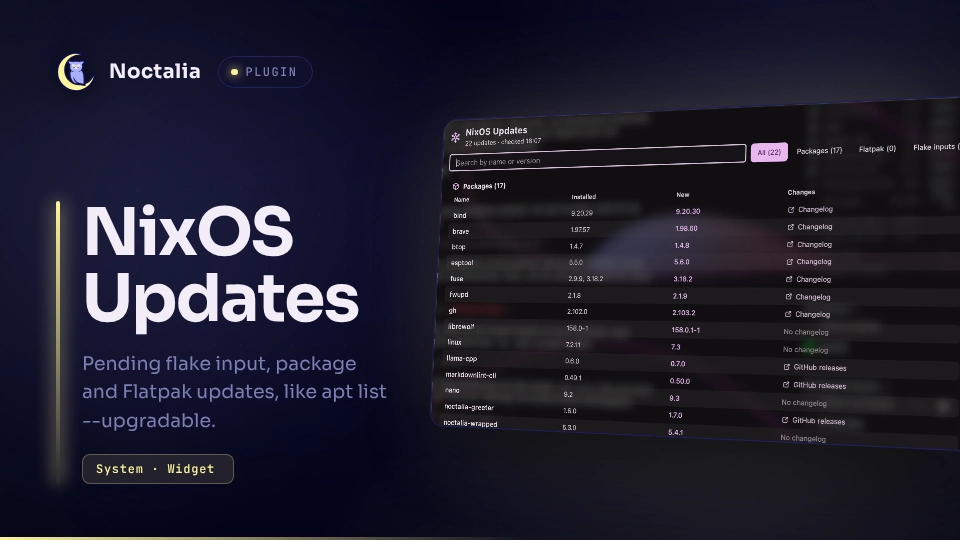
Shows what an update would bring, like apt list --upgradable on Debian:
the flake inputs that have new commits, the package versions of your NixOS
configuration that change with them (brave 1.97.59 → 1.98.60), and pending
Flatpak updates. The bar widget shows the count as a filled badge, the panel
the details.
Checking does not touch your configuration: flake.lock stays as it is, nothing
is built or installed. Updating is up to you, through the command you set for
the panel's Update button.
Plugin
| Field | Value |
|---|---|
| ID | dmopp/nixos-updates |
| Entries | Bar widget: updates; panels: panel (compact), details (full list); service: service |
Requirements
nixwith flakes (the plugin passes--extra-experimental-featuresfornix-commandandflakesitself) and support fornix flake update --output-lock-fileandnix eval --reference-lock-file. Tested with Nix 2.34.sh,timeout,cat,cmp,cp,cut,grep,head,id,mv,readlink,rm,sed,stat,tail,tr(a shell, coreutils, diffutils, grep, sed).- Optional:
flatpakfor the Flatpak list; without it that section is left out. systemd-runfor the update process scope (part of any systemd-based Linux installation).- Optional:
xdg-opento open changelogs and commit comparisons from the panels.
Usage
- Enable the plugin and add the bar widget
dmopp/nixos-updates:updates. - Open the settings (Settings → Plugins → gear). Flake directory defaults
to
/etc/nixos; NixOS configuration defaults to the hostname. - Set Update command to whatever you use to update, for example
nix flake update --flake /etc/nixos && sudo nixos-rebuild switch --flake /etc/nixos && flatpak update -y. It runs in a terminal from the panel's Update button.
The first check runs about a minute after the plugin starts when the last one
is older than the check interval; the result of the last check is kept across
restarts. After a failed check (no network yet, for instance) the plugin tries
again every 15 minutes and keeps showing the last known lists. A change of flake.lock or of a Flatpak installation (after you
updated) triggers a new check within about two minutes. A change of the
configuration alone does not; it shows with the next check or Check now.
Left-click the widget for the panel:
- Package changes: every entry of
environment.systemPackagesplus the kernel whose version changes, appears or disappears. Packages are told apart by name, so a renamed one shows up as removed plus new. - Flatpak updates: system and user installation, installed and new version (runtimes without a version show "new build").
- Flake inputs with new commits: old and new revision, source and commit dates.
- Check now and Update.
Packages and Flatpaks come first, the inputs after. The compact panel shows at most eight rows in all; where it cuts the list, one button says how many updates are hidden and opens the details window ("9 more · show all 17 updates", the same count as above). The maximize button in the header opens it as well: one table with name, installed and new version and where to read the changes, plus a search field and a filter by kind.
Changes column (a click on the row opens it; in the compact panel too):
- Packages: the package's
meta.changelogfrom nixpkgs, often for exactly the new version; else the GitHub releases page when the homepage is a GitHub repository; else "No changelog". - Flatpaks from Flathub: the app page, which lists the release notes. Runtimes have none.
- Inputs on GitHub, GitLab or Codeberg: the comparison of both revisions; else "No comparison available".
Plugins get no activation token, so whether the browser window comes to the front is up to the compositor; it may open on another workspace.
noctalia msg panel-toggle dmopp/nixos-updates:panel
noctalia msg panel-toggle dmopp/nixos-updates:details
The count is the number of listed rows: package changes, Flatpak updates and
inputs with new commits. An input counts on its own because a package built
from it can get new commits without a new version number, so it would not show
up as a package change. A nixpkgs bump therefore counts as one more on top of
the packages it changes. While updates are pending the widget is a filled
badge. An error turns the badge to the error color and crosses out the glyph
(package-off; with a custom glyph, alert-triangle), as both colors can be
alike in a wallpaper theme. The reason shows up in the tooltip and the panel.
Settings
Plugin settings:
| Setting | Type | Default | Description |
|---|---|---|---|
flake_dir |
folder |
/etc/nixos |
Directory with flake.nix and flake.lock, as an absolute path without ? or #. Not written to. Empty: only Flatpaks. |
nixos_configuration |
string |
"" |
Attribute under nixosConfigurations to evaluate. Empty: the hostname. |
check_packages |
bool |
true |
Evaluate the configuration with the current and the updated lock and compare package versions. |
check_flatpak |
bool |
true |
List pending Flatpak updates of the system and user installations. |
check_interval_hours |
int |
6 |
Hours between two checks (1-168). After a failed check at most 15 minutes. |
update_command |
string |
"" |
Shell command for the Update button, run in a terminal when you press it, never on its own. Empty: the button opens the settings instead. |
terminal |
string |
"" |
Terminal command the Update button starts the update command with, e.g. kitty --class nixos-updates -e. Include the option your terminal needs to run a command. Give it its own window class or app id, then match that in a compositor window rule to float it without affecting other terminals. Empty: Noctalia's default terminal. |
github_token_file |
file |
"" |
Optional. Path to a file with a GitHub token, see GitHub rate limit. The token itself never goes into the settings. |
notify |
bool |
true |
Notify when a check finds updates that were not pending before. |
ignored_inputs |
string_list |
[] |
Advanced. Input names left out of the input list. Packages they change are still listed. |
Widget settings:
| Setting | Type | Default | Description |
|---|---|---|---|
glyph |
glyph |
package |
Glyph of the widget |
show_count |
bool |
true |
Show the number of updates |
show_zero |
bool |
false |
Show 0 when up to date |
hide_when_up_to_date |
bool |
false |
Hide the widget while nothing is pending and there is no error |
highlight_color |
color |
tertiary |
Background of the badge while updates are pending (errors: error) |
GitHub rate limit
nix flake update asks GitHub's API for the latest revision of each github:
input. Without a token GitHub allows 60 requests per hour per IP address, shared
by everything in your network. One check costs about one request per direct
input, so the default interval is far from the limit; it can be reached with
many checks in a row or other Nix use on the same address.
Nix does not fail then: it warns and reuses what it knew. The plugin treats this
as a failed check, shows the reason, keeps the last known lists and tries again
every 15 minutes. It does not claim "up to date" after a failed check. Note that a
plain nix flake update or your update command is affected the same way while
the limit is reached: it can finish without updating anything.
A token raises the limit to 5000 requests per hour. It is optional, and you do not need one if you never see the error.
Creating a token
Give it no access beyond what is public anyway, so that it is worth little if it ever leaks:
- Open github.com/settings/personal-access-tokens/new (a fine-grained token).
- Token name: for example
noctalia-nixos-updates. Expiration: keep it short, for example 90 days. The plugin tells you when GitHub rejects it. - Resource owner: your account. Repository access: Public repositories. Do not select private repositories: this plugin does not need them, and if your flake has private inputs, a separate token for those belongs in your own Nix setup.
- Permissions: add none. Read access to public repositories is always included.
- Generate token and copy it. GitHub shows it only once.
Store it with these commands. read -rs keeps it out of your shell history and
off the screen; paste it and press Enter:
install -d -m 700 ~/.config/noctalia-nixos-updates
(umask 077; IFS= read -rs token && printf '%s\n' "$token" > ~/.config/noctalia-nixos-updates/github-token)
Then set GitHub token file to ~/.config/noctalia-nixos-updates/github-token.
Check that it works; this should print a limit of 5000. The token reaches curl
through stdin and stays off the command line:
printf 'header = "Authorization: Bearer %s"\n' "$(cat ~/.config/noctalia-nixos-updates/github-token)" | curl -s -K - https://api.github.com/rate_limit | grep -m1 '"limit"'
To remove it, delete the token on GitHub (same settings page), delete the file and clear the setting.
Do not put the token into your NixOS configuration, nix.settings or anywhere
inside the flake: those end up in the Nix store, which every user can read.
How the plugin handles the token
- Only the path is in the settings; the token stays out of
settings.tomland anything exported from it. - The file is refused, with a message and without being used, unless it is your
own, has mode
600or400, lies outsideflake_dir, and its first line consists only of letters, digits and_. So it cannot add other Nix settings. - It reaches only
nix flake update, through that process's environment (NIX_CONFIG,extra-access-tokens), which other users cannot read, and never a command line. The evaluation of not yet accepted code (see Notes) runs without it. - Nix sends it only to
github.comand its API. It is not written to the plugin's files, not logged, and not sent anywhere by the plugin itself.
IPC
noctalia msg plugin dmopp/nixos-updates:service all check    # check now
noctalia msg plugin dmopp/nixos-updates:service all update   # run the update command in a terminal
Notes
How the check works (
scripts/check.sh, started withrunStreamas it can take longer than the 60 s limit ofrunAsync):nix flake update --flake <flake_dir> --output-lock-file <data>/new.lockresolves every input to its latest revision and writes the result to the plugin data directory, not toflake.lock.nix eval --json --no-write-lock-file --reference-lock-file <lock> '<flake_dir>#nixosConfigurations."<name>".config' --apply …reads name, version,meta.changelogandmeta.homepageof everyenvironment.systemPackagesentry and ofboot.kernelPackages.kernel, once withflake.lockand once withnew.lock, both with the configuration as it is at that moment, so that an edit of the configuration does not look like an update. When both locks are equal the second evaluation is skipped.flatpak list(with origin, for the Flathub link) andflatpak remote-ls --system|--user --updates.
Every
nixandflatpakcall runs undertimeout(10 minutes for the flake update, 15 per evaluation, 3 per Flatpak call) without stdin, so a stalled call cannot keep the script alive; the service gives a run up only after an hour and ignores anything a given-up run still prints.Security - unaccepted code is evaluated: step 2 evaluates the Nix code of input revisions you have not accepted yet, automatically and in the background. Nix evaluation is pure here (no
--impure), and the plugin overrides yournix.conffor these calls:accept-flake-config = false,allow-unsafe-native-code-during-evaluation = false,max-jobs = 0and nobuilders, so nothing is built. A build the evaluation asks for (import from derivation) can only come from a binary cache; otherwise the evaluation fails and the panel lists only the inputs. If you do not want this, turn offcheck_packages: then only the lock file is compared.Security - links (changelogs, releases, Flathub, commit comparisons) come from
flake.lockand package metadata. Only plainhttp:///https://URLs are shown and opened, with a host that cannot be disguised and without whitespace or shell metacharacters; anything else (file://, paths, values starting with-) gets no link. Credentials and query strings of an input URL are not shown.Network:
nixfetches the inputs' latest revisions (and, on the first evaluation of a new revision, its source) likenix flake updatedoes, using your flake registry and binary caches;flatpak remote-lsfetches the remotes' metadata. The plugin itself makes no HTTP requests. Automatic checks pause whileshell.offline_modeis on; Check now and the IPC command still run.CPU: an evaluation of the NixOS configuration takes a few seconds to a minute, depending on the configuration; Nix's own caches make it much cheaper when neither the lock nor the configuration changed.
Files read:
<flake_dir>throughnix, directlyflake.lock, the optional token file, and/var/lib/flatpak/.changedand~/.local/share/flatpak/.changed(modification time only).Files written: by the plugin only in its data directory (
noctalia.pluginDataDir(), owner only):new.lock,packages-old.json,packages-new.json,flatpak-installed.tsv,flatpak-updates.tsv,stderrduring a run, andresult.jsonwith the last result.nixalso does what every flake command does: it copies<flake_dir>to the world-readable Nix store (for a Git repository only tracked files, otherwise the whole directory), stores fetched input sources there until the next garbage collection, and uses~/.cache/nix.Processes:
sh scripts/check.sh(with thenixandflatpakcalls above),xdg-open <url>on a click on a row with a changes link, and the configured update command in a terminal on Update (withterminalset,systemd-run --user --scope --collect --quiet <terminal> sh -lc '<update_command>').Only packages listed in
environment.systemPackages(and the kernel) are compared, not their dependencies or services. Home Manager packages are not included. A package built from an input can get new commits without a new version number; then only the input is listed.
Versions
| Version | Plugin API | Updated |
|---|---|---|
| v1.1.1 latest | 43 | Nov 2, 2026 |
Older versions stay installable on a Noctalia release whose plugin API is below the latest version's.