
About
Niri Media Idle
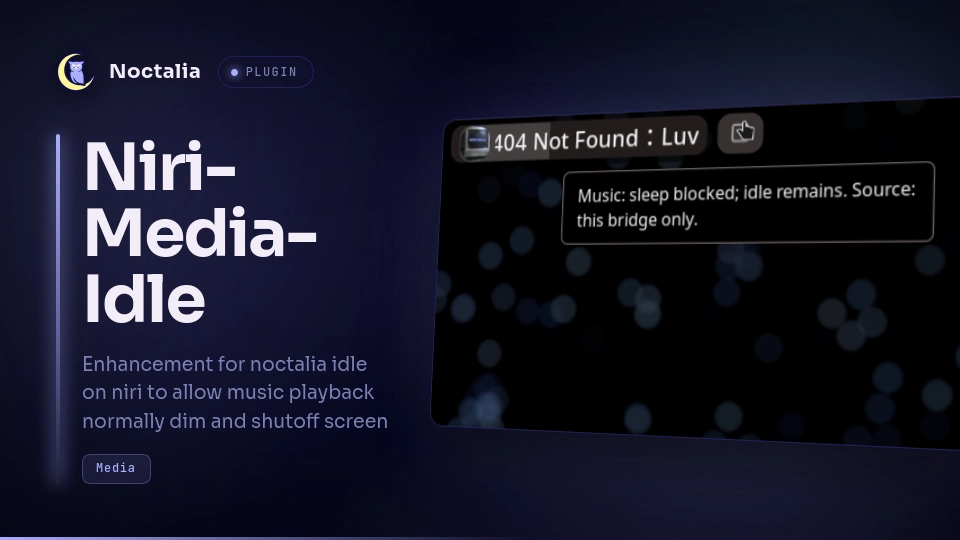
Niri Media Idle starts the bundled media-aware idle bridge and gives you a compact bar control for its user service. It keeps the native Noctalia idle policy separate and never exposes player names, titles, or URLs in the widget.
Plugin
| Field | Value |
|---|---|
| ID | zhangdm-520/niri-media-idle |
| Entries | Bar widget: niri-media-idle; service: niri-media-idle-service |
Requirements
Install python3 3.11 or newer, systemctl, systemd-run, systemd-inhibit, and pw-dump on PATH. The bridge also needs the Python dbus-python and PyGObject modules and an active systemd user manager, session bus, and niri graphical session.
Usage
Enable zhangdm-520/niri-media-idle in Noctalia and add the niri-media-idle widget to a bar. By default, the service starts its transient user unit when the plugin loads. The Start bridge automatically setting starts the bridge when enabled and stops an already-running unit when disabled. With the setting already false at initial plugin load, the service is not started (the plugin may refresh its status). A bar click can still start or stop the bridge for the current session without changing the setting. The service stops on an orderly Noctalia shutdown or plugin disable; a Luau reload leaves the unit running. If Noctalia crashes, the unit remains tied to graphical-session.target and stops when that session target stops. Right-click the widget to refresh the service state.
IPC
The service entry accepts these events without a payload:
noctalia msg plugin zhangdm-520/niri-media-idle:niri-media-idle-service all status
noctalia msg plugin zhangdm-520/niri-media-idle:niri-media-idle-service all start
noctalia msg plugin zhangdm-520/niri-media-idle:niri-media-idle-service all stop
noctalia msg plugin zhangdm-520/niri-media-idle:niri-media-idle-service all toggle
noctalia msg plugin zhangdm-520/niri-media-idle:niri-media-idle-service all refresh
statusandrefreshquery the service and update the widget without changing the unit.startandstopstart or stop the transient bridge unit.togglestops an active unit or starts an inactive one.
Settings
| Setting | Type | Default | Description |
|---|---|---|---|
auto_start |
bool |
true |
Start the bridge when the plugin loads. Changing this to false stops the active unit; the widget can still start or stop the bridge for the current session without changing this preference. |
Status and limits
The v1.2 consumer accepts only a version-2 record at $XDG_RUNTIME_DIR/noctalia-niri-media-idle/status.json. It requires version, a positive integer pid, coarse media (none, music, video, or unknown), state, and boolean logind_idle_held, screensaver_held, and sleep_held fields. It rejects malformed, inconsistent, or stale data, and verifies that the record PID matches systemctl --user show --property=MainPID --value noctalia-niri-media-idle.service. A newly active unit gets a three-second loading grace measured from systemd's monotonic active-enter timestamp before an unknown-state warning appears.
- Active + protected: video is reported only when the current unit's record says
protectedand all three inhibitors (sleep, idle, and ScreenSaver) are held. - Active + music sleep: music holds only the sleep inhibitor; idle and ScreenSaver inhibition are not claimed.
- Active + music sleep incomplete: the bridge reports music, but the sleep-only inhibitor state is incomplete.
- Active + normal: no media is reported and the normal idle chain is in effect.
- Active + incomplete: video is reported, but at least one required inhibitor is not held.
- Active + loading or unknown: the bridge is still starting, or its current protection state is unavailable; protection is not inferred from unit liveness.
- Inactive or failed: the bridge service state is shown, and the widget remains available to start or reset it.
Normal and unknown active states keep the active icon and color; the alert color is reserved for incomplete protection or a failed unit. The tooltip carries the protection detail.
The transient unit creates the runtime directory with mode 0700; the bridge writes the status file atomically with mode 0600. The record contains only a version, daemon PID, coarse media/state values, and inhibitor-held booleans. Tooltips identify the source as this bridge only and never show player, app, title, or URL identifiers. The widget does not infer protection from the bridge's --once classification.
The v1.2 package pairs this consumer with its version-2 bundled bridge. Legacy version-1, malformed, stale, or PID-mismatched records remain unknown after the startup grace rather than claiming protection.
Notes
The plugin makes no network requests and does not read or write Noctalia's idle configuration; it reads only its plugin-level auto_start preference. The bundled bridge reads local MPRIS and PipeWire metadata to classify playback, and it uses systemd-inhibit, pw-dump, and the session D-Bus. Player names, titles, and URLs are not passed to the widget. The same rule holds for everything the bridge publishes outside diagnostics: inhibitor reasons are coarse constants (video playback, music playback) because they surface in systemd-inhibit --why, /proc argv, logind's inhibitor metadata, and the ScreenSaver call, all readable by any local user. Full per-player evidence (identities, titles, URLs) appears only in the --once diagnostic output. The transient unit is noctalia-niri-media-idle.service, runs as the current user, is collected after it stops, and is tied to graphical-session.target and niri.service. Bridge diagnostics go to the systemd user journal.
These fake-command and fake-Noctalia lifecycle tests do not run the Noctalia UI or a live compositor:
python3 -m unittest discover -s tests -p 'test_control.py' -v
python3 -m unittest discover -s tests -p 'test_media_bridge.py' -v
Versions
| Version | Plugin API | Updated |
|---|---|---|
| v1.2.0 latest | 30 | Oct 4, 2026 |
Older versions stay installable on a Noctalia release whose plugin API is below the latest version's.