
About
Niri Displays
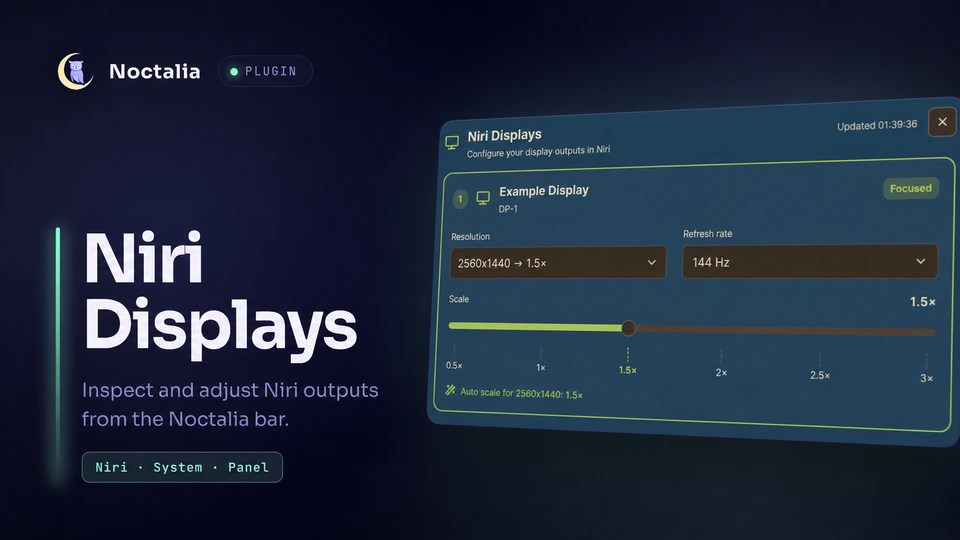
Inspect connected outputs and make temporary display changes directly from Noctalia. The plugin uses Niri's IPC to expose per-output enable/disable, resolution, refresh-rate, scale, rotation (transform), position, and focused-output state.
Plugin
| Field | Value |
|---|---|
| ID | raycursive/niri-displays |
| Entries | Bar widget: bar; panel: panel; service: displays |
Requirements
- Noctalia plugin API 9 or newer (used for closure-backed display controls).
- The
niriexecutable onPATH, with a running Niri session andNIRI_SOCKETavailable to Noctalia. - A Niri version that supports the
niri msg outputIPC commands.
Usage
Enable raycursive/niri-displays in Settings → Plugins, then add the bar entry from Settings → Bar → Widgets. The displays service starts automatically, watches Noctalia's output-change hook, and uses slow polling as a recovery fallback.
Click the bar widget to open the panel entry. Each connected output shows its connector, make/model, focused state, current mode, refresh rate, scale, rotation, and position. Select a mode, refresh rate, or rotation reported by Niri, adjust the position, or drag the scale slider, to apply a temporary change.
The Enabled toggle at the top of each card runs niri msg output <port> on or off. A disabled output stays listed with its controls greyed out, so it can be switched back on at any time. The last enabled output is protected: its toggle is locked and labelled "Only display" so a session can never be left without a screen.
Open the panel without the bar widget with:
noctalia msg panel-toggle raycursive/niri-displays:panel
Scale presets
Each scale_presets item uses one of these forms:
WIDTHxHEIGHT=SCALE
PORT:WIDTHxHEIGHT=SCALE
For example:
3840x2160=1.5
2560x1440=1
DP-3:1920x1080=1.25
A port-specific preset wins over a global preset for the same resolution. At the same specificity, the last valid matching item wins. Presets match the resolution exactly and are applied after a resolution change, including changes detected outside the panel; refresh-rate-only changes do not reapply them.
Settings
| Setting | Type | Default | Description |
|---|---|---|---|
scale_presets |
string_list |
empty | Global or per-connector resolution=scale mappings applied after matching resolution changes. |
refresh_interval |
int |
30 seconds |
Recovery polling interval, limited to 5–300 seconds; normal output updates are event-driven. |
glyph |
glyph |
device-desktop |
Glyph used by this bar-widget instance. |
show_resolution |
bool |
true |
Shows the focused connector and resolution beside the bar glyph; disable for icon-only display. |
IPC
The displays service accepts these events:
# Query Niri for a fresh output snapshot.
noctalia msg plugin raycursive/niri-displays:displays all refresh

# Write the normalized output snapshot to the Noctalia log.
noctalia msg plugin raycursive/niri-displays:displays all dump
Notes
- Discovery spawns
niri msg --json outputsandniri msg --json focused-output. Changes spawnniri msg output <connector> mode ...,niri msg output <connector> scale ...,niri msg output <connector> transform ..., orniri msg output <connector> position .... - Niri intentionally does not persist these IPC changes to
config.kdl. A Niri restart or a later configuration reload can restore configured values; keep permanent defaults in your Niri configuration. - A matching scale preset can change output scale automatically when the service starts, reloads, detects a resolution change, or receives a settings change.
- The plugin does not write files or make network requests. Command errors are shown without discarding the last successful in-memory output snapshot.
Versions
| Version | Plugin API | Updated |
|---|---|---|
| v0.5.0 latest | 9 | Sep 21, 2026 |
Older versions stay installable on a Noctalia release whose plugin API is below the latest version's.