 Noctalia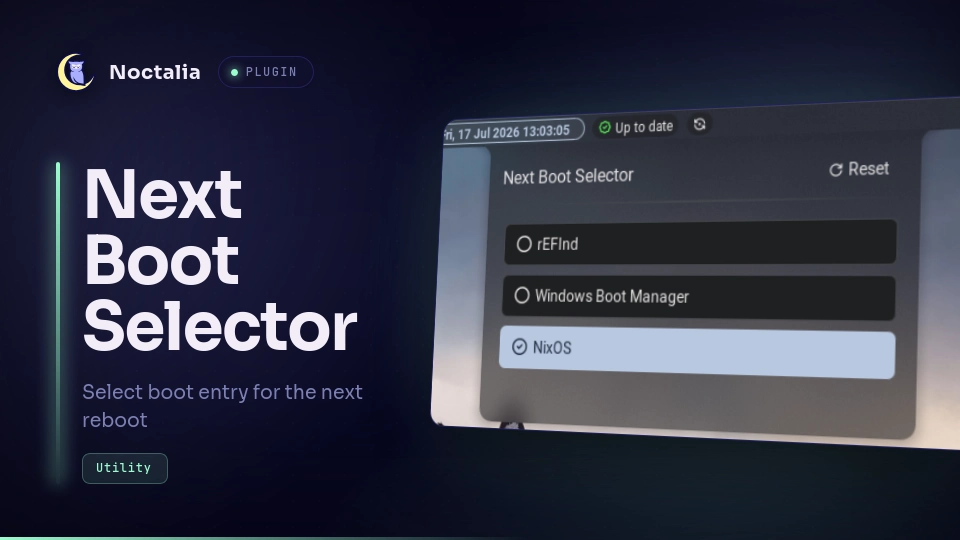
About
Next Boot Selector
Next Boot Selector selects which boot entry to boot for the next reboot only. Useful if you're dual-booting and goes back and forth to/from Windows.
Plugin
| Field | Value |
|---|---|
| ID | avivbintangaringga/nextboot-selector |
| Entries | Bar widget: nextboot-selector; panel: panel |
Requirements
This plugin mainly requires efibootmgr but need to escalate using pkexec or sudo. Note that if you use sudo, you need to set the option NOPASSWD for the efibootmgr command so it doesn't requires password to run. reboot command is also required if reboot on select is enabled.
Usage
Add the nextboot-selector widget to a bar. Click it to show a panel that lists all boot entries on your computer. Click one of the entry to change the next boot to it.
Open the panel directly with:
noctalia msg panel-toggle avivbintangaringga/nextboot-selector:panel
You can add more keywords to the exclusion list in the settings to hide unwanted entries. You also can make it automatically reboots after selecting an entry.
Settings
| Setting | Type | Default | Description |
|---|---|---|---|
excluded_keywords |
string_list |
["pxe", "uefi os", "uefi shell", "shell", "ipv4", "ipv6", "network", "diagnostics", "setup", "recovery"] |
Keywords to exclude unwanted boot entries |
privilege_command |
string |
pkexec |
Command to escalate the privilege of the efibootmgr command |
close_on_select |
bool |
false |
Whether to close the panel after selecting an entry |
reboot_on_select |
bool |
false |
Whether to automatically reboot after selecting an entry |
reboot_command |
string |
reboot |
Command to be executed when reboot on select is enabled |
Versions
| Version | Plugin API | Updated |
|---|---|---|
| v1.0.1 latest | 9 | Jul 24, 2026 |
| v1.0.0 | 3 | Jul 18, 2026 |
Older versions stay installable on a Noctalia release whose plugin API is below the latest version's.