
About
NCS Visualizer
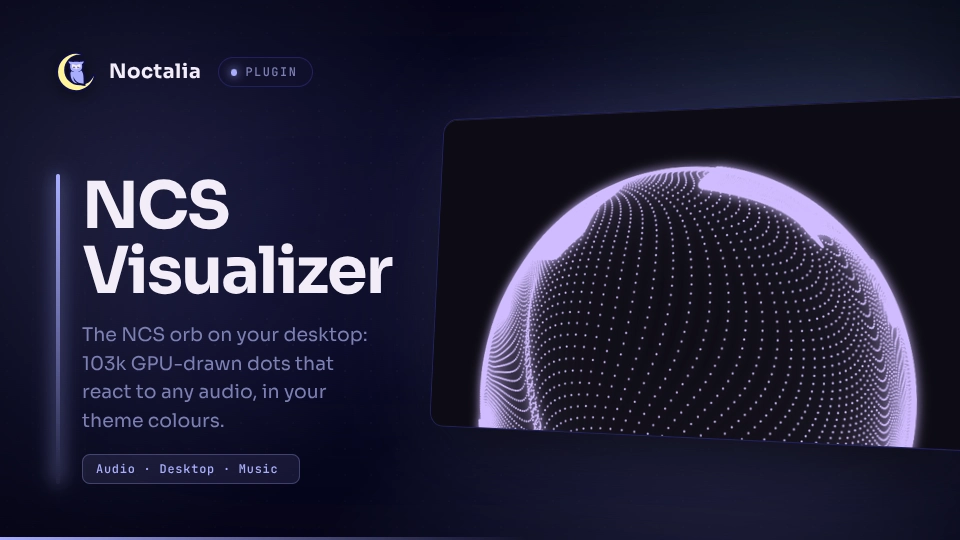
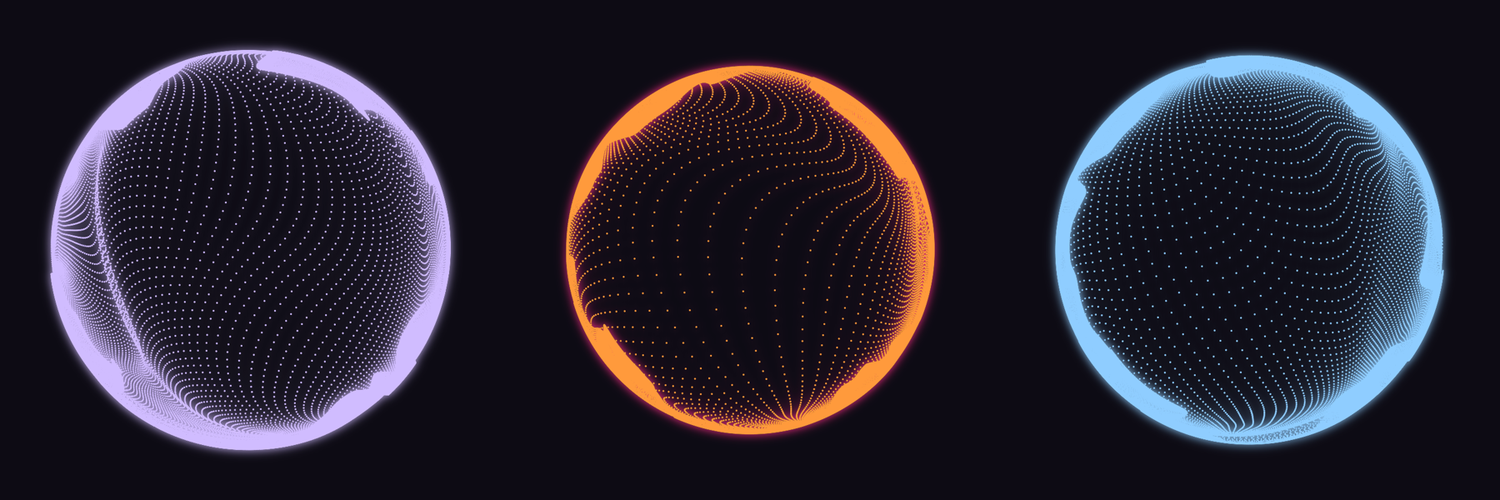
The NCS audio-visualizer orb from spicetify-visualizer as a desktop widget: 322 × 322 = 103,684 GPU-drawn dots that react to whatever your speakers play (any player, browser or game). By default it takes its colour from your Noctalia theme, so it changes with your wallpaper.
Plugin
| Field | Value |
|---|---|
| ID | tausif/ncs-visualizer |
| Entries | Desktop widget: orb; service: service; shortcut: toggle |
Requirements
aurora-ncs, the companion renderer that draws the orb on the GPU. Plugins can't ship compiled code, so you build it once from the project repo. It takes about a minute and needs no sudo:git clone https://github.com/BiparJoy/noctalia-ncs-visualizer cd noctalia-ncs-visualizer ./install.sh # installs ~/.local/bin/aurora-ncsinstall.shlists the build-dependency packages for Fedora, Arch, Debian/Ubuntu and openSUSE if any are missing (Qt 6, LayerShellQt, CMake, a C++17 compiler). The plugin findsaurora-ncsonPATHor in~/.local/bin. You can also set the Renderer path setting.cavafor audio capture (PipeWire or PulseAudio).A Wayland compositor with wlr-layer-shell (niri, Hyprland, Sway, …) and OpenGL 3.3.
Usage
- Open the desktop widget editor (Settings → Desktop, or
noctalia msg desktop-widgets-edit) and add NCS Visualizer (orb). - Move and resize it like any other desktop widget. The orb follows the box within a second. You can place more than one.
- In that widget's own settings, turn Background off. Otherwise Noctalia draws its usual card behind the orb.
- Optional: add the NCS Visualizer shortcut (
toggle) to the Control Center under Settings → Control Center. Click it to show or hide the orb; right-click to open these settings.
The service entry runs in the background. It starts the renderer while at least
one orb is placed, and it stops the renderer when none are.
Settings
| Setting | Type | Default | Description |
|---|---|---|---|
color_source |
select |
theme |
theme follows the Noctalia palette (changes with the wallpaper); custom uses color. |
theme_role |
select |
primary |
Theme colour used for the orb: primary, secondary or tertiary. |
color |
color |
#ff2e88 |
Orb colour when color_source is custom. |
glow_mode |
select |
same |
Glow around the dots: same as the orb, a theme colour, or custom. |
glow_theme_role |
select |
tertiary |
Theme colour for the glow when glow_mode is theme. |
glow_color |
color |
#7a5cff |
Glow colour when glow_mode is custom. |
opacity |
double |
1.0 |
Orb opacity, 0.1–1. |
dot_density |
select |
322 |
Dots per side: 160, 240, 322 (original) or 400. Lower is lighter on the GPU. |
orb_scale |
double |
1.0 |
Orb size inside the widget box, 0.4–1. |
dot_scale |
double |
1.0 |
Dot size multiplier, 0.5–2.5. |
glow_scale |
double |
1.0 |
Glow strength, 0–2.5. |
motion_model |
select |
original |
original matches spicetify-visualizer (0.15 s moving average); aurora adds a spring and a punch on each beat. |
sensitivity |
double |
1.0 |
Gain applied to the audio level, 0.2–3. |
flow_speed |
double |
1.0 |
Speed of the surface flow, 0–3. |
punch |
double |
0.5 |
Beat punch strength (Aurora motion only), 0–1.5. |
fps |
select |
60 |
Frame rate: 30, 60 or 120. |
hide_when_idle |
bool |
false |
Fade the orb out while nothing is playing. |
idle_seconds |
int |
5 |
Seconds of silence before the orb stops moving (and hides, if enabled), 1–120. |
layer |
select |
bottom |
bottom keeps the orb behind windows like other desktop widgets; top keeps it above them. |
audio_source |
string |
empty | PipeWire/PulseAudio source for cava. Empty uses the default output, so you see what you hear. |
noise_reduction |
int |
55 |
cava smoothing, 0–100. Higher is smoother but slower to react. |
renderer_path |
file |
empty | Path to aurora-ncs. Empty searches PATH and ~/.local/bin. |
IPC
noctalia msg plugin tausif/ncs-visualizer:service all toggle   # show / hide
noctalia msg plugin tausif/ncs-visualizer:service all on
noctalia msg plugin tausif/ncs-visualizer:service all off
For example, a niri keybind:
Mod+Alt+V { spawn "noctalia" "msg" "plugin" "tausif/ncs-visualizer:service" "all" "toggle"; }
Notes
- Spawned processes: while at least one orb is placed and the visualizer is
on, the service runs
aurora-ncs --config <file>, andaurora-ncsrunscava. On Noctalia releases withoutnoctalia.getColor, the service also runsnoctalia theme <wallpaper> --scheme <scheme> --dark|--lightonce per wallpaper change to read the theme palette. - Files written: everything goes in the plugin data directory
(
~/.local/state/noctalia/plugins/data/tausif/ncs-visualizer/):renderer.json: orb positions and settings for the rendererheartbeat: refreshed every 3 senabled: the on/off state
- No network access.
- Lifetime: the renderer exits within a second when you remove the last orb or turn the visualizer off. It also exits within 20 s if Noctalia stops, so it never outlives the shell. If it keeps crashing, the widget shows the command to run in a terminal.
- Performance: at 60 fps with the original density, it uses about 1–2 % CPU for the renderer plus 2 % for cava on an i7-12700H, rendering on Intel Iris Xe. After the silence timeout it stops drawing.
- Credits: shaders and pipeline from spicetify-visualizer by Konsl. Ported from the Plasma widget. Licensed GPL-3.0-or-later.
Versions
| Version | Plugin API | Updated |
|---|---|---|
| v1.0.0 latest | 26 | Oct 5, 2026 |
Older versions stay installable on a Noctalia release whose plugin API is below the latest version's.