 Noctalia
About
MX Mouse
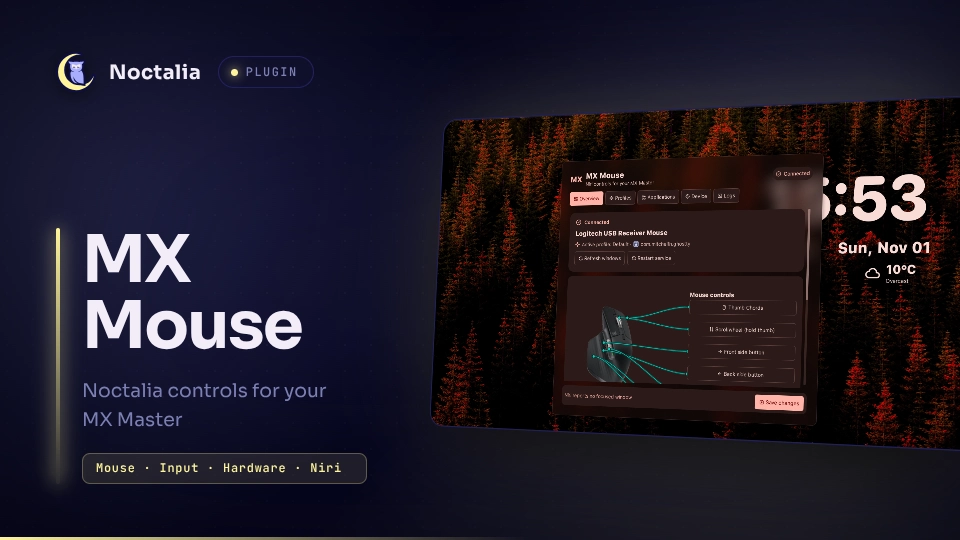
Configure Logitech MX Master 3/3S thumb-button gestures and per-window profiles for Niri using the Noctalia settings panel and the nnmxd service.
Plugin
| Field | Value |
|---|---|
| ID | uheplm/mxmouse |
| Entries | Panel: manager; bar widget: modifier |
Requirements
- Niri and
nirionPATH. This plugin currently supports Niri for window focus and action dispatch. - The
noctaliaCLI from Noctalia Shell, which hosts the settings panel, status display, and notifications. - The
nnmxdservice, required to read mouse input and apply profiles. Install it manually using the instructions below and in the nnmxd README. install,systemctl, andjournalctlfor installing the locally built service files, controlling thennmxduser service, and viewing its logs.- A user systemd manager and access for your user to the mouse's evdev device and
/dev/uinput. DPI control also needs access to the receiver's HID++/dev/hidraw*node. See nnmxd input permissions.
Other compositors and shells are not supported by this plugin. nnmxd can run with custom configuration and shell commands, but integrations other than Niri and Noctalia have not been implemented.
Installation
Install the plugin from the Noctalia community catalog. If nnmxd is missing, the panel guides you through building it yourself. Review and run these commands in a terminal:
mkdir -p ~/.local/src
git clone https://github.com/uheplm/nnmxd.git ~/.local/src/nnmxd
make -C ~/.local/src/nnmxd build
If you already cloned the repository to that location, skip the git clone command and build the existing checkout.
The manual build requires Git, Make, and Go. Review the nnmxd source before building. Once the local build is detected, choose Configure service in the panel: it copies the built binary and service unit into your user directories, reloads systemd, and enables and starts nnmxd.service. This does not use elevated privileges. Configure device permissions before running the service.
For alternative install methods and service details, see the nnmxd installation guide.
Usage
Open the panel from the plugin entry or run:
noctalia msg panel-toggle uheplm/mxmouse:manager
Overview
- Shows service state, connected mouse, focused app, and its active profile.
- Provides mouse-map shortcuts to the profile controls. The shortcuts open the corresponding section for the focused app's profile.
- Includes controls to refresh the window list and restart the input service.
Profiles
Profiles are selected based on the focused window's exact Niri app_id; windows without an explicit assignment use the default profile. Window titles are displayed for identification and are not used for matching.
Each profile has the following sections:
- Profile — Set its name, glyph, mode, or make it the default profile.
- Gestures — In Gesture mode, assign directional actions and a tap action. Movement threshold controls the first directional action; retrigger distance controls later actions, and escalation increases the distance after each retrigger.
- Thumb Chords — Assign actions to thumb + left, middle, or right click. An assigned chord runs on click-down and consumes that click and release; an unassigned chord passes through as a normal click. Available in Gesture mode.
- Side buttons — Assign actions to the back (
BTN_SIDE) and front (BTN_EXTRA) side buttons. An assigned action runs on press; unassigned buttons pass through. Available in either profile mode. The under-wheel button is not configurable. - Wheel actions — Configure vertical scrollwheel actions while holding the thumb button, and thumbwheel left/right actions with independent bindings for normal use and while holding the thumb button. Unassigned thumbwheel directions preserve horizontal scrolling.
- DPI and Scroll speed — Override DPI and vertical/horizontal scroll scales per profile. A profile value of
0inherits the matching Device-page value. Profile DPI changes follow app focus without requiring another thumb-button press; scroll scales take effect on the next wheel event.
Actions can invoke Niri actions, Noctalia msg commands, or custom shell commands. Niri and Noctalia choices are populated from their installed command-line help. Optional arguments are appended to the selected action. Shell commands run as your user and can execute arbitrary programs; only bind commands you trust.
Applications
Assign a profile to a Niri app_id. Next preset cycles through the available profiles for that app. Other windows continue to use the default profile.
Device
Configure device detection, the input-device path, thumb trigger, default DPI, and default vertical/horizontal scroll scale. BTN_FORWARD is the usual MX Master thumb button. Changing detection, device path, or trigger button requires restarting the service.
Device and profile scroll scales are percentages from 10 to 500; 100 preserves the input. DPI 0 leaves the device setting unchanged at the Device level and inherits the Device setting at the profile level. DPI control depends on the mouse and receiver supporting HID++ adjustable DPI and on the user having hidraw access.
Logs
Shows the live journalctl stream for nnmxd.service while the page is open, retaining the latest 250 lines.
Saving changes
Save changes validates the staged configuration through nnmxd and atomically replaces the live configuration only when valid. After saving, press the thumb button once to apply it. That press is consumed and will not run the assigned gesture or toggle action; the panel confirms the applied generation with a notification that includes a static image highlighting the button.
Configuration and status
The plugin stores configuration in $XDG_CONFIG_HOME/mxmouse/config.json, falling back to ~/.config/mxmouse/config.json. Runtime status is read from $XDG_RUNTIME_DIR/mxmouse/status.json.
For the complete configuration schema, service lifecycle, runtime status fields, and troubleshooting instructions, see the nnmxd README.
Settings
| Setting | Type | Default | Description |
|---|---|---|---|
hide_when_off |
bool |
true |
Hide the modifier bar widget when no modifier is latched. When visible, it shows META while latched; clicking it opens the MX Mouse panel. |
Notes
nnmxdgrabs the physical mouse while running and forwards ordinary pointer events through a virtual uinput clone. Gesture input is consumed while the thumb button is held.- DPI is set using the mouse's native HID++ adjustable-DPI feature; Solaar, LogiOps, and logid are not required. Device support varies, and onboard profile settings can override a host-set DPI.
- The
modifierwidget reads the daemon's runtime status file.nnmxditself has no Waybar-specific output or integration. - The plugin does not clone or build nnmxd. It installs the binary and service unit from the local source/build paths after you build them yourself. The manual commands above require network access to clone the repository and download Go modules.
License
MIT
Versions
| Version | Plugin API | Updated |
|---|---|---|
| v1.0.14 latest | 43 | Nov 1, 2026 |
Older versions stay installable on a Noctalia release whose plugin API is below the latest version's.