
About
MX Control
Battery, DPI, SmartShift, scrolling, button remaps, Easy-Switch hosts, saved profiles and gesture shortcuts for Logitech MX mice and keyboards, from the Noctalia bar. It talks to the devices over HID++ through Solaar's libraries, so it works over Bluetooth, USB, Bolt and Unifying.
A port of omarchy-mxcontrol by Zach
Wilke: its Python helper ships unchanged in backend/ (see UPSTREAM.md),
and the Noctalia widget, panel and service are new.
Plugin
| Field | Value |
|---|---|
| ID | gamaraan/mx-control |
| Entries | Bar widget: mx; panel: panel; service: service |
Requirements
python3runs the helper inbackend/.solaarprovides the HID++ libraries the helper imports, and the udev rules that open/dev/hidraw*to your user (sudo pacman -S solaaron Arch). Turn the device off and on once after installing it so the rules apply. Without Solaar the plugin only shows devices and battery.hyprctllists open windows for per-app shortcuts. Shortcuts and pointer acceleration are applied through Hyprland, so they need a Hyprland session; every hardware setting works on any compositor.pkillstops the helper when the plugin is disabled.- A Logitech MX device (or another HID++ device Solaar supports).
Usage
Add MX Control to a bar in Settings → Bar. The capsule shows the mouse battery; it turns the error colour at 15% and shows a crossed-out mouse when the device is offline. Left click opens the panel, right click reads the device again. The panel also opens with:
noctalia msg panel-toggle gamaraan/mx-control:panel
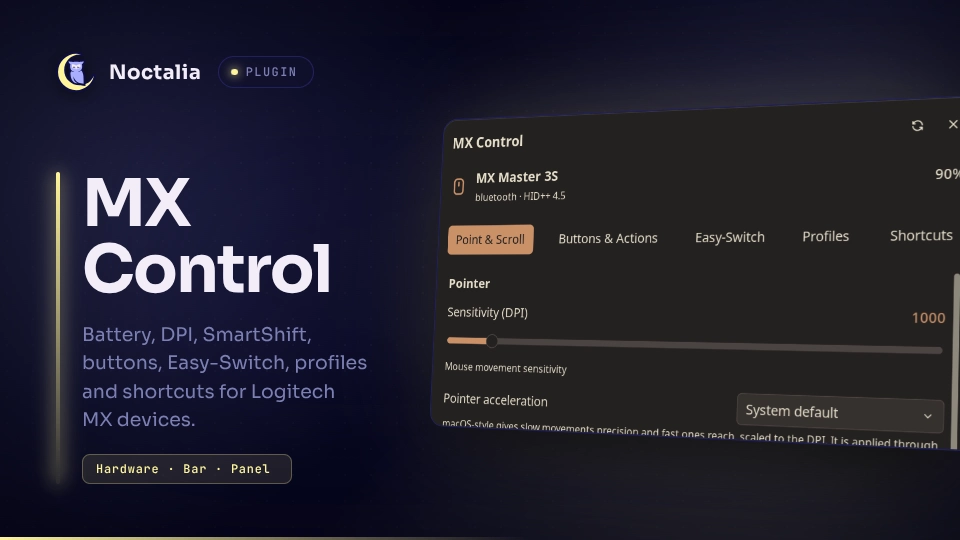
The panel has five tabs:
- Point & Scroll – DPI (a slider when the device reports an evenly spaced DPI list), pointer acceleration (system default or macOS-style, mice only), scroll wheel and thumb wheel settings, and any other setting the device reports.
- Buttons & Actions – one group per button with its hardware action and mode (regular, diverted, gestures). A button's mode is locked while it has a shortcut.
- Easy-Switch – the paired hosts. Switching takes a second click, because it sends the device to the other computer.
- Profiles – named snapshots of the device's settings, including pointer acceleration, to save, apply and delete.
- Shortcuts – give a divertable button a shortcut, a sequence of up to eight, or four directional gestures, for all apps or as a per-app override. Shortcuts go to the focused window. A button's mode must be Regular to take one.
Every setting is drawn from the kind the helper reports, so settings this plugin has no special code for still get a control.
Settings
| Setting | Type | Default | Description |
|---|---|---|---|
show_value |
bool |
true |
Show the battery percentage next to the mouse icon in the bar. |
IPC
noctalia msg plugin gamaraan/mx-control:service all refresh
Reads the devices again, the same as right-clicking the capsule.
Notes
- Processes: the service runs
python3 backend/mxctl.py runtime-dir, then keepspython3 backend/mxctl.py serverunning in the background (restarted when its heartbeat stops, stopped withpkillwhen the plugin is disabled or the shell exits). It runshyprctl -j clientswhen the Shortcuts tab opens. The panel and widget spawn nothing. - Files: the helper writes
status.jsonand short-livedcmd-*.jsoncommand files in$XDG_RUNTIME_DIR/omarchy-mx/(mode 0700), and profiles, pointer preferences and shortcuts in~/.config/omarchy-mx/(mode 0600). Profiles and shortcuts saved with the Omarchy plugin carry over. Through Solaar's libraries it also records the settings it changes in~/.config/solaar/config.yaml, as the Solaar app does. - Devices and compositor: the helper opens Logitech
/dev/hidraw*devices and reads sysfs. Shortcuts and pointer acceleration go through Hyprland's IPC socket. There is no network access.
Development
lua tests/shared_test.lua      # logic tests (plain Lua; shared.luau stays Lua-compatible)
noctalia plugins lint .        # settings declared vs. used
.luau edits reload live. Changes to translations/ or plugin.toml are read at plugin
load: noctalia msg plugins disable gamaraan/mx-control, then enable.
Licence
GPL-2.0-or-later, as upstream.
Versions
| Version | Plugin API | Updated |
|---|---|---|
| v0.2.1 latest | 24 | Sep 26, 2026 |
Older versions stay installable on a Noctalia release whose plugin API is below the latest version's.