 Noctalia
About
Modern Clock
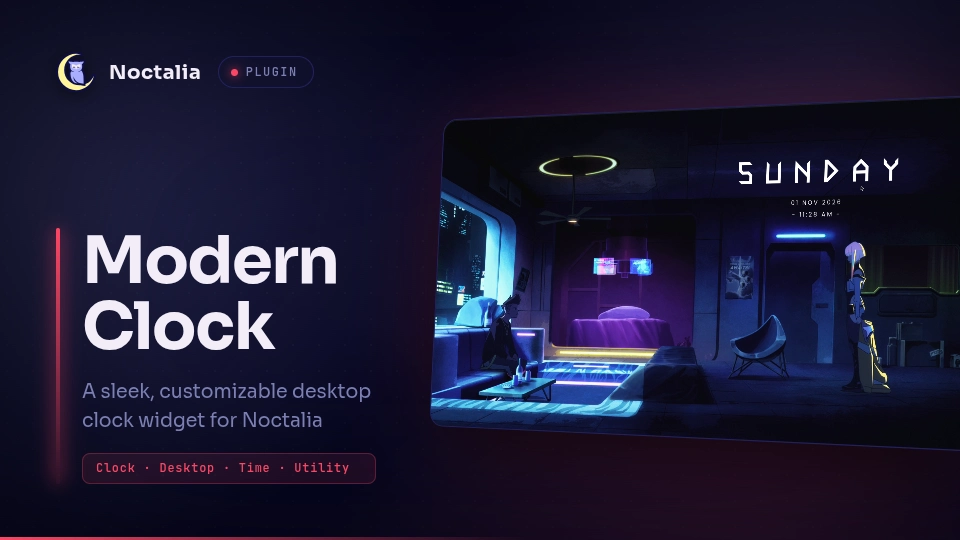
A sleek, customizable desktop clock widget for Noctalia compositors.
Inspired by the KDE Modern Clock widget. The day title is set in the geometric futuristic FN Octahedron typeface, while the date and time use the clean Poppins family.
Plugin
| Field | Value |
|---|---|
id |
styrish/modernclock |
author |
Styrish007 |
license |
GPL-3.0 |
desktop_widget |
clock |
Usage
Add the clock desktop widget to your layout through the Noctalia desktop configuration or the settings UI.
Adding to the desktop
Open the Noctalia desktop widget editor:
noctalia msg desktop-widgets-toggle-editClick Add Widget and select Modern Clock.
Position and resize the widget as desired.
Exit the editor:
noctalia msg desktop-widgets-exit
Requirements
No external commands or manifest dependencies. The widget ships with its own fonts and requires no additional packages.
Settings
Settings are available in the Noctalia Settings UI under Plugins → Modern Clock.
Day
| Key | Type | Description |
|---|---|---|
show_day |
bool |
Toggle the day label. |
day_font_size |
int |
Font size for the day label. |
day_font_color |
color |
Hex color for the day text. |
day_letter_spacing |
int |
Letter spacing for the day text. |
day_font_path |
file |
Path to a custom font file. Leave empty to use the bundled FN Octahedron. |
Date
| Key | Type | Description |
|---|---|---|
show_date |
bool |
Toggle the date label. |
date_font_size |
int |
Font size for the date label. |
date_font_color |
color |
Hex color for the date text. |
date_letter_spacing |
int |
Letter spacing for the date text. |
date_format |
string |
strftime date format string. |
Time
| Key | Type | Description |
|---|---|---|
show_time |
bool |
Toggle the time label. |
time_font_size |
int |
Font size for the time label. |
time_font_color |
color |
Hex color for the time text. |
time_letter_spacing |
int |
Letter spacing for the time text. |
use_24_hour_format |
bool |
Use 24-hour time instead of 12-hour. |
time_character |
string |
Delimiter character between time components. |
Notes
The plugin code is licensed under GPL-3.0; see
LICENSE.Bundled third-party fonts are licensed separately under the SIL Open Font License 1.1 (OFL-1.1):
- Poppins (
fonts/Poppins.ttf): Copyright 2014–2019 Indian Type Foundry. Seefonts/OFL-Poppins.txt. - FN Octahedron (
fonts/fn-octahedron-v11.otf): Copyright 2024–2025 Fox Nóvak. Seefonts/OFL-Octahedron.txt.
The font licenses apply to the font files only and are independent of the GPL-3.0 license that covers the plugin code.
- Poppins (
Custom fonts: the day label can use any font installed on your system via the
day_font_pathsetting. Point it at a.ttf/.otffile (for example an Anurati or other display face you have installed for personal use) to override the bundled FN Octahedron without modifying the plugin. Leave the setting empty to keep the default.
Versions
| Version | Plugin API | Updated |
|---|---|---|
| v1.0.0 latest | 43 | Nov 1, 2026 |
Older versions stay installable on a Noctalia release whose plugin API is below the latest version's.