 Noctalia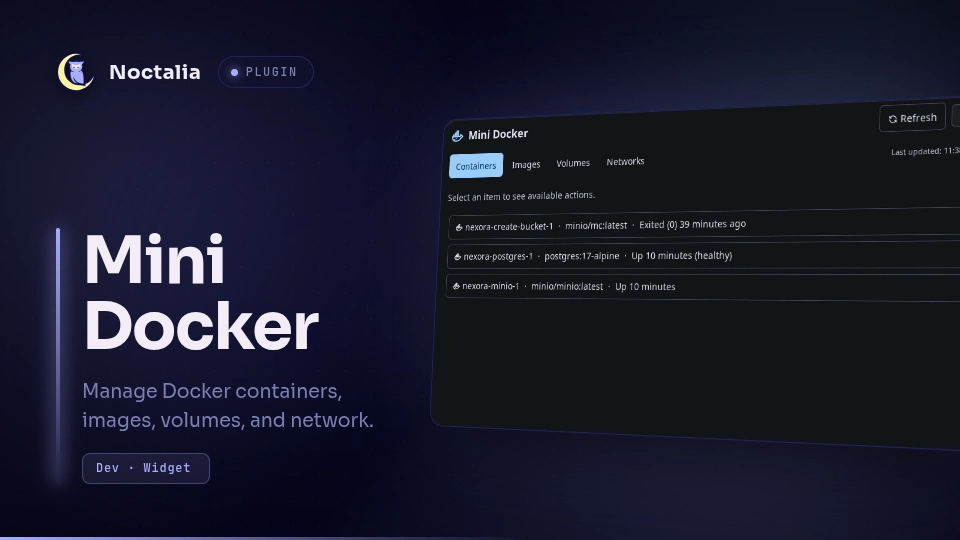
About
Mini Docker
Mini Docker manages Docker containers, images, volumes, and networks from Noctalia. Its bar widget shows Docker availability and the number of running containers, while its panel provides common management actions.
Plugin
| Field | Value |
|---|---|
| ID | 8bury/mini-docker |
| Entries | Bar widget: mini-docker; panel: manager; service: docker-service |
Requirements
Install the Docker docker CLI and make sure your user can connect to the
Docker daemon. Test that docker info succeeds without unexpected prompts.
If respect_socket_activation is enabled on supported local systemd configurations,
systemctl is used to probe the daemon state without waking systemd sockets.
Usage
Add the mini-docker widget to a bar. Left-click it to open the management
panel and right-click it to refresh Docker state immediately.
Open the panel directly with:
noctalia msg panel-toggle 8bury/mini-docker:manager
The panel has four tabs:
- Containers: start, stop, restart, and remove containers.
- Images: run images with an optional name, network, published port, and environment variables; remove images that are not in use.
- Volumes: inspect and remove volumes.
- Networks: inspect and remove non-default networks.
Settings
| Setting | Type | Default | Description |
|---|---|---|---|
refresh_interval |
int |
5 |
Seconds between Docker state refreshes. |
respect_socket_activation |
bool |
false |
Only poll Docker when the daemon or service is actively running on supported local sockets. |
default_network |
string |
bridge |
Network initially selected when running an image. |
show_count |
bool |
true |
Shows the running-container count in the widget. |
glyph_color |
select |
on_surface |
Theme color used for the Docker glyph. |
status_mode |
select |
always |
Shows the status dot always, only while running, or never. |
active_color |
select |
tertiary |
Status color when a container is running. |
inactive_color |
select |
error |
Status color when no containers are running. |
Notes
Mini Docker runs the local Docker CLI with your user's existing daemon access. Destructive actions require confirmation in the panel. It does not request elevated privileges, store Docker credentials, mount host paths, or expose ports unless you explicitly configure a port while running an image.
When respect_socket_activation is enabled, Mini Docker resolves the effective
Docker endpoint (respecting DOCKER_HOST, DOCKER_CONTEXT, and context endpoints):
- Local system sockets (
/var/run/docker.sock,/run/docker.sock): probed viasystemctl is-active docker.service. - Local rootless sockets (
$XDG_RUNTIME_DIR/docker.sock,/run/user/<uid>/docker.sock,~/.docker/run/docker.sock): probed viasystemctl --user is-active docker.service. - Remote endpoints (
tcp://,http://,https://,ssh://): polling is preserved as usual. This setting does not manage or prevent remote socket activation. - If no supported probe can detect the local daemon (for example, when
systemctlis unavailable or on an unsupported custom socket path), enabling this setting reports Docker as unavailable without issuing queries that would trigger socket activation.
Versions
| Version | Plugin API | Updated |
|---|---|---|
| v1.0.7 latest | 43 | Oct 25, 2026 |
| v1.0.6 | 9 | Oct 14, 2026 |
| v1.0.3 | 3 | Jul 15, 2026 |
Older versions stay installable on a Noctalia release whose plugin API is below the latest version's.