
About
Media Lyrics
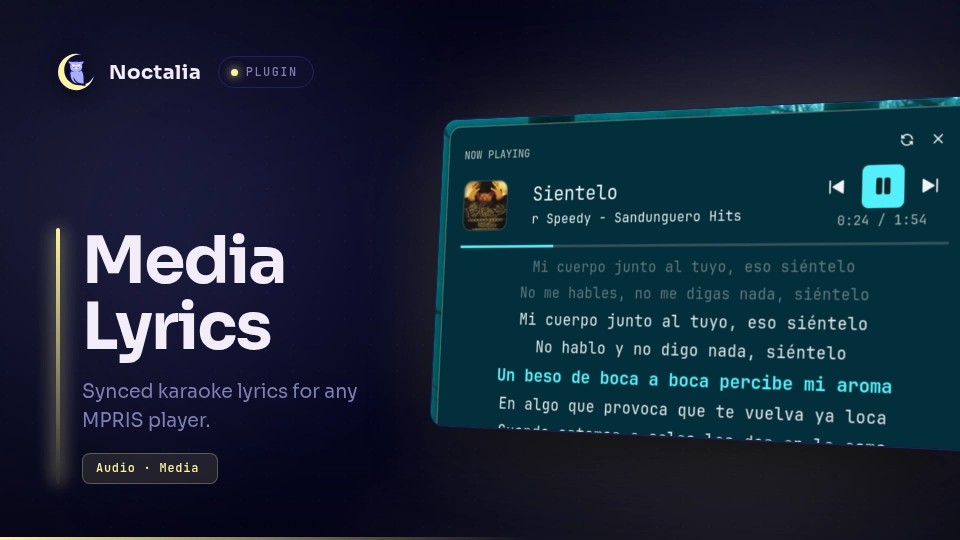
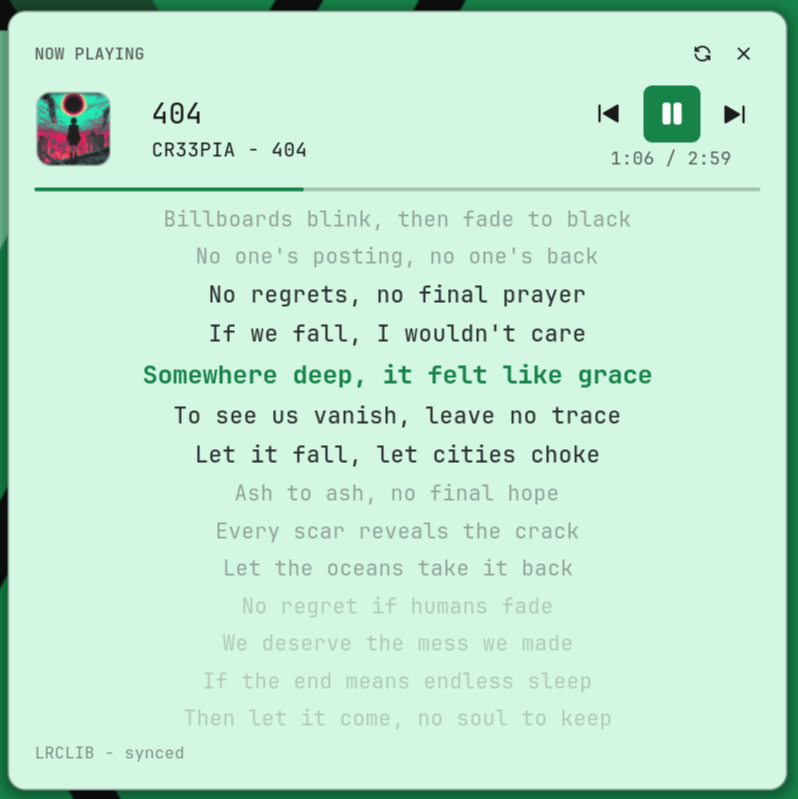
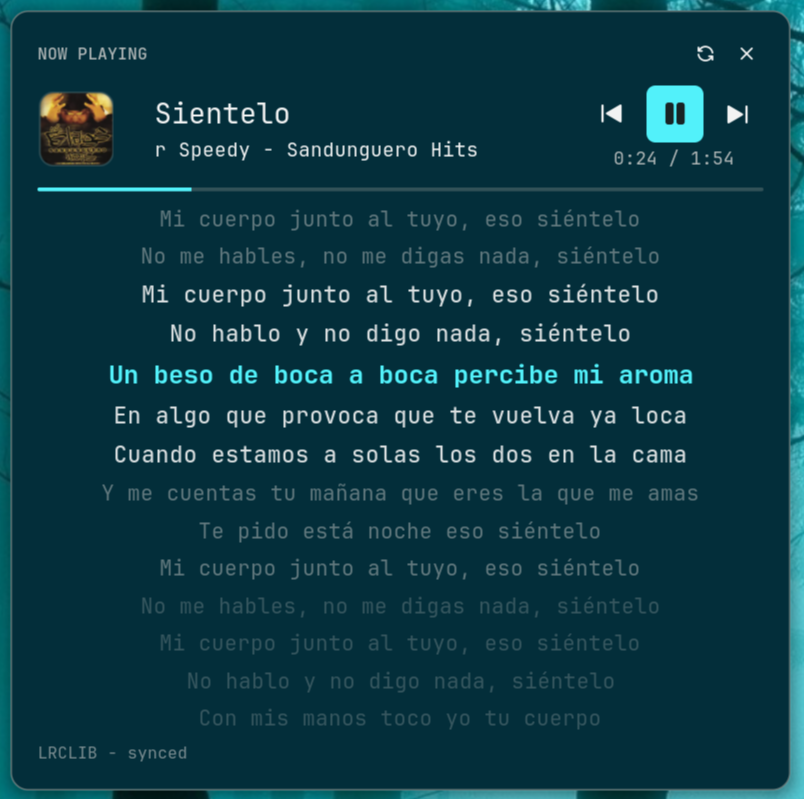
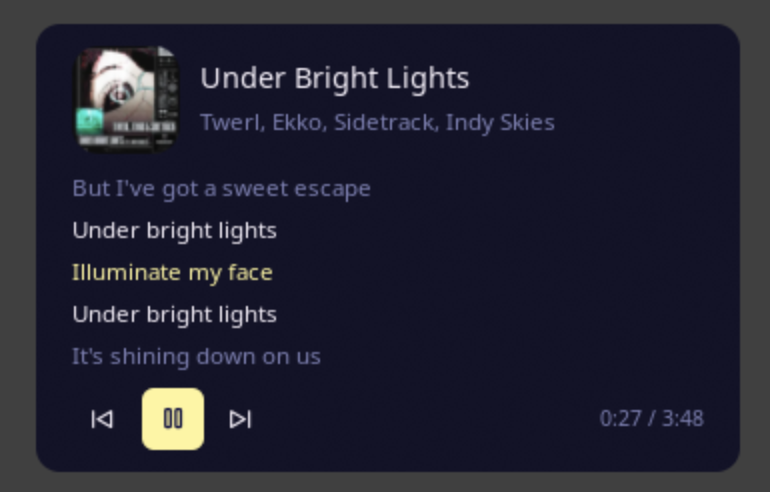
A full-featured media player panel with time-synced lyrics for the Noctalia desktop shell. Karaoke-style lyric carousel (9/12/16 visible lines per size preset), album cover, transport controls, and a progress bar — all in one floating panel — or as a desktop widget pinned to the desktop and shown on the lockscreen. Pure Luau implementation: no playerctl, no python daemons, no GTK overlays — runtime needs busctl (MPRIS) and curl (LRCLIB HTTPS + NetEase fallback).
| Light theme | Dark theme |
|---|---|
 |
 |
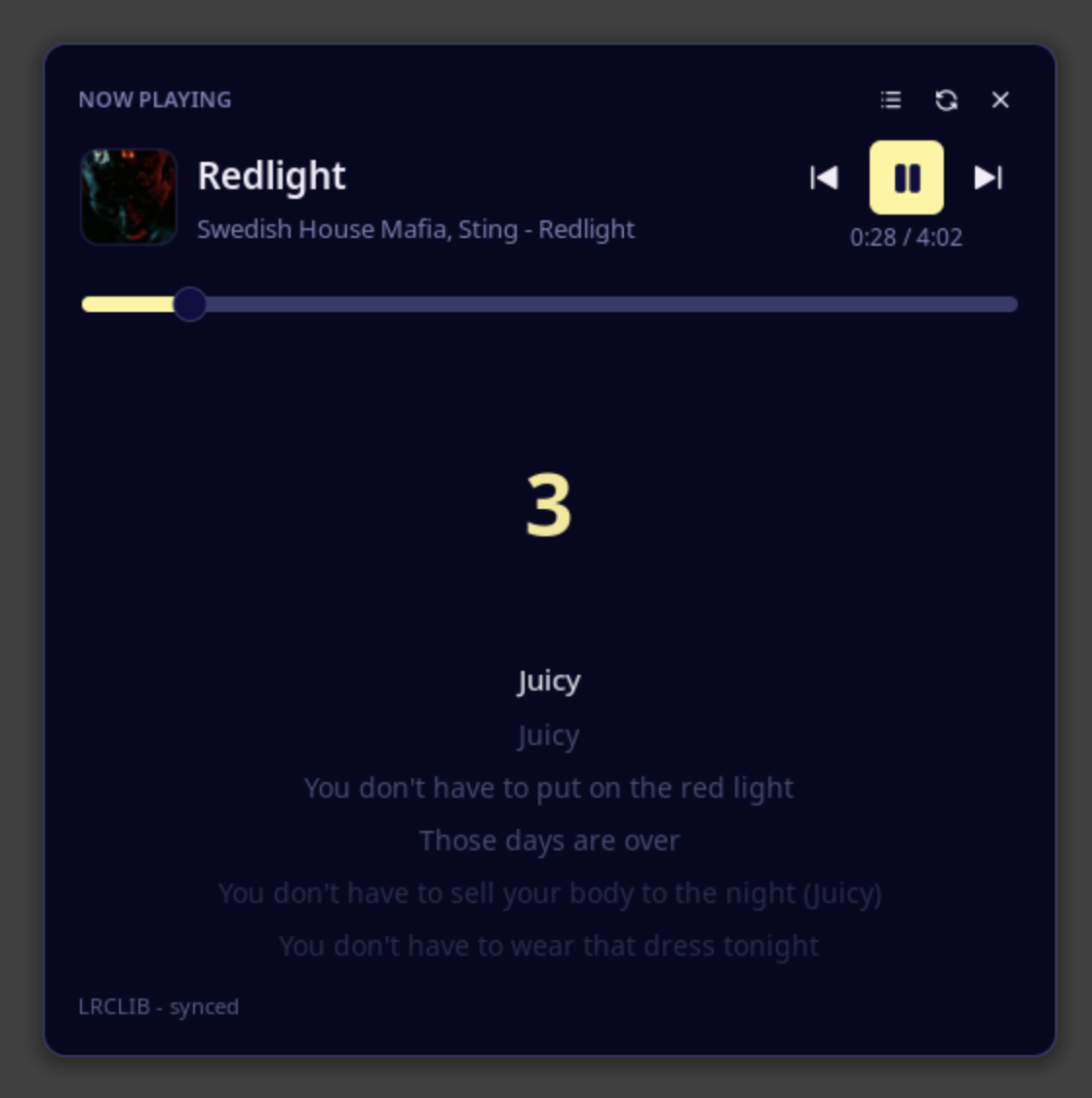
| Centred karaoke with the 3-2-1 countdown | Desktop widget |
|---|---|
 |
 |
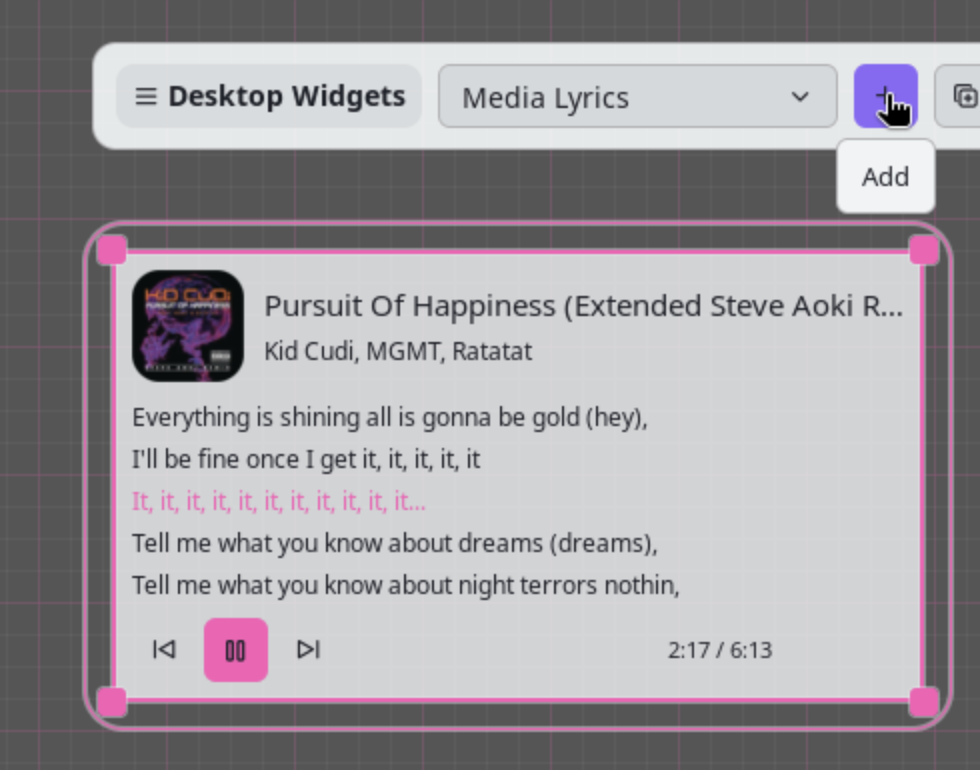
| Adding the desktop widget |
|---|
 |
The audio-reactive chip, its spectrum driven by the host:

Plugin
| Field | Value |
|---|---|
| ID | tranzem/media-lyrics |
| Entries | Bar widget: now-playing; desktop widget: desktop; panels: panel (medium 520×520), panel-compact (440×440), panel-large (640×640), panel-mini (360×120); service: service; shortcut: toggle |
Requirements
- Noctalia v5 (plugin API 30+)
busctl(systemd, present on every Arch install)curl— used for the HTTPS lyric fetches: LRCLIB primary + NetEase Cloud Music fallback (spawned ascurl -sSf -m 8 -4 <url>, argv-only, no shell; LRCLIB resolves IPv4 faster than the built-in HTTP client on some setups)- Outbound HTTPS access to
https://lrclib.net(primary) andhttps://music.163.com(NetEase fallback) for lyrics
No player-specific software. Any MPRIS-capable player works: Spotify, MPD, Cider, web players, VLC, and anything else that exposes MPRIS over D-Bus. sleep (coreutils) is used for a short refresh delay after transport commands.
Usage
Enable the plugin, then open the panel:
noctalia msg plugins enable tranzem/media-lyrics
noctalia msg panel-toggle tranzem/media-lyrics:panel
The panel opens at the size preset selected by the panel_size setting
(compact 440 / medium 520 / large 640). The now-playing bar widget and the
toggle control-center tile both open the selected preset; you can also open
a specific preset directly:
noctalia msg panel-toggle tranzem/media-lyrics:panel-compact
noctalia msg panel-toggle tranzem/media-lyrics:panel-large
noctalia msg panel-toggle tranzem/media-lyrics:panel-mini
panel-mini is a compact always-on surface (cover + the current lyric line)
intended for pinning to the desktop; it does not close on outside clicks.
A desktop widget shows the same view directly on the wallpaper and on the
lockscreen. Add it from the desktop-widget editor (right click on the desktop →
Add widget → Media Lyrics), then drag it wherever you like. A desktop
widget is not tied to a panel surface, so unlike panel-mini it stays put while
you open other panels. Its own settings:
| Setting | Default | Effect |
|---|---|---|
lines |
3 |
Minimum lyric lines to show. The band is a fixed number of display lines, so a short track shows more than this rather than leaving the space empty — raise it to fill a taller widget. |
width |
320 |
Wrap budget in px. Set it to roughly box_width minus the tile padding, or long lines will be broken earlier than they need to be. |
height |
270 |
Height the content aims for (px). |
padding |
16 |
Inner padding when background is on. |
background |
off | Draw a card behind the content. Off by default, matching the built-in desktop widgets. |
show_artist |
on | Show the artist under the title. |
show_cover |
on | Show the album cover. |
Leave no fixed size in the widget's own box settings (box_width /
box_height = 0, the default): the host then sizes the tile to the content plus
its own background_padding, which gives equal insets on all four sides at any
size. Pinning a larger box simply centres the same content with wider margins.
Add the now-playing widget to your bar: a compact chip with the album
cover and Title - Artist of the active MPRIS player. Its gestures mirror
the shell's built-in media widget:
- Left click — open the lyrics panel.
- Right click — play/pause.
- Middle click — this widget's display settings.
- Wheel / mouse back / forward — previous / next track.
- On a vertical bar the chip collapses to the artwork only.
Display options are edited in the widget's own settings popup (middle click):
| Setting | Default | Effect |
|---|---|---|
album_art_only |
off | Show only the artwork, no text |
hide_album_art |
off | Hide the artwork and its fallback icon |
hide_artist |
off | Show only the track title |
artist_first |
off | Show Artist - Title instead of Title - Artist |
min_length |
80 | Minimum widget length (px) — accepted for parity; plugin chips are sized by the host to their content |
max_length |
220 | Text area width (px); long titles truncate or scroll to fit |
art_size |
16 | Artwork size (px) |
title_scroll |
none | Scroll long titles: none, always, or on hover |
hide_when_no_media |
off | Hide the chip when no MPRIS player is active |
show_lyric_line |
off | Show Title · current line in the chip instead of Title - Artist while synced lyrics are ready (long lines scroll with the marquee; falls back to the artist line otherwise) |
audio_spectrum |
off | Draw a live audio spectrum next to the chip, fed by the host from the PipeWire monitor |
audio_spectrum_bands |
8 | Number of spectrum bands, 1–64 (1 px bars above 16) |
A toggle shortcut (control-center tile) is also available. Bind it to a hotkey in Noctalia's shortcut settings, or from your compositor:
"Ctrl+Alt+M" = "spawn:noctalia msg panel-toggle tranzem/media-lyrics:panel"
The panel shows the active MPRIS player automatically; when nothing is playing it renders an empty state.
Features
- Karaoke lyric carousel — 9/12/16 lines visible at once (compact/medium/large presets); the active line is bright, neighbours fade by distance (Clavis-style). Works with synced (LRC) and plain lyrics.
- Centred karaoke — the active line is pinned to the vertical centre of the lyrics area (symmetric window around the cursor or the playing line): the first line starts centred on load, the anchor holds the centre line through the track, and the last line returns to the centre at the end. A 3-2-1 countdown fills the space this frees above the first line, shown only in the last three seconds before it starts. Compact/medium/large only —
panel-miniis untouched. - Clickable lyric lines — click a synced line to seek the player to that timestamp.
- Manual lyric scroll — Up/Down step a line (the host's chord validator accepts only basic key names; PageUp/PageDown/Home/End are rejected).
- LRCLIB integration — exact
/api/getlookup first,/api/searchfallback, LRC parsed in pure Luau. - Lyrics variants picker — the header "list" button (always visible while a track plays) fetches the full LRCLIB search result on demand and lists alternative lyric versions: pick one to switch instantly (the playing lyrics are never interrupted while the list loads), pick Default to restore the automatic chain, or switch again at any time — the candidate list stays in memory per track.
- NetEase Cloud Music fallback — no-auth second source for LRCLIB misses (public endpoints, browser headers only): synced LRC wins, candidates ranked by title/artist + duration, metadata lines stripped; instrumental placeholders are filtered.
- Local
.lrcfiles — dropArtist - Title.lrcinto the local lyrics folder; they take priority over the network. - Marquee titles — long track/artist names hold for 2 s, then scroll slowly instead of wrapping or clipping. Overlap-free (per-slice node recreation).
- Album cover + seekable progress bar — click to jump, drag to scrub (a real
ui.slider), interpolated between polls; transport controls (prev / play-pause / next), shuffle and repeat state. - Live lyric line in the chip — optional
show_lyric_linewidget setting: while synced lyrics are ready the chip showsTitle · current lineinstead of the artist (steps with playback, marquee for long lines). - Desktop widget — the same now-playing / lyrics view as a background layer-shell tile, pinned to the desktop and visible on the lockscreen, with no panel open. Long lyric lines wrap (measured in em and broken at the word nearest the middle), the band keeps a constant height so the widget never jumps as the lyrics arrive, and the tile is borderless by default like the built-in desktop widgets.
- Audio-reactive chip — optional
audio_spectrumsetting: the bar chip draws a live band meter driven by the host's PipeWire monitor. - Tooltips — transport buttons and lyric rows explain themselves on hover; a lyric row shows the timestamp it seeks to.
- Settings — lyric timing offset in ms, on-disk cache, local lyrics folder. Translatable UI: strings go through Noctalia's i18n (
noctalia.tr, English ships in the plugin; other locales via Noctalia Translate).
Advantages over alternative lyric plugins
- Lean runtime. No playerctl, python daemons, pip packages, or GTK overlays to install and maintain — just
busctlandcurl, present on virtually every Linux system. Enable → works. - Player-agnostic. Reads MPRIS directly via Noctalia's D-Bus aggregator — works with any player, not tied to a specific app.
- A real panel, not a 1–3 line bar widget. Full-screen-height carousel with 9–16 visible lines (per size preset) keeps whole verses in view.
- Overflow handled properly. Long titles get a marquee, single-line sanitizer strips embedded newlines, integer button heights prevent glyph overlap.
- Offline-friendly. LRCLIB responses are cached; local
.lrcfiles work without network at all. - Also a desktop widget. The same view can live on the wallpaper and the lockscreen, where a panel cannot.
Settings
| Setting | Type | Default | Description |
|---|---|---|---|
panel_size |
select |
medium |
Panel size preset: mini (360×120 chip panel), compact (440×440, 9 lyric lines), medium (520×520, 12 lines), large (640×640, 16 lines). The row budget is derived from the measured lyrics area and the real row pitch, so it can never overshoot the panel. The bar widget and the control-center tile open this preset. |
offset_ms |
int |
0 |
Shift lyric timing in milliseconds, range −2000…2000: positive shows lines earlier, negative later. |
use_cache |
bool |
true |
Cache fetched lyrics in the plugin data directory for offline reuse. |
local_lyrics_dir |
folder |
~/.local/share/media-lyrics |
Folder with local .lrc files named Artist - Title.lrc; searched before LRCLIB. |
player_allowlist |
string |
(empty) | Comma-separated identity/bus-name substrings; when set, only matching players are shown (e.g. spotify, mpd). |
player_blocklist |
string |
(empty) | Comma-separated substrings of players to exclude (e.g. firefox to ignore a browser's MPRIS). |
IPC
noctalia msg panel-toggle tranzem/media-lyrics:panel
Local development
Add the parent directory as a local Noctalia source:
noctalia msg plugins source add media-lyrics-dev path /path/to/media-lyrics-parent
noctalia msg plugins enable tranzem/media-lyrics
noctalia msg config-reload
To Do
The authoritative, detailed list lives in docs/ROADMAP.md. Open items right now:
Musixmatch / Spotify lyric sources — the remaining network sources; both need API keys or OAuth tokens, so they can only ship as an opt-in "bring your own key" setting. Every no-auth source is already covered (NetEase 0.9.1, embedded MPRIS 0.9.2).
Seek on progress-bar click — DONE in 0.9.7: the bar is a real
ui.slider, so click-to-jump and drag-to-scrub both work.Album cover in a capsule shape — DROPPED pending a rectangular cover: the cover is square, so
radius = COVER/2yields a circle, not a capsule.The desktop widget cannot read its own box size — BLOCKED by host: the Luau surface exposes only
render,setWantsSecondTicksandsetNeedsFrameTickfor a desktop widget, so the content cannot adapt to the size chosen in the editor. It is driven by the widget's ownlines/widthsettings instead; a very wide box therefore shows the lyrics as a left-aligned column with unused space to the right.A narrow box wraps the track title onto two lines, which makes the header taller — the one place where the widget's height still depends on the track. The host wraps a label that does not fit on its own.
Shipped work is recorded in CHANGELOG.md — variants picker (0.9.4), clickable lines (0.8.5), panel size presets (0.8.7), widget gestures and display settings (0.8.1 / 0.9.0), karaoke centering (0.9.6), desktop widget and audio chip (0.9.8).
Notes
- The service polls MPRIS via
busctl(150 ms cadence) and publishes a snapshot tonoctalia.state; the panel animates from those publishes. - Lyrics are fetched from public services with
curl— LRCLIB API primary, NetEase Cloud Music fallback on misses; nothing is uploaded. Cache and local lyrics live under the plugin data directory andlocal_lyrics_dir. - Spawned processes (all argv-form, no shell):
busctl(MPRIS poll),curl(LRCLIB + NetEase lyric fetches, IPv4, 8 s timeout),sleep(coreutils, 0.35 s refresh delay after transport commands). - Adapted from the Clavis shell media player text layer (karaoke render + LRCLIB provider), ported to pure Luau for Noctalia v5.
Versions
| Version | Plugin API | Updated |
|---|---|---|
| v0.9.8 latest | 30 | Oct 13, 2026 |
| v0.9.0 | 24 | Sep 5, 2026 |
Older versions stay installable on a Noctalia release whose plugin API is below the latest version's.