 Noctalia
About
Media Downloader
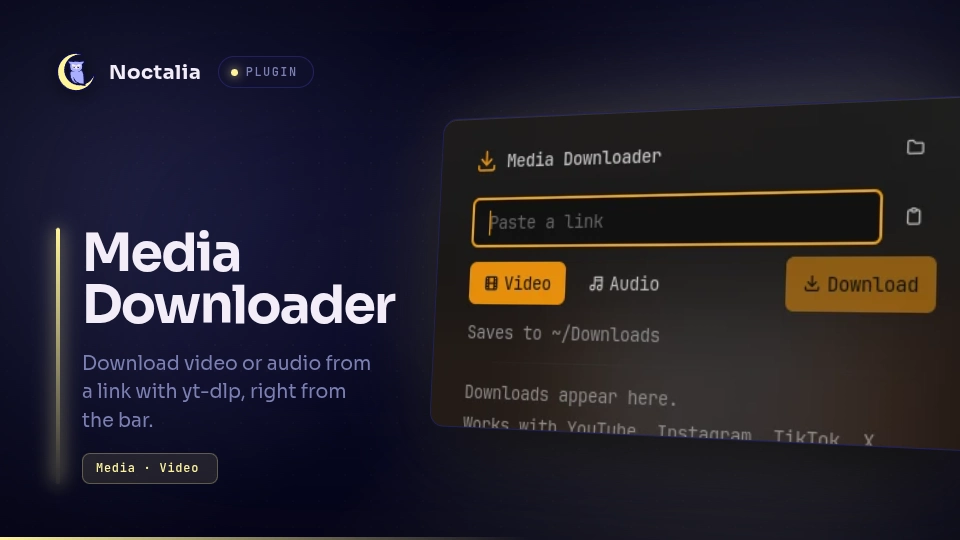
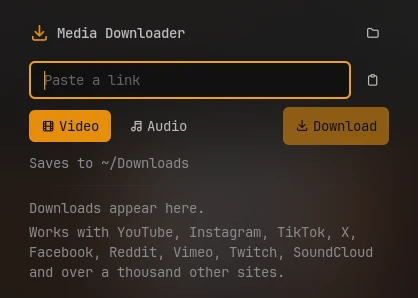
Download a video or its audio from a link, with yt-dlp, right from the bar. Paste a link, pick video or audio, and follow the queue and progress in the bar.
Plugin
| Field | Value |
|---|---|
| ID | omerfuyar/media-downloader |
| Entries | Bar widget: widget; panel: panel; service: service |
Supported sites
Media Downloader works with every site yt-dlp supports: more than a thousand, among them YouTube, Instagram, TikTok, X (Twitter), Facebook, Reddit, Vimeo, Twitch, SoundCloud, Bandcamp, Dailymotion and Bilibili. The full list is yt-dlp's supported sites.
Requirements
| Command | Needed | What for |
|---|---|---|
yt-dlp |
Required | Downloads from the sites it supports. |
ffmpeg |
Required | Joins video and audio, and converts audio. |
sh |
Required | Runs each download in the background, so it goes on when Noctalia reloads. It comes with every Linux system. |
kill |
Required | Stops a download. It comes with every Linux system. |
xdg-open |
Required | Opens finished files and the download folder. Without it, those buttons are hidden. |
When yt-dlp or ffmpeg is missing, the panel offers to install both in a terminal.
Usage
- Add the Media Downloader widget to the bar and click it.
- A link on the clipboard is filled in for you. Otherwise paste one, or press the clipboard button.
- Pick Video or Audio and press Download or Enter.
Right click the widget to download the link you copied, as video or audio like the last download.
Downloads run one at a time. While one runs, the bar shows its progress, and the tooltip shows its name, speed and time left. The panel lists waiting and finished downloads; a finished file opens with the play button, and a failed one can be tried again.

noctalia msg panel-toggle omerfuyar/media-downloader:panel
Settings
| Setting | Type | Default | Description |
|---|---|---|---|
folder |
folder |
~/Downloads |
Where downloads are saved. |
video_quality |
select |
1080 |
Highest video resolution. A smaller video is used when the site has nothing this large. |
audio_format |
select |
mp3 |
File type for audio downloads. best (Original) keeps the site's format without converting. |
notify |
bool |
true |
Notify when a download finishes or fails. |
whole_playlist |
bool |
false |
Advanced. For a link to a video in a playlist, download the whole playlist. A link to the playlist itself always downloads all of it. |
extra_args |
string |
"" |
Advanced. More yt-dlp arguments, separated by spaces, such as --cookies-from-browser firefox for videos that need a sign-in. They come last, so they win. |
IPC
Queue a link as video or audio. Without a link, the clipboard's text is used, so a key binding can download whatever link was just copied.
noctalia msg plugin omerfuyar/media-downloader:service all video "https://example.com/watch/123"
noctalia msg plugin omerfuyar/media-downloader:service all audio
Cancel the running download:
noctalia msg plugin omerfuyar/media-downloader:service all cancel
Notes
- Videos are saved as MP4 when the site's formats allow it, otherwise as MKV.
- The queue and yt-dlp's output for each download are kept in the plugin's data folder. A download keeps running when Noctalia reloads the plugin.
- Some sites block downloads or need a login; yt-dlp's error is shown on the failed item.
Versions
| Version | Plugin API | Updated |
|---|---|---|
| v2.1.1 latest | 43 | Nov 17, 2026 |
Older versions stay installable on a Noctalia release whose plugin API is below the latest version's.