 Noctalia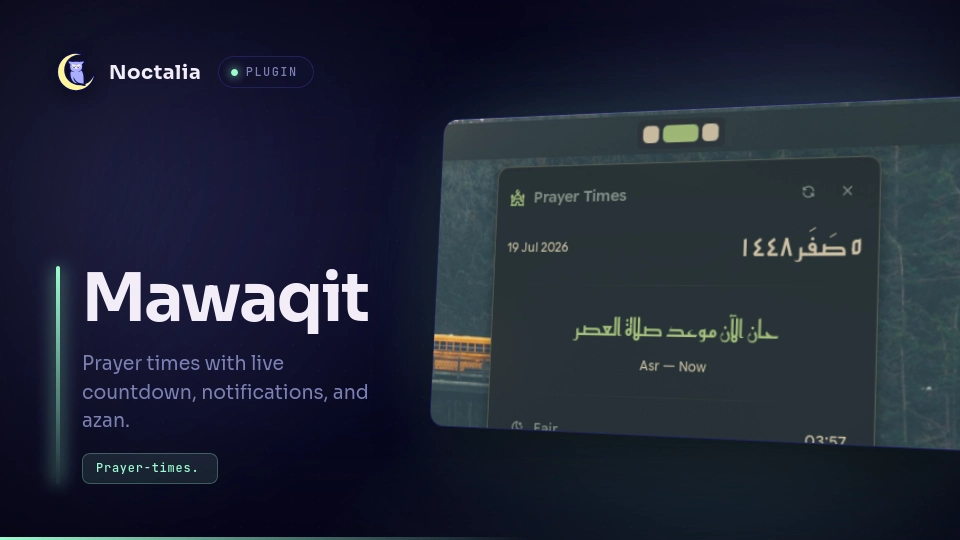
About
Mawaqit
Prayer times for Noctalia, with a bar widget and panel: live countdown to the next prayer, notifications, optional azan playback, Hijri date, and per-prayer time offsets.
Plugin
| Field | Value |
|---|---|
| ID | ycf/mawaqit |
| Entries | Bar widget: bar; panel: panel; service: fetcher |
Requirements
Install paplay (PipeWire/PulseAudio) or pw-cat on PATH — only one is
required, used for azan playback. If neither is installed, azan is skipped (a
line is logged) and everything else — countdown, panel, notifications — works
normally.
Also requires pkill (part of procps, present on virtually every distro by
default) — used to stop azan playback, since neither player exposes its own
stop control.
Three Azan tracks are bundled in assets/azan1.mp3, assets/azan2.mp3, and
assets/azan3.mp3, matching the legacy V4 plugin. In Settings → Plugins →
Mawaqit, turn on Play Azan and select a track from Azan audio.
Usage
- Left click the bar widget → open the prayer times panel.
- Right click the bar widget → cycle its display mode: live countdown → static time → prayer name only. While azan is playing, right click stops it.
Toggle the panel directly:
noctalia msg panel-toggle ycf/mawaqit:panel
The panel shows all five daily prayers plus Sunrise and, during Ramadan, Imsak, with a live countdown banner to whichever is next, the Gregorian and Hijri date, and a refresh button. Its Calendar tab provides Hijri-month navigation, Gregorian day overlays, and a configurable week start. If azan is playing, a stop button appears next to it. The panel header also opens this plugin's settings.
Calendar conversion data is fetched by the background service and cached for 30 days (up to 24 Hijri months). The calendar marks Islamic events, shows an upcoming-event hint, rotates a daily hadith, and displays the Ramadan last-ten- nights message when applicable.
Settings
Plugin-level (Settings → Plugins → Mawaqit):
| Setting | Type | Default | Description |
|---|---|---|---|
city |
string |
London |
Your city name in English. |
country |
string |
UK |
Country name or 2-letter code. |
method |
select |
3 (MWL) |
Calculation authority followed in your region. |
fajrAngle |
string |
"" |
Fajr angle for Custom Method, a decimal greater than 0 and less than 90. |
ishaAngle |
string |
"" |
Isha angle for Custom Method, a decimal greater than 0 and less than 90. |
school |
select |
0 (Shafi/Maliki/Hanbali) |
Asr convention — Hanafi uses a later shadow factor. |
hijriDayOffset |
select |
0 |
Shift the displayed Hijri day by −1/0/+1 if it doesn't match local moon sighting. |
weekStartDay |
select |
1 (Monday) |
First day of the Hijri calendar week. |
twelveHourFormat |
bool |
false |
Show prayer times as 12-hour (e.g. 5:23 AM) instead of 24-hour. |
showNotifications |
bool |
true |
Show a system notification when each prayer time and Ramadan Imsak begin. |
playAzan |
bool |
false |
Play an azan audio file when each prayer time begins. |
azanFile |
select |
azan1.mp3 |
Which user-supplied azan file slot to play (see Requirements for setup). |
tune |
bool |
false |
Enable the per-prayer minute offsets below. |
tuneFajr |
int |
0 |
Fajr offset, in minutes (−60 to 60). |
tuneDhuhr |
int |
0 |
Dhuhr offset, in minutes. |
tuneAsr |
int |
0 |
Asr offset, in minutes. |
tuneMaghrib |
int |
0 |
Maghrib offset, in minutes. |
tuneIsha |
int |
0 |
Isha offset, in minutes. |
Bar widget settings (from the widget's own settings menu):
| Setting | Type | Default | Description |
|---|---|---|---|
showCountdown |
bool |
true |
Show a live countdown to the next prayer instead of the static time. |
showElapsed |
bool |
false |
After a prayer begins, count up (+) for up to 1 hour. |
hidePrayerName |
bool |
false |
Show only the time or countdown, without the prayer name. |
widgetIcon |
glyph |
building-mosque |
Bar icon. |
dynamicIcon |
bool |
false |
Show a sun/moon icon matching the current prayer instead of the fixed icon. |
textColor |
color |
on_surface |
Bar text color. |
iconColor |
color |
on_surface |
Bar icon color. |
activeColor |
color |
primary |
Color used when a prayer is happening now or during elapsed mode. |
IPC
Force an immediate refetch (both the service and the bar widget respond):
noctalia msg plugin ycf/mawaqit:fetcher all refresh
Set the bar widget's display mode directly:
noctalia msg plugin ycf/mawaqit:bar all mode countdown|static|name
Preview the selected local azan file without enabling Play Azan:
noctalia msg plugin ycf/mawaqit:fetcher all preview-azan
Notes
- The background service fetches the current month's prayer calendar once
daily from
api.aladhan.com, sending the configured city/country/method/school as query parameters. It falls back to a single-day request and retries failures with bounded backoff. A second request fetches the next day's Fajr time for the countdown after Isha. - The current month's calendar is stored in the plugin data directory and is reused immediately after a restart or while the network is unavailable, provided the location, calculation method, school, and month still match.
- Azan playback runs
paplayorpw-catagainst the selected bundled file. Playback is stopped by matching the exact file path being played (viapkill -f), not a generic pattern — this is the only termination method available since the plugin API doesn't currently expose a PID or stop handle for spawned processes. Stopping happens when the plugin exits or is disabled, or manually from the panel while azan is playing. - The Arabic Hijri date and prayer-time banner are rendered with the bundled
Reem Kufi font (
ReemKufi.ttf), licensed under the SIL Open Font License — seeOFL.txt. - No compositor-specific behavior — works anywhere Noctalia's bar and panels do.
Versions
| Version | Plugin API | Updated |
|---|---|---|
| v1.3.8 latest | 43 | Oct 25, 2026 |
| v1.3.7 | 3 | Sep 18, 2026 |
Older versions stay installable on a Noctalia release whose plugin API is below the latest version's.