 Noctalia
About
Mathsym
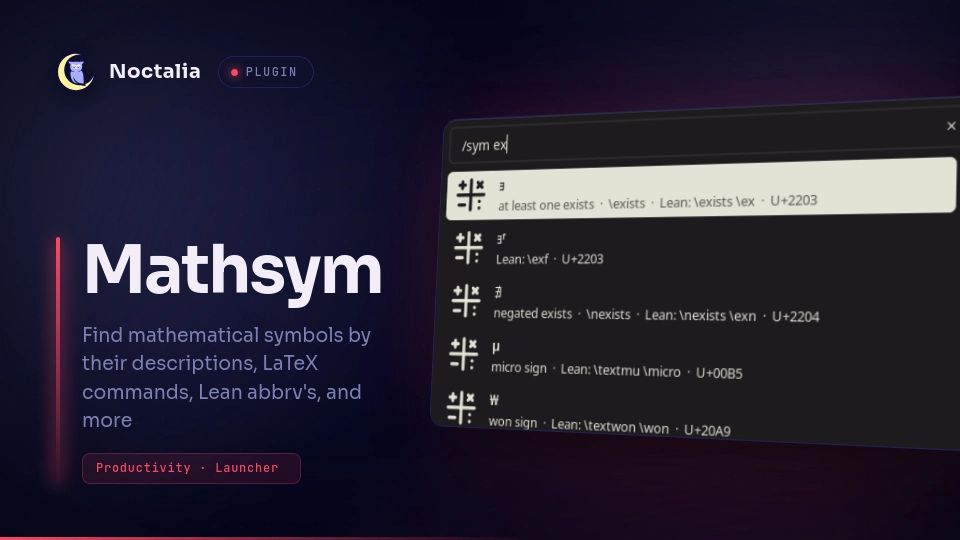
Find unicode characters from the Noctalia launcher by their description, unicode number, LaTeX command name or their Lean 4 VS Code input-method name, then copy (and optionally type) them. Or, reverse search by pasting in a unicode character to get its info. Built for mathematical symbols: \alpha, \leq, \mathbb{R}, \Rightarrow.
Plugin
| Field | Value |
|---|---|
| ID | fisherman/mathsym |
| Entries | Launcher provider: mathsym |
| Launcher Prefix | /sym |
Requirements
fzfonPATH(search and ranking).wtypeonPATH, only for the optional Paste After Copy setting- A POSIX
sh,awk,trandsleep(present on any Linux system).sleepis given a fractional number of seconds, which GNU, BSD and busybox accept.
Usage
Type /sym and a name, literal symbol, or code point. The leading backslash is optional and braces and spaces are ignored, so \mathbb{R}, mathbb R and mathbbR are the same query. Note that this plugin is built so that if you type in the VSCode Lean input method name of a symbol, that symbol will ALWAYS be the top result.
| Query | Finds |
|---|---|
a, alpha, \alpha |
α |
le, leq, <= |
≤ |
mathbb{R}, BbbR, R |
ℝ |
Rightarrow, rightarrow |
⇒, → (case-sensitive hits rank first) |
integral, greek lambda |
∫, λ (description search) |
rghtarrw |
→ (fuzzy, tolerates typos) |
U+2264, 0x2264, \u2264, 2264, 8804 |
≤ by code point (hex or decimal) |
∀ (paste a character) |
∀ (then entries starting with it like ∀ᵐ, ∀ᶠ) |
U+226 |
code points containing 226, those starting with it first (the 226x block) |
Each result shows its LaTeX names, its Lean names (typed with a leading \ in VS Code), its description and its code point. Enter copies the character to the clipboard.
Pasting a non-ASCII character looks it up directly and ranks first; a name can't be non-ASCII, so there is no ambiguity. Single ASCII characters like < stay ordinary name queries.
Ranking: name matches that are an exact, case-sensitive substring come first (Lean's input method is case-sensitive: \Go is ω, \go is not), then fuzzy case-insensitive name matches, then description matches, then code points. Within each group, fzf's score decides, and shorter names win ties.
Settings
| Setting | Type | Default | Description |
|---|---|---|---|
notify_on_copy |
bool |
true |
Show a notification after copying. |
paste_after_copy |
bool |
false |
After copying, type the character into the focused window with wtype. Works in terminals and GUI apps without a paste shortcut. |
paste_delay_ms |
int |
150 |
Wait this long after the launcher closes before typing, so focus has returned to the previous window. Raise it if the character does not arrive. |
Noctalia's global auto_paste launcher setting only applies to built-in providers, so it has no effect here.
Notes
- Processes spawned: on every query,
sh search.sh, which runsfzf(for up to four passes),tr,catandawk. Withpaste_after_copy,sh -c 'sleep …; exec wtype …'once per activation. No network access and no files written. - Why not search in Luau: Noctalia gives each script callback 25 ms of CPU time, too little to parse about 3000 rows, so the search runs in a helper process (about 20 ms per query on my machine).
- Data:
data.tsv,names.tsv,desc.tsv,codes_hex.tsvandcodes_dec.tsvare generated from the sources bytools/build_data.pyin the source repository, SturgeonInc/noctalia-mathsym-plugin (not needed at runtime). Sources:unicode-math-table.texfrom the LaTeXunicode-mathpackage (LPPL), with\mathbb{X}-style aliases derived from its\BbbX,\mbfX, … names, and the Lean 4 VS Code abbreviation table from leanprover/vscode-lean4 (Apache-2.0).
Generative AI Disclosure
This plugin is super duper vibecoded. And yet I am very very pleased with it. No warranty yada yada not fit for anything, but I have not encountered any issues. Please let me know if you do though! :D
Versions
| Version | Plugin API | Updated |
|---|---|---|
| v0.1.0 latest | 24 | Nov 15, 2026 |
Older versions stay installable on a Noctalia release whose plugin API is below the latest version's.