 Noctalia
About
LocalCheck
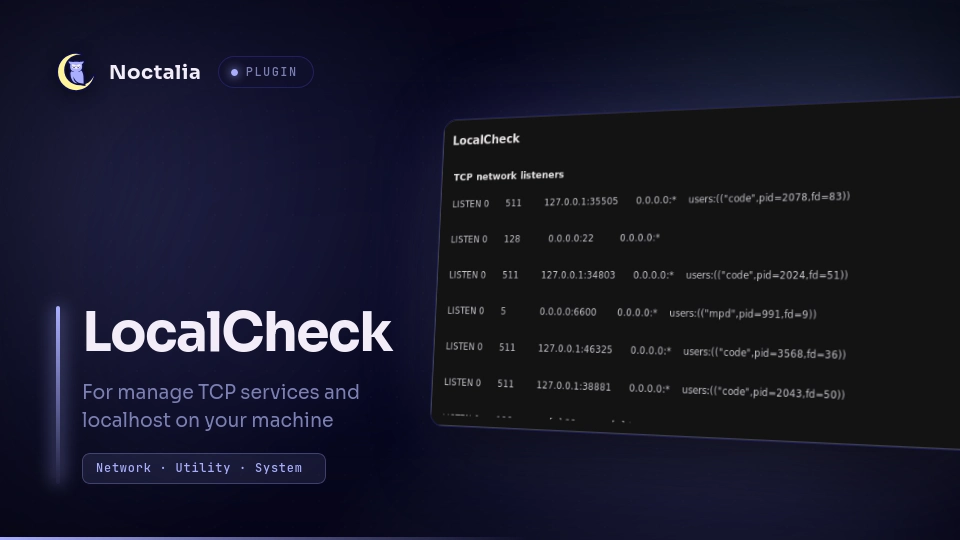
A Noctalia plugin for viewing TCP services currently listening on the local machine and stopping them directly from a panel.
Features
- Displays the output of
ss -tlnpin a scrollable panel. - Shows the local listening address for each TCP entry.
- Provides a
killbutton for each entry. - Refreshes the list after a process is stopped.
- Opens from a bar widget or directly through Noctalia's panel command.
Requirements
- Noctalia >= 5.0.0
ssfrom theiproute2packagegrepcutxargskill
The commands used by the plugin are normally available by default on most Linux distributions. The process information shown by ss -p may be limited when the plugin does not have permission to inspect a process owned by another user.
Plugin
| Field | Value |
|---|---|
| ID | tadomika_ari/localcheck |
| Widget | localcheck-widget |
| Panel | localcheck-panel |
| Version | 1.0.0 |
Usage
Install and enable the plugin, then add the LocalCheck widget to a Noctalia bar. Clicking the widget opens the LocalCheck panel.
You can also open the panel directly:
noctalia msg panel-toggle tadomika_ari/localcheck:localcheck-panel
The panel first runs:
ss -tlnp
Each listening entry has a kill button. Clicking it finds the process associated with that local address and runs the equivalent of:
ss -tulpn | grep -F '<local-address>' \
  | grep -o 'pid=[0-9]*' \
  | cut -d= -f2 \
  | xargs -r kill -9
After the command completes, the panel reloads the listening sockets. The kill action sends SIGKILL, so use it only when you are sure that stopping the selected process is appropriate.
Installation
Install LocalCheck from Noctalia's plugin store through Settings -> Plugins, then add the widget through Settings -> Bar.
For local development, add the repository containing the plugin as a path source:
noctalia msg plugins source add dev path /path/to/plugins
noctalia msg plugins enable tadomika_ari/localcheck
The plugin directory is localcheck/ inside that path.
License
MIT.
Versions
| Version | Plugin API | Updated |
|---|---|---|
| v0.1.0 latest | 43 | Nov 16, 2026 |
Older versions stay installable on a Noctalia release whose plugin API is below the latest version's.