 Noctalia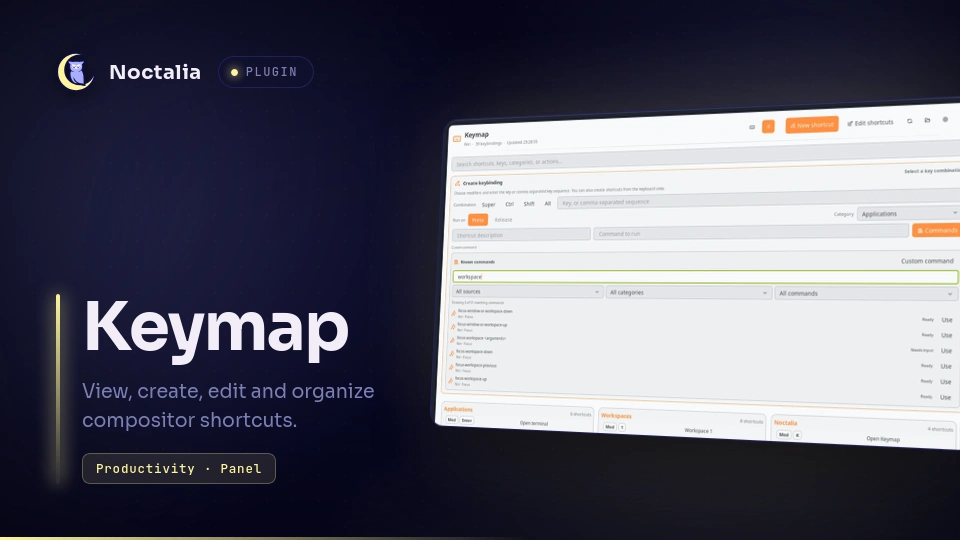
About
Keymap
Keymap is a searchable, theme-aware shortcut viewer and editor for Noctalia. It supports Hyprland's native Lua configuration, Niri, and MangoWC, follows split configuration files, and preserves user-defined categories.
Features
- Reads the active compositor automatically, with a manual override for custom sessions and test setups.
- Searches shortcut descriptions, combinations, categories, actions, commands, and MangoWC key modes.
- Renders ANSI 100%, 96%, 80% (TKL), 75%, 65%, and 60% keyboards.
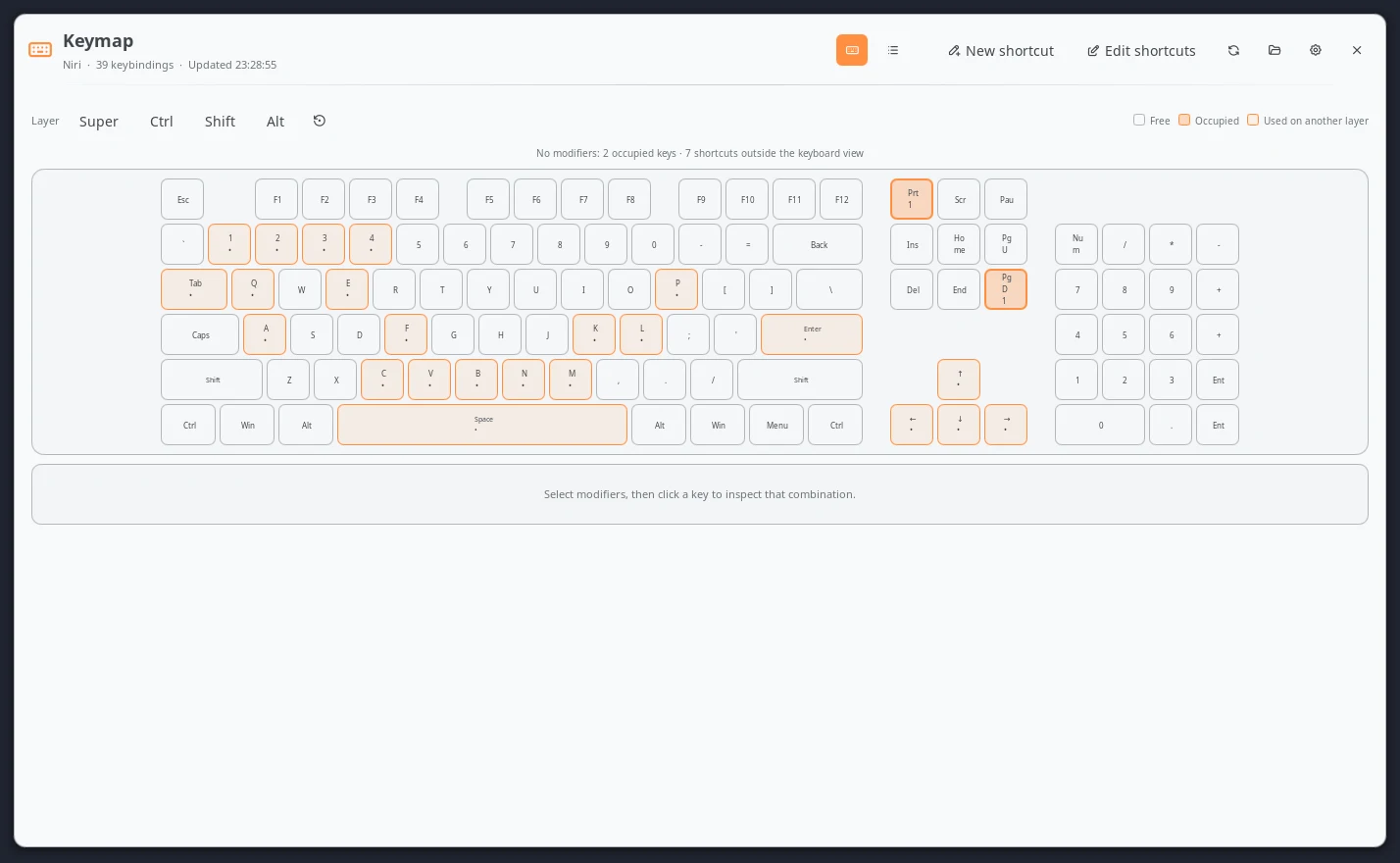
- Shows whether a physical key is free, occupied on the selected modifier layer, or used by another combination.
- Creates press and release shortcuts where the compositor supports them.
- Browses Noctalia IPC commands and native actions for the active compositor, with source, category, readiness, and text filters.
- Includes a searchable library of Noctalia commands and native compositor actions, while retaining free-form custom shell commands.
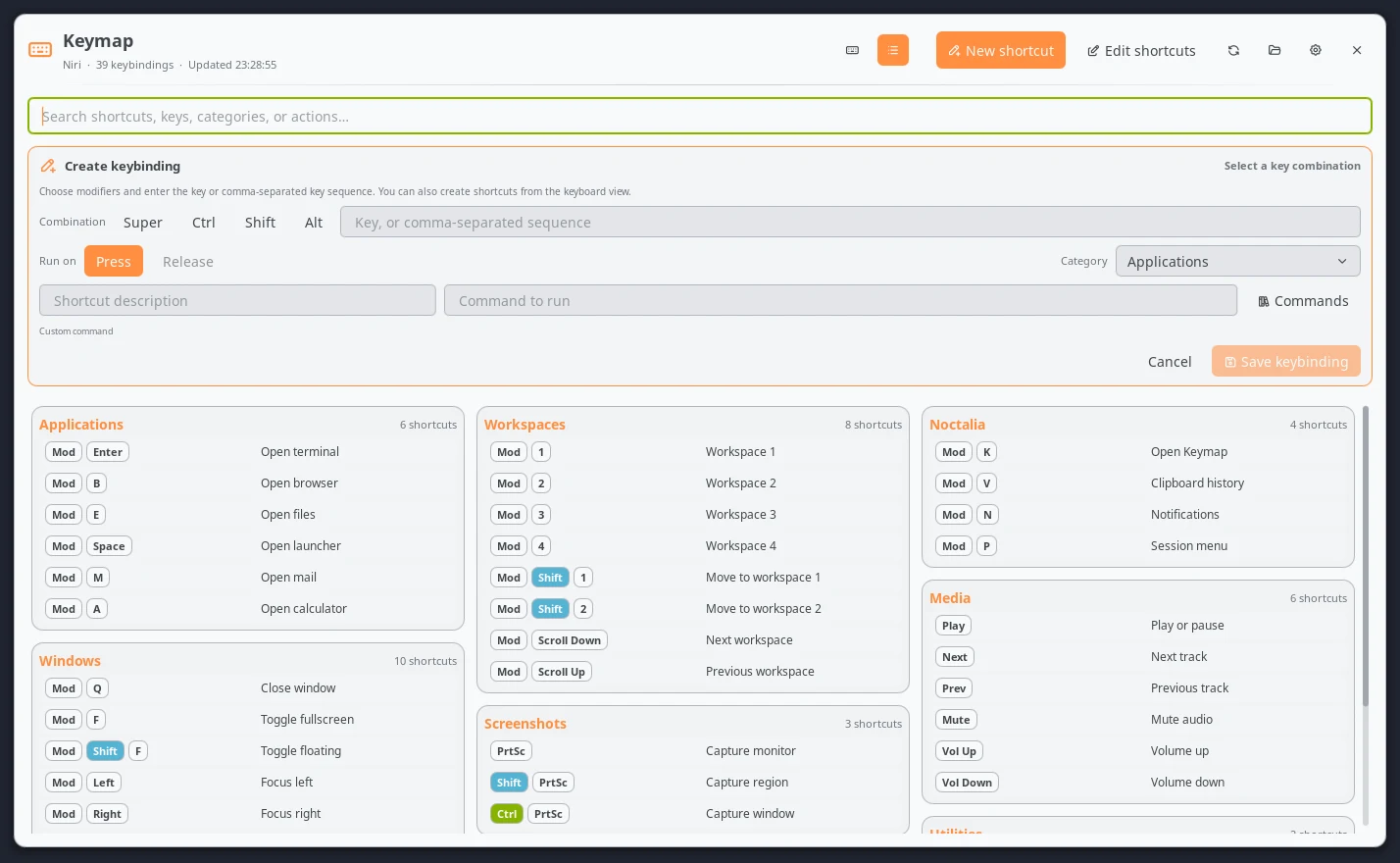
- Edits supported combinations, descriptions, commands, trigger modes, and categories directly above the shortcut list.
- Reorders shortcuts and moves them between categories with drag and drop.
- Renames categories and can hide, restore, or permanently delete shortcuts.
- Uses Noctalia theme roles by default and accepts custom colors for cards, headings, modifier pills, keys, and text.
- Validates and reloads configuration changes, with guarded rollback on failure.
Plugin
| Type | ID |
|---|---|
| Bar widget | widget |
| Panel | panel |
| Hyprland service | service |
| Niri service | niri-service |
| MangoWC service | mangowc-service |
| Configuration writer | writer-service |
The complete plugin ID is blackbartblues/keymap.
Requirements
- Noctalia v5 with plugin API 5.
- Hyprland with its native Lua configuration API, Niri, or MangoWC.
- The command-line tools for the selected compositor, plus
xdg-openfor the optional configuration-folder action: Hyprland useshyprctlandHyprland; Niri usesniri; MangoWC usesmangoandmmsg.
Classic Hyprland .conf keybinds are intentionally unsupported. Hyprland is
moving to its native Lua configuration API, which is the only Hyprland format
Keymap reads and writes.
For read-only use, Niri and MangoWC are parsed without spawning their IPC
tools. The validator and reload commands are used only after an explicit edit.
The folder button uses xdg-open to open the directory containing the active
configuration file.
Usage
Add the widget entry to a Noctalia bar and click it, or open the panel through
IPC:
noctalia msg panel-toggle blackbartblues/keymap:panel
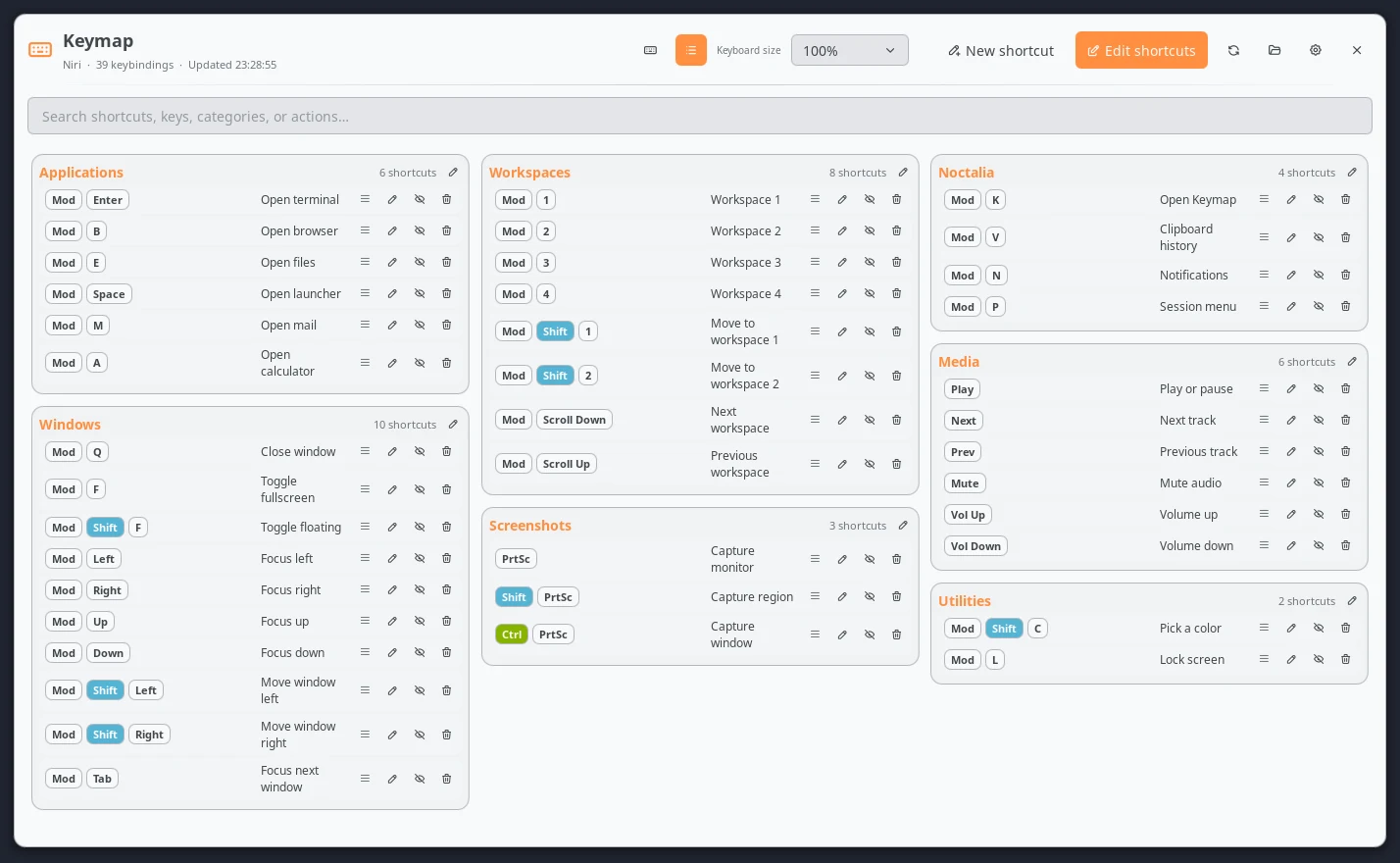
The header provides keyboard and list views, the shortcut creator, the existing-shortcut editor, refresh, configuration-folder, settings, and close actions.
The settings button opens Settings -> Plugins. Select the gear beside
Keymap to edit its compositor, paths, keyboard size, columns, and colors.
Configuration discovery
An existing path entered in Keymap settings always wins. If that path does not exist, Keymap searches safe, compositor-specific locations:
- Hyprland:
$XDG_CONFIG_HOME/hypr/hyprland.lua,init.lua, and/etc/xdg/hypr/hyprland.lua, followed by a scored scan of top-level.luafiles in the Hyprland configuration directory. - Niri:
$NIRI_CONFIG,$XDG_CONFIG_HOME/niri/config.kdl, followed by a scored scan of top-level.kdlfiles in the Niri configuration directory. - MangoWC:
$XDG_CONFIG_HOME/mango/config.conf,/etc/mango/config.conf, followed by a scored scan of top-level.conffiles in the MangoWC configuration directory.
Legacy keymap.lua, keymap.kdl, and keymap.conf files and files whose names
contain backup are excluded from automatic discovery. If no usable shortcut
file is found, the panel points to settings so the correct path can be entered
manually.
Browsing shortcuts
In keyboard view, enable an exact Super, Ctrl, Shift, and Alt layer. Occupied keys open the shortcuts assigned to that combination; unoccupied keys can be sent directly to the creator. Change the physical layout from the keyboard size selector while editing shortcuts, or set its default in plugin settings. When a key is occupied in another modifier layer, select it and use the layer buttons in the details card to jump directly to the matching combination.
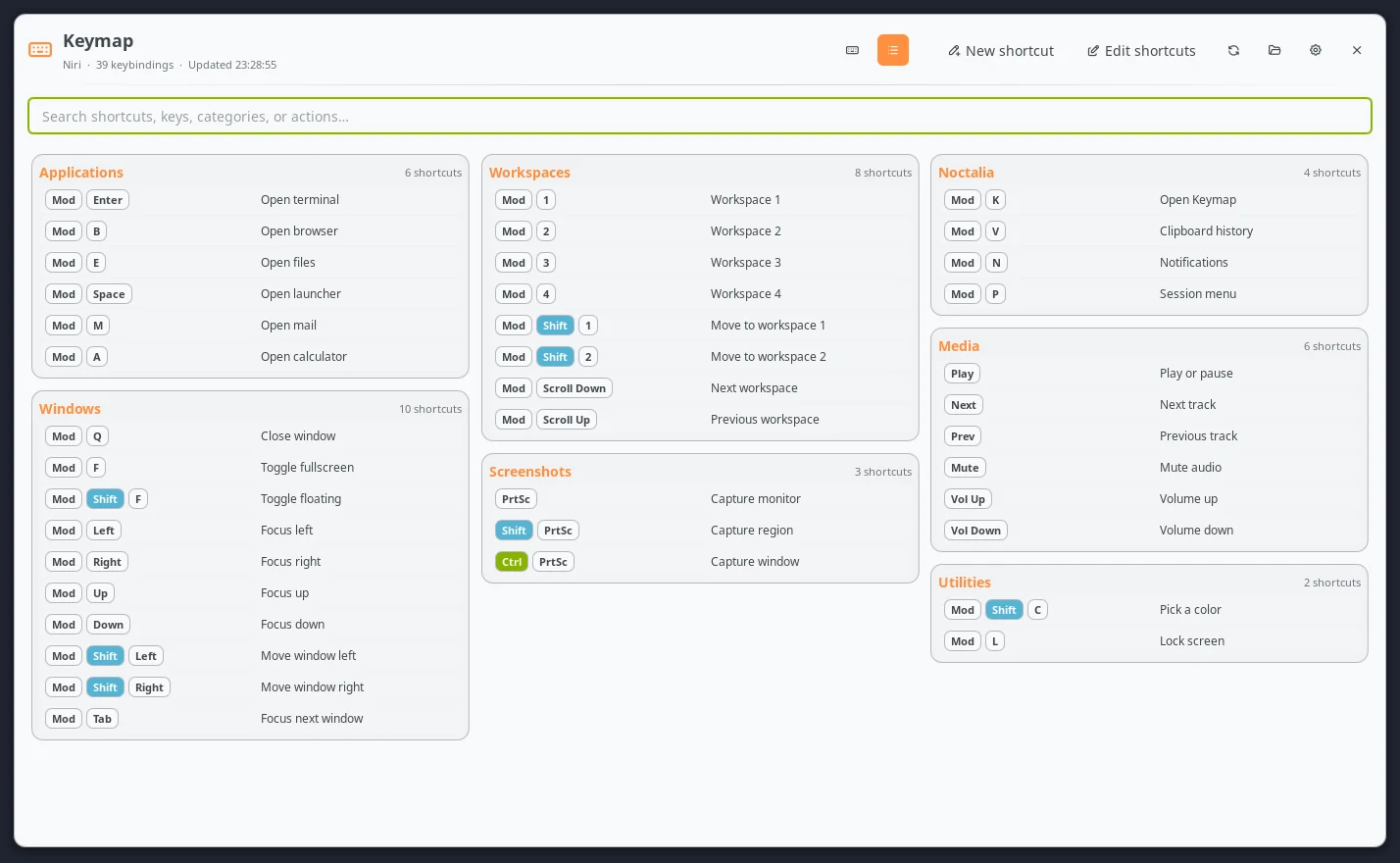
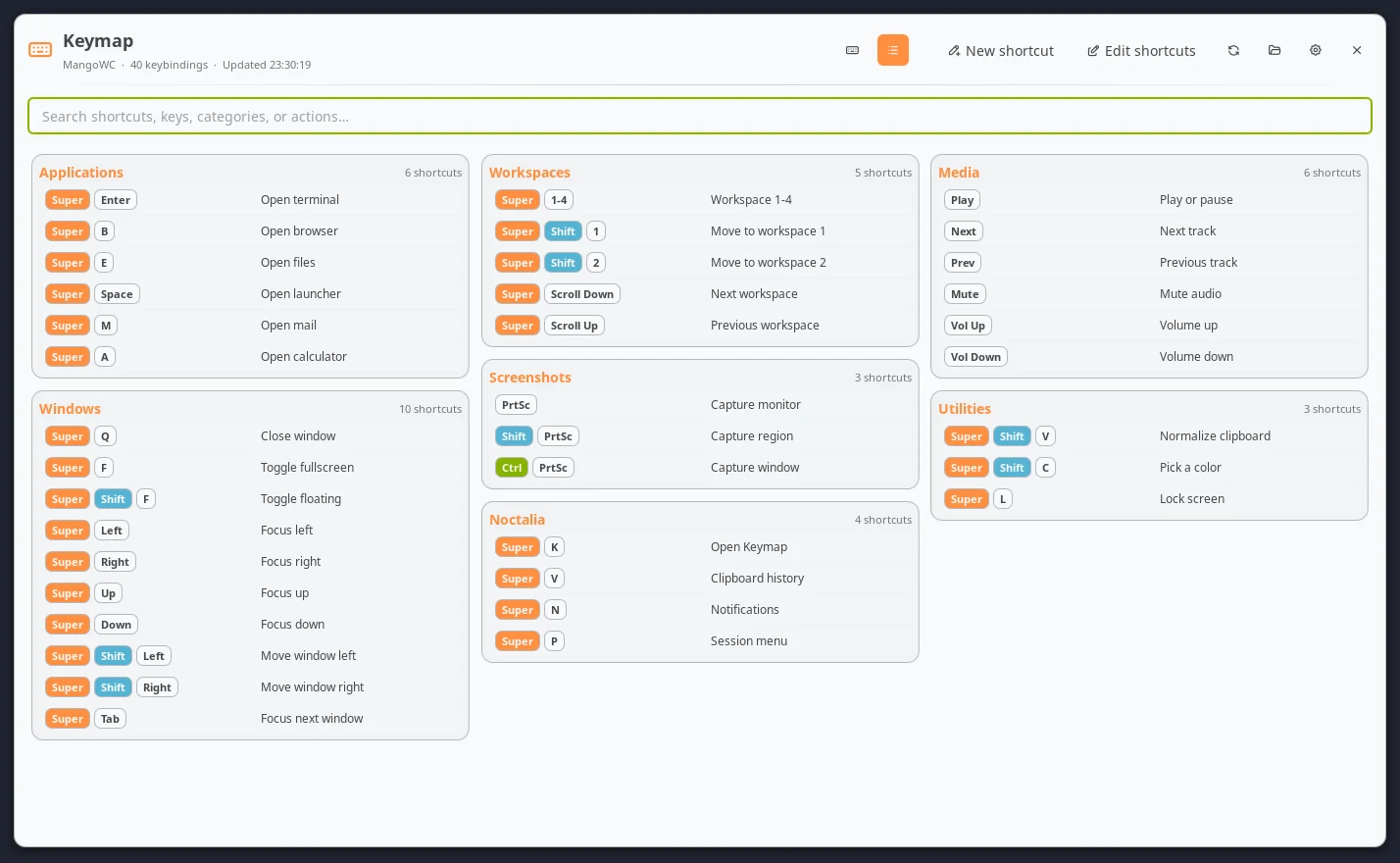
In list view, type into the search box to filter the complete category tree. Sequential shortcuts such as workspaces 1 through 9 can optionally be folded into a single row.
The example configurations below demonstrate the same feature set without reading or modifying a personal setup:
Creating shortcuts
Select New shortcut, choose modifiers and a key, select an existing or new category, then enter a description and command. The keyboard view can fill the combination by clicking a physical key.
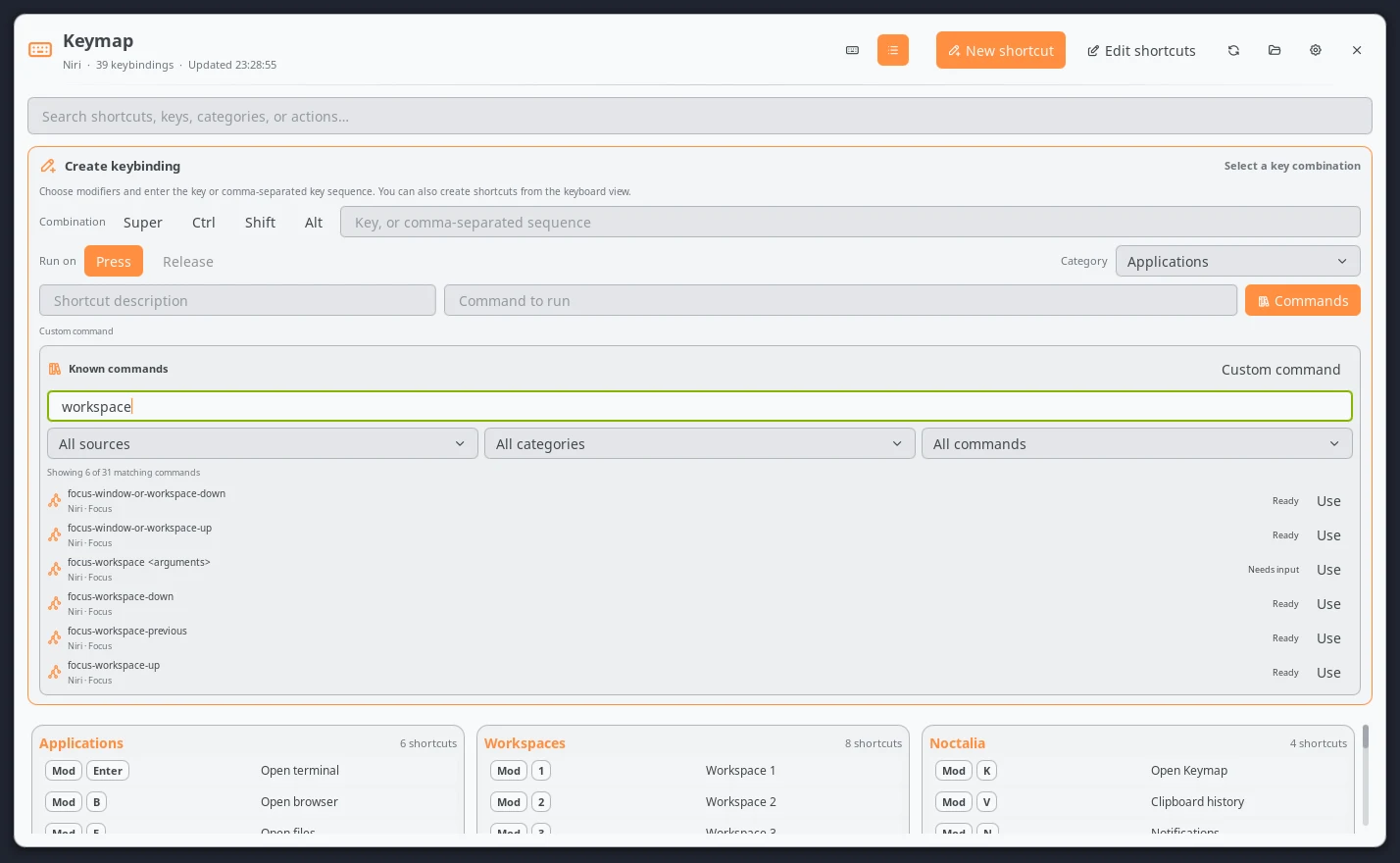
Select Commands beside the command field to open the known-command
library. It contains every command exposed by Noctalia's IPC help plus the
native Hyprland Lua, Niri KDL, or MangoWC actions for the active compositor.
Filter by source, category, whether an action still needs arguments, or free
text. Selecting an entry fills the command field; replace every
{{placeholder}} with a compositor-valid value before saving. Custom
command returns to an unrestricted shell command, so the library never
removes the option to type a command manually.
Native actions are offered while creating a shortcut. In the editor, the
library offers Noctalia shell commands only: converting an existing shell bind
to a different native syntax cannot be rewritten safely across all supported
source forms. Existing Niri spawn actions in the documented, single-line
argv form are editable in place. Keymap keeps them as native spawn actions
and requires the program and every argument to remain separately quoted; it
never converts them to spawn-sh. Other native actions remain read-only.
Hyprland supports multi-key sequences such as Super + C + V. Niri and
MangoWC accept one ordinary key in this writer. Niri exposes press activation;
Hyprland and MangoWC expose press and release activation.
Command library
Select Command library beside the command field to browse 362 known commands and native actions:
| Source | Entries | Verified from |
|---|---|---|
| Noctalia | 98 | Runtime noctalia msg --help output |
| Hyprland | 51 | Native hl.dsp.* dispatcher bindings from Hyprland 0.56.0 |
| Niri | 135 | Configurable KDL actions from Niri 26.04 |
| MangoWC | 78 | Current parser dispatchers and official keybinding documentation |
Search by action, syntax, source, or category. Source, category, and readiness
filters can narrow the results. Ready entries can be inserted directly;
Needs input entries contain visible {{argument}} placeholders that must
be replaced before saving. Selecting Custom command returns to a normal
shell command without restricting it to the catalog.
Noctalia entries are saved as shell commands. When creating a shortcut,
compositor entries are emitted as native Hyprland Lua, Niri KDL, or MangoWC
actions rather than wrappers around an IPC command. The writer checks the
selected entry ID, compositor, source, and completed template again before it
touches a file. Existing native actions remain preserved but are not converted
to another native catalog action by the editor. The one supported native edit
is changing the quoted argv of an existing Niri spawn action without changing
its action type.
New shortcuts are written directly to the configured source file. For Niri,
Keymap inserts them into the existing top-level binds block or creates that
block when it is absent.
Older Keymap releases stored created shortcuts in a sibling keymap.lua,
keymap.kdl, or keymap.conf. As soon as the Keymap service receives a valid
configuration snapshot, the writer recognizes a legacy file by its ownership
header and replaces its marked or plain include with the legacy contents. It
validates and reloads the combined configuration, confirms that neither file
changed during the operation, and only then removes the legacy file. A
validation, reload, or removal failure restores the original source and keeps
the legacy file intact. A same-named file without Keymap's ownership header is
never migrated or deleted.
Editing and organizing
Select Edit shortcuts to expose actions on writable rows. The pencil opens the inline editor above the category cards. The eye-slash action hides a shortcut without losing its original text, and the trash action permanently deletes it after confirmation. Hidden shortcuts remain available in the editor's recovery section, where they can be restored or deleted.
Drag a row handle to another position in the same category or into another category. The same move can be performed with the Category field in the inline editor. Select the pencil in a category heading to rename that category.
Native compositor actions remain intact. Fields that cannot be rewritten safely are disabled instead of being guessed. Generated, ranged, or otherwise read-only entries are visibly locked.
Before every create, update, move, reorder, category rename, hide, restore, or delete operation, Keymap verifies that the source still matches the parsed snapshot and refuses symbolic-link targets. Writes use a temporary sibling and atomic rename. The candidate is then checked with the compositor's native validator and reloaded:
| Compositor | Validator | Reload |
|---|---|---|
| Hyprland | Hyprland --verify-config -c <file> |
hyprctl reload |
| Niri | niri validate -c <file> |
niri msg action load-config-file |
| MangoWC | mango -c <file> -p |
mmsg dispatch reload_config |
If validation or reload fails, Keymap attempts to restore each file it changed. After a reload failure, it also attempts to reload the restored configuration. Rollback or recovery-reload failures are reported explicitly. A source that changes after parsing is never overwritten; the operation stops and asks the user to refresh instead.
Categories and source formats
Hyprland Lua
Place numbered headings before groups of native Lua bindings:
-- 1. Applications
hl.bind("SUPER + RETURN", hl.dsp.exec_cmd("foot"), { description = "Open terminal" })
Local modules loaded with require are scanned recursively. Literal
descriptions and literal prefixes such as description = "Workspace " .. i
are matched against the live bind registry. The live registry remains
authoritative; the Lua files supply source locations, editable snippets, and
category order.
Hyprland versions whose hyprctl binds -j output cannot be decoded are handled
automatically through the complete plain-text hyprctl binds fallback.
Niri
Category comments live inside binds {} blocks:
binds {
    // #"Applications"
    Mod+Return hotkey-overlay-title="Open terminal" { spawn-sh "foot"; }
}
Positional include nodes, optional includes, later overrides, disabled /-
nodes, custom overlay titles, and native actions are supported. Because Niri
does not expose an effective bind registry through IPC, its configuration tree
is the source of truth.
MangoWC
Category comments and optional descriptions use the following form:
# Applications
bind=SUPER,Return,spawn_shell,foot #"Open terminal"
Keymap supports bind with l/s/r/p flags, axisbind, mousebind,
gesturebind, switchbind, keymode, source, and source-optional.
MangoWC's configuration tree is the source of truth.
Complete, non-loaded examples are included in the repository:
examples/hyprland.lua— 40 shortcuts and a config that passesHyprland --verify-config.examples/niri.kdl— 39 shortcuts and a config that passesniri validate.examples/mangowc.conf— 40 shortcuts.
They cover applications, window management, workspaces, screenshots, Noctalia, media controls, utilities, release triggers, wheel bindings, and compositor native actions. They are documentation and test fixtures; Keymap never loads them automatically.
Settings
| Setting | Default | Purpose |
|---|---|---|
compositor |
auto |
Detect the session or force Hyprland, Niri, or MangoWC. |
hyprland_config |
~/.config/hypr/hyprland.lua |
Hyprland native Lua root. |
niri_config |
~/.config/niri/config.kdl |
Niri KDL root. |
mangowc_config |
~/.config/mango/config.conf |
MangoWC config root. |
merge_sequential |
true |
Fold related numbered shortcuts into one row. |
merge_similar |
false |
Fold shortcuts that trigger the same action into one read-only row. |
show_undescribed |
true |
Show Hyprland binds without descriptions and Niri binds without a hotkey-overlay-title. |
keyboard_layout |
100 |
Default 100%, 96%, 80%, 75%, 65%, or 60% view. |
columns |
3 |
One to four balanced category columns. |
card_color / card_opacity |
surface_container / 35 |
Card background role or custom color and opacity. |
category_color |
primary |
Category heading role or custom color. |
description_color |
on_surface |
Description role or custom color. |
| modifier color pairs | Noctalia theme roles | Background and text for Super, Ctrl, Shift, and Alt. |
key_color / key_text_color |
surface / on_surface |
Ordinary key background and text. |
widget glyph / show_label |
keyboard / false |
Bar appearance. |
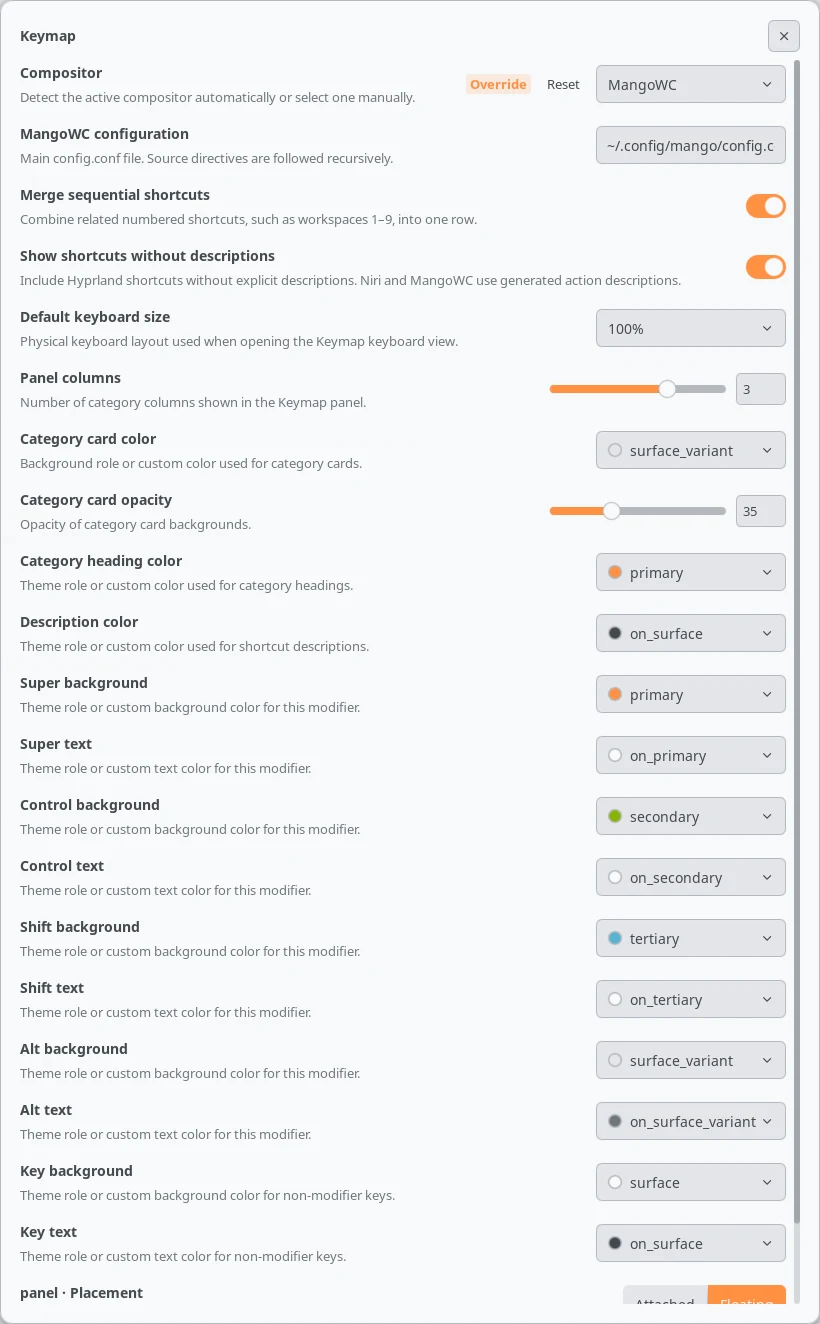
Theme-role values follow Noctalia palette changes automatically. Every color setting also accepts a custom color.
IPC
Request an immediate refresh from the service for the active compositor:
# Hyprland
noctalia msg plugin blackbartblues/keymap:service all refresh

# Niri
noctalia msg plugin blackbartblues/keymap:niri-service all refresh

# MangoWC
noctalia msg plugin blackbartblues/keymap:mangowc-service all refresh
The panel accepts view-keyboard, view-list, creator-open,
creator-cancel, editor-open, editor-bind <bind-id>, clear-modifiers,
keyboard-key <key>, and keyboard-layout <layout> events. For example:
noctalia msg plugin blackbartblues/keymap:panel all keyboard-layout 75
Valid layout payloads are 100, 96, 80, 75, 65, and 60.
Safety and limits
- Keymap makes no network requests and never executes commands stored inside shortcuts; it only passes explicitly saved configuration text to the active compositor.
- Configuration traversal is cycle-safe and limited to 64 files of up to 512 KiB each. Root files accepted for writing are limited to 2 MiB.
- Required missing Niri includes and MangoWC sources stop parsing rather than silently presenting an incomplete list. Optional sources and non-fatal parser issues are shown as warnings.
- All interface prose and settings metadata use Noctalia's translation API. Physical key legends and standard modifier names remain technical labels. The shipped English catalog is the source language for Weblate.
Tests
From the keymap directory:
for test_file in tests/*.lua; do lua "$test_file"; done
python tests/command_library_test.py
python tests/i18n_test.py
Hyprland --verify-config -c examples/hyprland.lua
niri validate -c examples/niri.kdl
The suite covers category markers, hidden-block recovery, Hyprland command
parsing and text fallback, all keyboard layouts, create/update/write rollback,
the three example configurations, command-library integrity and native action
creation, native Niri spawn editing, merged-combination conflict detection,
short DnD identifiers, automatic path discovery, and translation-key coverage.
License
MIT.
Versions
| Version | Plugin API | Updated |
|---|---|---|
| v1.5.2 latest | 43 | Oct 25, 2026 |
| v1.5.1 | 9 | Sep 1, 2026 |
| v1.3.1 | 5 | Jul 21, 2026 |
Older versions stay installable on a Noctalia release whose plugin API is below the latest version's.