 Noctalia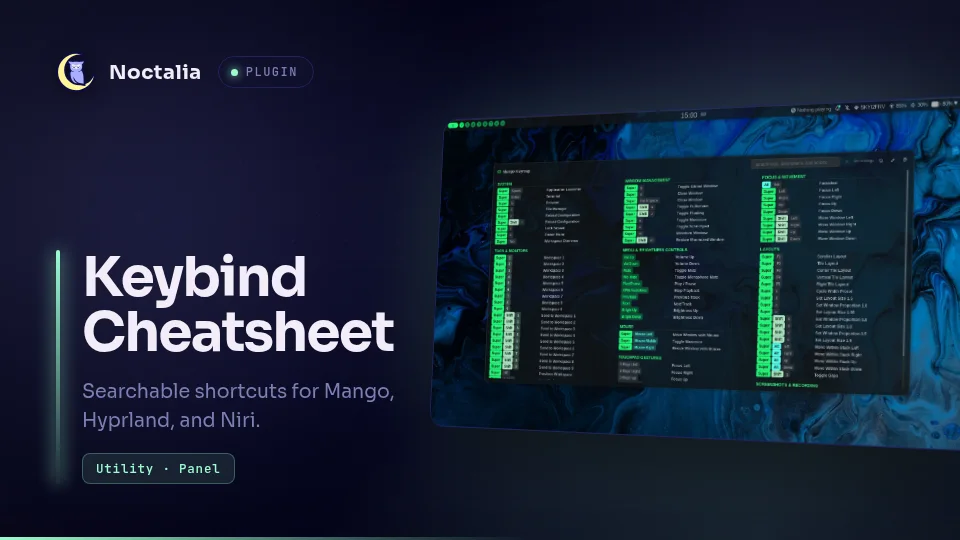
About
Keybind Cheatsheet
Keybind Cheatsheet opens a searchable Noctalia panel containing the active Mango, Hyprland, or Niri shortcuts, plus Fcitx5 input-method hotkeys. It follows split configuration files, formats common hardware keys, and keeps custom descriptions and hidden rows.
Acknowledgements
Keybind Cheatsheet was inspired by the original Keybind Cheatsheet for Noctalia v4 created by blackbartblues.
This Noctalia v5 plugin is an independent implementation rather than a direct port. It has its own user interface, service and cache lifecycle, persistence model, tests, and integration with the current Noctalia plugin API.
Plugin
| Field | Value |
|---|---|
| ID | kenn/keybind-cheatsheet |
| Entries | Data service: data; bar widget: keybinds; panel: cheatsheet |
kenn is the plugin's fixed publisher namespace, not your local Linux
username. Copy the plugin IDs in the commands below unchanged. User-specific
configuration paths use the portable ~/.config/... form.
Requirements
Install hyprctl on PATH when using a Hyprland Lua configuration. Mango,
Niri, and classic Hyprland configurations do not spawn external commands.
Fcitx5 is optional. When it is installed, its input-method hotkeys are read
from ~/.config/fcitx5 on each refresh and shown under System.
Parsing a mid-size Niri config plus rendering its full keymap exceeds one Luau CPU-budget window, so the refresh and the panel spread the work across event-driven steps (each state-watch callback runs with a fresh budget). There are no timers, polling loops, or helper processes; nothing runs while the plugin is idle.
No clipboard command is required. Color paste uses Noctalia's native clipboard API.
Usage
Enable the plugin, then add the keybinds widget from Noctalia's bar widget
picker. Clicking its keyboard glyph toggles the cheatsheet.
Open or close the panel without a bar widget:
noctalia msg panel-toggle kenn/keybind-cheatsheet:cheatsheet
Bind that command in the active compositor.
Mango:
bind=SUPER,F1,spawn,noctalia msg panel-toggle kenn/keybind-cheatsheet:cheatsheet
Hyprland classic configuration:
bind = SUPER, F1, exec, noctalia msg panel-toggle kenn/keybind-cheatsheet:cheatsheet
Niri:
Mod+F1 { spawn "noctalia" "msg" "panel-toggle" "kenn/keybind-cheatsheet:cheatsheet"; }
Type in the search field to filter by key, description, action, or category. Use the header pencil to enter edit mode. Edit mode keeps hidden bindings visible with muted content while descriptions and visibility are changed with the row's pencil and eye buttons; leaving edit mode applies those visibility choices to the main keymap. The palette button opens key-color controls with native color picking, clipboard paste, and reset actions.
Supported configuration
| Compositor | Default | Parsing |
|---|---|---|
| Mango | ~/.config/mango/config.conf |
bind, axisbind, mousebind, gesturebind, switchbind, source, and source-optional |
| Hyprland classic | ~/.config/hypr/hyprland.conf |
bind* directives, variables, and recursive source paths |
| Hyprland Lua | ~/.config/hypr/hyprland.lua |
Live hyprctl binds -j data plus category and description scanning through require() files |
| Niri | ~/.config/niri/config.kdl |
KDL binds blocks, action categorization, and recursive include paths |
| Fcitx5 | ~/.config/fcitx5 (or $XDG_CONFIG_HOME/fcitx5) |
Input-method trigger, alternate trigger, enumeration, group, and Simplified/Traditional Chinese hotkeys |
Includes support *, ?, and bracket glob components. Traversal is limited to
32 levels and 256 files, and repeated paths are visited once to stop cycles.
Category comments use the same forms as the earlier Noctalia plugin:
# Applications
bind=SUPER,T,spawn,foot #"Terminal"
# 1. Applications
bind = SUPER, T, exec, foot #"Terminal"
// #"Applications"
Mod+T hotkey-overlay-title="Terminal" { spawn "foot"; }
Hyprland Lua category scanning recognizes -- 1. Applications headings and
literal description or desc fields. Concatenated descriptions such as
"Workspace " .. i are treated as prefixes.
A -- inside a string literal (exec_cmd("tool --flag")) is not a comment,
so the description after it is still read.
A run of sibling binds that differ only by a number — same modifiers and
category, descriptions equal once their digits are normalised, keys all digits
or all F-keys — renders as one row (Focus workspace N on 1-0,
Focus display N on F1-F3) unless merge_sequential is off. Edit mode
always lists every bind. Pointer buttons show by name (LMB, RMB, MMB,
side and back/forward) rather than by evdev code.
Fcitx5 hotkeys are virtual bindings: they are not in the compositor config and
cannot be changed through the cheatsheet. The trigger description names the
first two input methods from the default Fcitx group, for example
Switch input method (Norwegian ↔ Pinyin).
Settings
| Setting | Type | Default | Description |
|---|---|---|---|
compositor |
select |
auto |
Detect Mango, Hyprland, or Niri, or force one parser. |
mango_config |
file |
~/.config/mango/config.conf |
Main Mango configuration. |
hyprland_config |
file |
~/.config/hypr/hyprland.conf |
Main classic Hyprland configuration. |
hyprland_lua_config |
file |
~/.config/hypr/hyprland.lua |
Lua file scanned for categories. |
hyprland_parser |
select |
auto |
Select live Lua or classic parsing. |
niri_config |
file |
~/.config/niri/config.kdl |
Main Niri configuration. |
columns |
int |
3 |
Maximum balanced columns, from 1 to 4. |
show_undescribed |
bool |
true |
Show bindings that have no description. |
show_actions |
bool |
false |
Show the compositor action under descriptions. |
merge_sequential |
bool |
true |
Collapse binds that differ only by a number into one row (Focus workspace N on 1-0). |
modifier_labels |
string_map |
{} |
Display names for modifiers, keyed by the compositor's name: { MOD3 = "Hyper" }. |
glyph |
glyph |
keyboard |
Bar widget icon. |
Noctalia v5 owns panel dimensions and does not expose runtime auto-height. This plugin uses a wide 1500 x 760 panel, scrolling, and a responsive cap on the requested column count.
IPC
Refresh the snapshot after editing compositor or Fcitx configuration:
noctalia msg plugin kenn/keybind-cheatsheet:data all refresh
The data service refreshes even when the panel is closed. Opening and reopening
the panel only renders the prepared snapshot. The bar entry also accepts
toggle and refresh when a widget instance exists:
noctalia msg plugin kenn/keybind-cheatsheet:keybinds focused toggle
noctalia msg plugin kenn/keybind-cheatsheet:keybinds focused refresh
For parser development, run the fixture suite inside Noctalia:
noctalia msg plugin kenn/keybind-cheatsheet:data all self-test
The report is logged and written to the plugin's persistent data directory as
selftest.json.
Notes
One event-driven data service loads the durable binding cache and parses the
selected compositor configuration once when Noctalia loads the plugin. It then
remains idle until settings change or a refresh is explicitly requested. It
uses no update interval, filesystem watcher, polling loop, network request, or
persistent subprocess. Hyprland Lua mode runs the fixed command
hyprctl binds -j asynchronously.
Fcitx5 files are read only during a refresh. Changing an input-method hotkey in Fcitx does not update the cheatsheet until the next refresh.
The last successful parsed snapshot is stored as bindings-cache.json. The
panel reads the shared in-memory snapshot and performs no configuration I/O in
onOpen(). A failed refresh keeps the previous bindings visible and reports
the error without replacing the durable cache.
Custom descriptions, hidden binding identities, and color overrides are stored
in Noctalia's per-plugin state directory as preferences.json. The file
contains no command output or configuration contents.
Versions
| Version | Plugin API | Updated |
|---|---|---|
| v0.3.3 latest | 43 | Oct 25, 2026 |
| v0.3.2 | 9 | Oct 22, 2026 |
| v0.2.0 | 4 | Jul 21, 2026 |
Older versions stay installable on a Noctalia release whose plugin API is below the latest version's.