 Noctalia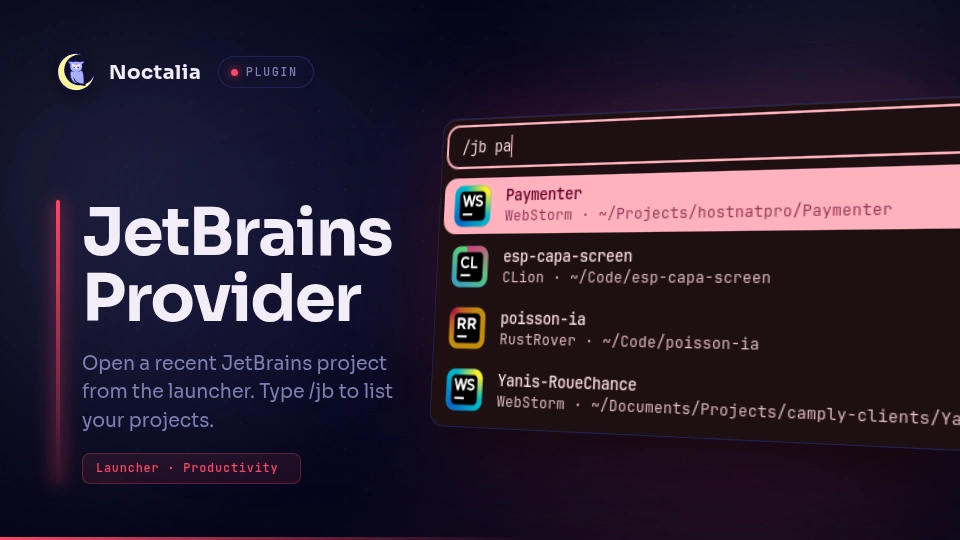
About
JetBrains Provider
JetBrains Provider integrates recent projects from supported JetBrains-based IDEs with the Noctalia launcher so you can reopen a project quickly without leaving the shell.
Plugin
| Field | Value |
|---|---|
| ID | cleboost/jetbrains-provider |
| Entry | Launcher provider: provider |
| Launcher Prefix | /jb |
Requirements
Install at least one supported IDE (via Toolbox or standalone). The plugin uses
bash and awk to scan recent-project files and nohup to launch IDEs in the
background.
Usage
Open the Noctalia launcher and type /jb to list recent projects from your
installed IDEs. Continue typing to filter projects by name, then select one to
open it with the IDE that last used it.
Supported IDEs
IntelliJ IDEA (Ultimate and Community IdeaIC), Android Studio, WebStorm,
CLion, GoLand, RustRover, PyCharm (including Community PyCharmCE), PhpStorm,
RubyMine, DataGrip, and Rider.
Settings
config_dir— root directory for JetBrains IDE configuration folders.toolbox_dir— JetBrains Toolbox apps directory used to locate IDE launchers.max_results— maximum number of projects shown in the launcher.ignored_ides— IDE names to exclude (e.g.WebStorm,CLion).
Notes
Projects are read from each IDE's recentProjects.xml, typically under
~/.config/JetBrains/<Product><Version>/options/. When the same project
appears in multiple IDEs, only the most recently activated entry is shown.
Backup config folders and ignored IDEs are skipped. The list is cached for the
launcher session and refreshed when you clear the query.
Versions
| Version | Plugin API | Updated |
|---|---|---|
| v1.0.0 latest | 3 | Jul 31, 2026 |
Older versions stay installable on a Noctalia release whose plugin API is below the latest version's.