
About
Hyprland Settings
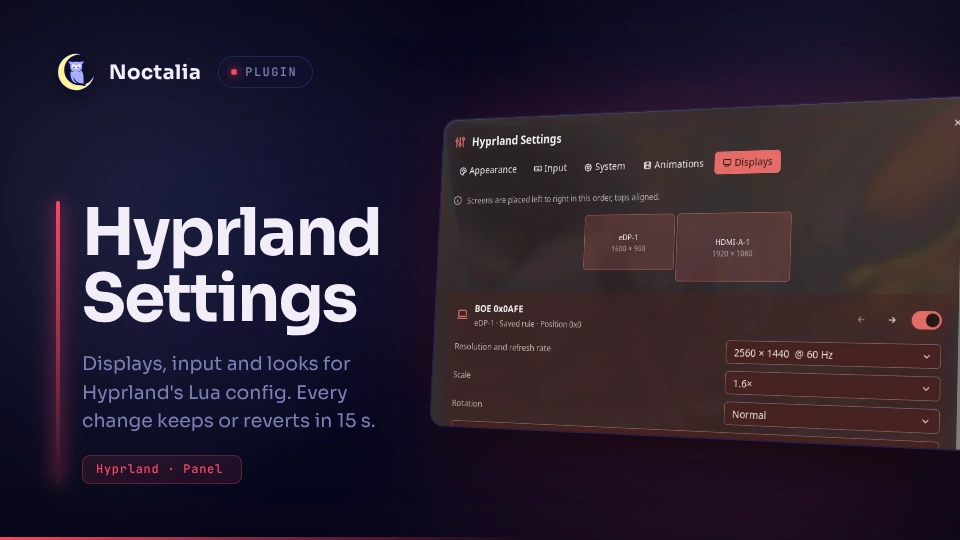
A settings panel for Hyprland's Lua config. Change displays, input, appearance, animations and a few system options in Noctalia. Every change goes into one Lua file with a reason above each value, and it reverts by itself after 15 seconds unless you keep it.
It covers the settings you change day to day. To edit your whole config, including keybinds and window rules, have a look at hyprconf, a standalone editor.
Plugin
| Field | Value |
|---|---|
| ID | michael-retunzew/hyprland-settings |
| Entries | Bar widget: button; panel: panel; service: service; launcher provider: open |
| Launcher Prefix | /hyprland |
Requirements
hyprland0.56 or newer with a Lua config (hyprland.lua). The old.confformat is not supported.lua:luaandluacfrom the same Lua version Hyprland is built against (5.5 for 0.56).luac -pchecks every file before it is written.util-linux:flockserializes saving and reverting.systemd: a user session.systemd-run --userarms a timer that reverts a change even if Noctalia crashes during the countdown.
Usage
Install and enable the plugin.
Open it: type
hyprlandin the launcher (or/hyprland), add the bar widgetbutton(an "adjustments" icon), or run:noctalia msg panel-toggle michael-retunzew/hyprland-settings:panelOn first open the panel asks to connect itself to Hyprland. Set up creates
~/.config/hypr/hyprland-settings.luaand adds one line to the end of~/.config/hypr/hyprland.lua, keeping a backup:require("hyprland-settings")Choose No, I'll do it myself and the panel shows the same two steps to do by hand, with a Check again button. Until Hyprland loads the file, Apply stays off. If a block in your
hyprland.luamust win over the panel (a power-saving block, for example), move the line above it.Change values and press Apply. The plugin writes the file, Hyprland reloads it, and the plugin checks that Hyprland really loaded it. Then a banner asks Keep these changes? with a 15 second countdown. Keep saves. Revert, or doing nothing, puts the previous file back.
What each control does:
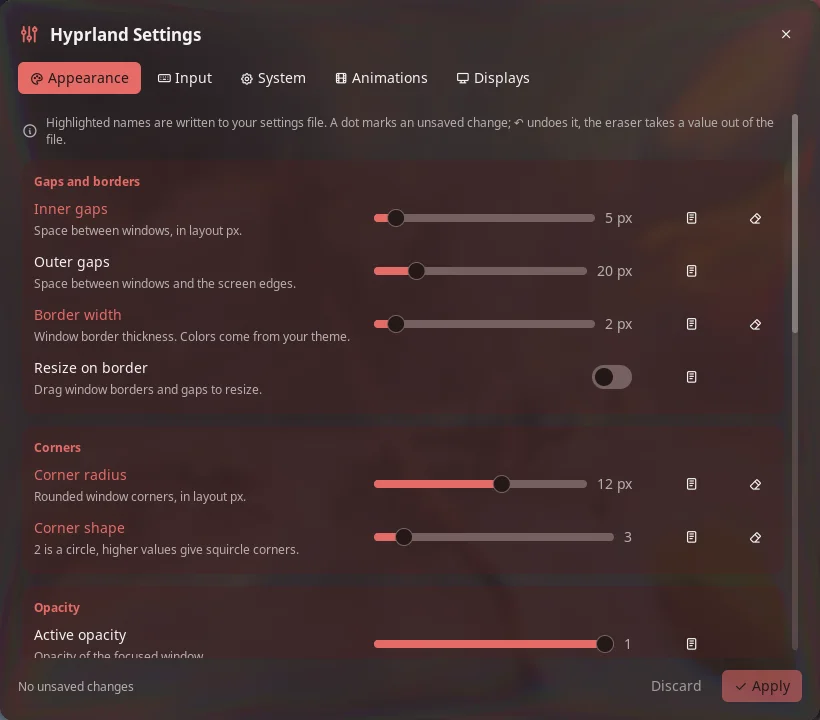
- A highlighted name means the value is written to the file. Values you never touch are left to Hyprland's defaults or the rest of your config.
- A dot marks an unsaved change. ↶ undoes it.
- The note button adds a reason. It is written as
-- why: …above the value. - The eraser takes a value out of the file again.
- A warning sign means a saved value is not in effect, usually because a file loaded later overrides it.
Pages:
- Appearance: gaps, border width, corners, opacity, dimming, blur, shadow and layout. Colors are never touched; they belong to your theme.
- Input: keyboard layout, variant and options, key repeat, mouse sensitivity and acceleration, focus follows mouse, and touchpad scrolling, tapping and clicking.
- System: variable refresh rate, focus behavior, cursor hiding, waking screens, the Hyprland logo and XWayland.
- Animations: animations on or off, and the preset Futurista.
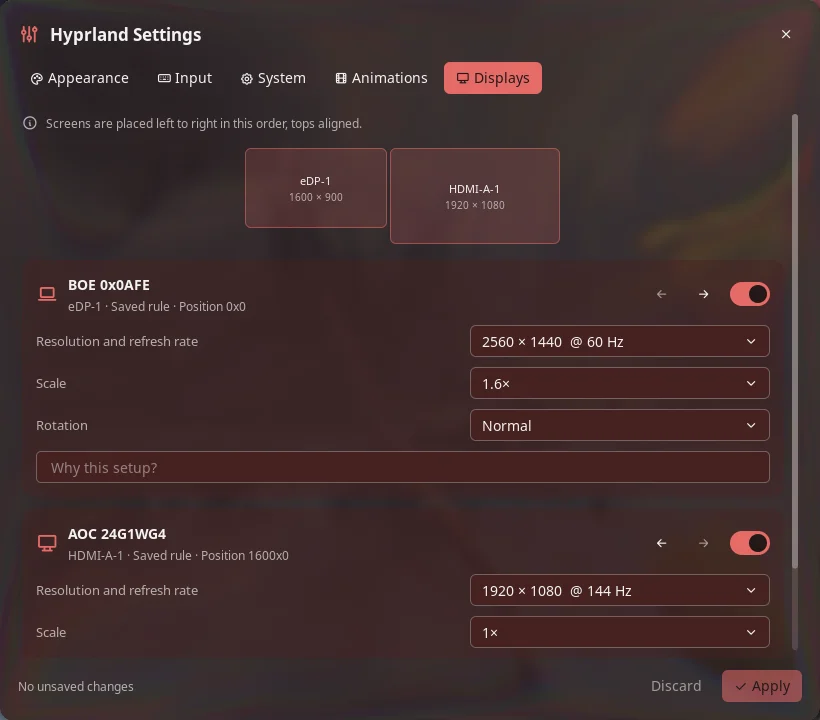
- Displays: one card per connected screen with resolution and refresh rate, scale and rotation. Only modes the screen reports and scales that give whole pixels are offered. Arrows change the order, and a sketch shows the row to scale. Rules for screens that are not plugged in are kept and can be removed.
Taking over an existing file
The plugin only replaces a file it wrote itself. If the file was written by hand, or
edited since the last save, Apply stops and the banner offers Take over the file.
The original is kept for good in the plugin's data directory as original-<id>.lua.
Settings
| Setting | Type | Default | Description |
|---|---|---|---|
config_path |
file |
~/.config/hypr/hyprland-settings.lua |
The file the plugin writes and hyprland.lua loads. A symlink is followed: the file it points to is replaced, the link stays. |
IPC
The service takes the same operations as the panel:
noctalia msg plugin michael-retunzew/hyprland-settings:service all refresh
noctalia msg plugin michael-retunzew/hyprland-settings:service all apply '<json>'
noctalia msg plugin michael-retunzew/hyprland-settings:service all adopt '<json>'
noctalia msg plugin michael-retunzew/hyprland-settings:service all keep
noctalia msg plugin michael-retunzew/hyprland-settings:service all revert
apply and adopt take the settings as JSON in the shape of the saved state:
{"options": {"general.gaps_in": {"value": 5, "why": "…"}}, "preset": {"name": "futurista"}, "monitors": [{"output": "desc:…", "mode": "1920x1080@144", "position": "1600x0", "scale": 1}]}.
adopt also takes over a hand-written file. setup, setup_decline and
setup_check do what the first-run card's buttons do. The panel can switch pages for
screenshots:
noctalia msg plugin michael-retunzew/hyprland-settings:panel all page displays
Notes
- Files written.
- The config file: written to a temporary file next to it, then renamed, so Hyprland never reads half a file.
- The data directory
~/.local/state/noctalia/plugins/data/michael-retunzew/hyprland-settings/: the saved state (state.json), the transaction journal (txn), the backup of the previous file and the copies used to recognize the plugin's own file.
- First-run setup runs only when you press Set up.
setup.luacreates the empty settings file and appends therequireline tohyprland.luawith a temporary file and a rename. A symlinkedhyprland.luastays a symlink, andluac -pchecks the result first. The original goes tobackups/in the data directory. If the line is already there, nothing changes. To undo, delete the line and the file. - Processes.
hyprctl:--batchwithgetoption,monitors all,configerrors, andreplto readHYPRLAND_SETTINGS_REVISIONand whether the settings file is loaded (package.loaded).flockwithlua txn.luafor saving and reverting, and withlua setup.luafor the first-run setup.luac -pandreadlink -f.systemd-run --userandsystemctl --user stopfor the revert timer.- No network access.
- How a reload is proven. The generated file sets the global
HYPRLAND_SETTINGS_REVISION. Keep only becomes available afterhyprctl replreturns the new revision. If it does not within 5 seconds, or Hyprland reports a new config error, the change is reverted. This also happens whenhyprland.luadoes not load the file at all. - Restarts. If Noctalia restarts during a countdown, the open change is reverted instead of resumed. A reboot counts as expired.
- Layout limit. Displays are arranged as one row, left to right, with the tops aligned. Vertical offsets and mirroring stay as they are until you reorder.
- Not in v1: keybinds, window rules, gestures, a page with every option, more animation presets and live previews.
- Tests:
tests/run.shneedsluau,luaandluac. It runs the module and service tests against a fake Noctalia host and the transaction tests in a temporary directory.
Credits
The Futurista animation preset comes from
Hyprland Visual Editor by XimoCP
(MIT, Copyright (c) 2026 XimoCP), as ported to Noctalia v5 by Hermy and linux-fertxo.
Its license notice is kept in lib/presets/futurista.luau.
Versions
| Version | Plugin API | Updated |
|---|---|---|
| v1.0.0 latest | 32 | Oct 7, 2026 |
Older versions stay installable on a Noctalia release whose plugin API is below the latest version's.