 Noctalia
 Back to plugins 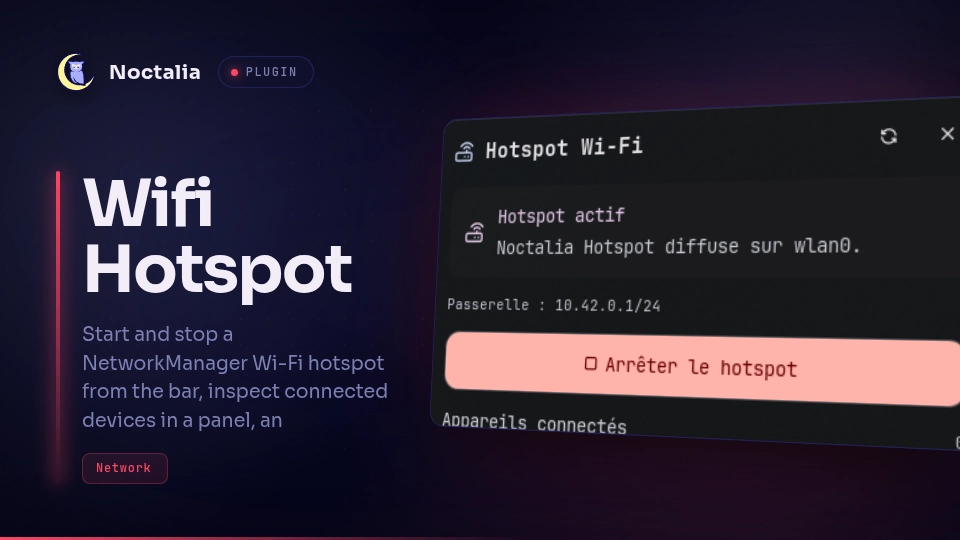
v1.1.2 Cleboost
About
Wi-Fi Hotspot
Start and stop a NetworkManager Wi-Fi hotspot from the bar, inspect connected devices in a panel, and control the service over IPC.
Plugin
| Field | Value |
|---|---|
| ID | cleboost/hotspot |
| Entries | Bar widget: toggle; shortcut: cc-toggle; panel: panel; service: hotspot |
Requirements
Install nmcli from NetworkManager, plus iw and ip from iproute2, on
PATH. The active user must be allowed to manage NetworkManager connections
(the default on most desktop setups).
Usage
- Open the plugin settings and set the hotspot name and password.
- Add the
togglewidget to a bar and/or thecc-toggleshortcut in Settings → Control Center. - Left-click the bar widget to open the panel with the connected device list.
- Right-click the bar widget, or click the Control Center shortcut, to start or stop the hotspot.
noctalia msg panel-toggle cleboost/hotspot:panel
Starting a hotspot may disconnect the Wi-Fi adapter from its current network while the access point is active.
Settings
| Setting | Type | Default | Description |
|---|---|---|---|
ssid |
string |
Noctalia Hotspot |
Network name broadcast to clients. |
password |
string |
(empty) | WPA password. Must be at least 8 characters before starting. |
interface |
string |
(empty) | Optional Wi-Fi interface such as wlan0. Auto-detected when empty. |
refresh_interval |
int |
5 |
Seconds between status and client-list refreshes. |
IPC
noctalia msg plugin cleboost/hotspot:hotspot all enable
noctalia msg plugin cleboost/hotspot:hotspot all disable
noctalia msg plugin cleboost/hotspot:hotspot all toggle
noctalia msg plugin cleboost/hotspot:hotspot all refresh
The enable, disable, and toggle events change the hotspot state.
refresh and status re-read NetworkManager without changing it. IPC events
take no payload.
Notes
- The plugin uses
nmcli device wifi hotspotto create the access point andnmcli connection downto stop the active AP profile. - Connected devices are discovered with
iw station dumpandip neigh. - The plugin makes no network requests and writes no user content to disk.
- Notifications use the host
notification-showIPC with Wi-Fi glyphs (wifi,wifi-off,alert-circle) becausenoctalia.notify()does not accept a custom icon yet. - Hotspots started outside Noctalia are detected when NetworkManager reports an
active
802-11-wirelessconnection inapmode.
Versions
| Version | Plugin API | Updated |
|---|---|---|
| v1.1.2 latest | 43 | Oct 25, 2026 |
| v1.1.1 | 9 | Oct 21, 2026 |
Older versions stay installable on a Noctalia release whose plugin API is below the latest version's.