
About
Headset Control
Shows your headset's battery level in the bar and lists every connected
headset with its battery, chatmix and supported features, using the
headsetcontrol CLI.
Plugin
| Field | Value |
|---|---|
| ID | vavadik/headsetcontrol |
| Entries | Bar widget: widget; panel: panel; service: service |
Requirements
- Install
headsetcontrolonPATH. - Install
headsetcontrol's udev rules so it can open the headset without root (see the HeadsetControl README). - A headset supported by
headsetcontrol, turned on or with its USB dongle plugged in.
Usage
Add the Headset Control widget to the bar from the Add-widget picker. Its icon shows the battery charge of the primary headset (the first one with a known battery level): a charging icon while charging, a warning color below 30 %, and an error color below 10 %. Hover it for the device name, battery level and status, chatmix, and the time of the last update.
- Left click opens the details panel and refreshes immediately.
- Right click refreshes immediately.
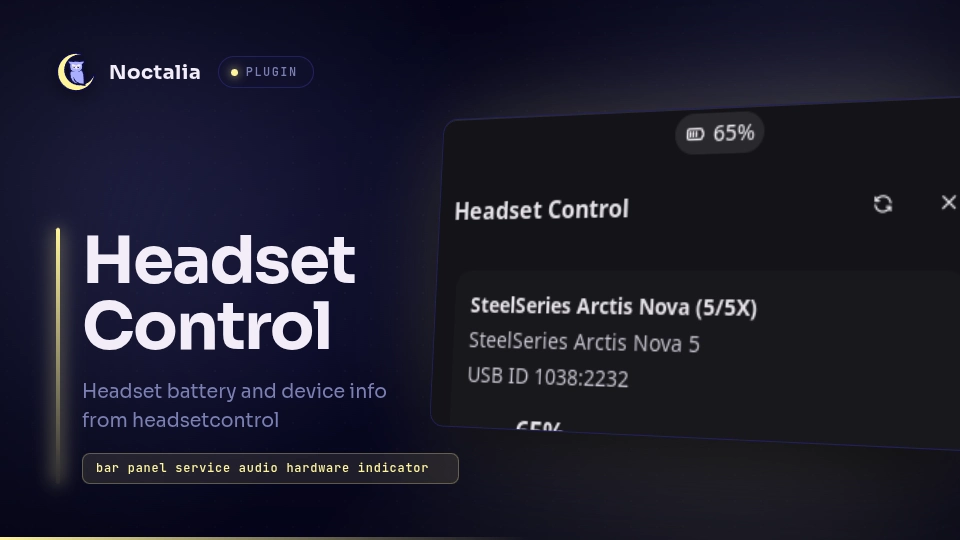
The panel shows one card per detected headset: name, product, USB ID, battery level and status, chatmix, and the features the device supports. Use its refresh button to poll again. Open it from the shell with:
noctalia msg panel-toggle vavadik/headsetcontrol:panel
If headsetcontrol is missing, finds no headset, or fails, the widget and
panel explain what is wrong instead of showing battery data.
Settings
| Setting | Scope | Type | Default | Description |
|---|---|---|---|---|
poll_interval |
Plugin | int |
5 |
Seconds between headsetcontrol polls, from 1 to 60. A poll takes about 75 ms; longer intervals mean fewer calls but slower updates when the headset turns off. |
show_percentage |
Widget | bool |
true |
Show the battery percentage next to the icon. |
hide_when_unavailable |
Widget | bool |
false |
Hide the widget when no headset is connected or its battery level is unavailable. Errors are always shown. |
Notes
- Processes: the service runs
headsetcontrol -o jsonthrough/bin/sheverypoll_intervalseconds, and also when you click the widget, right-click it, open the panel or press refresh. Only one call runs at a time, and each call is stopped after 5 seconds. - Network and files: the plugin makes no network requests and writes no files.
- Hardware: the plugin only reads status. It does not change any headset setting (sidetone, equalizer, inactive time and so on).
- If a refresh fails, the last known data stays on screen for up to three failed polls, with the error shown in the tooltip and panel.
- LLM assistance: this plugin was developed with the help of an LLM coding assistant (Claude by Anthropic), which was used for design, code, tests and documentation. The author reviewed the code and tested it on real hardware.
Versions
| Version | Plugin API | Updated |
|---|---|---|
| v0.1.0 latest | 32 | Oct 6, 2026 |
Older versions stay installable on a Noctalia release whose plugin API is below the latest version's.