
About
Headroom
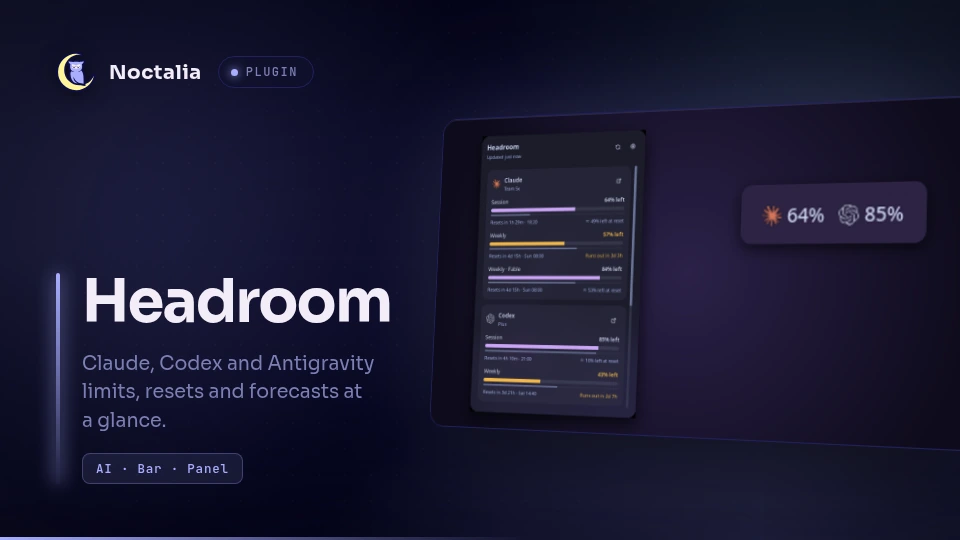
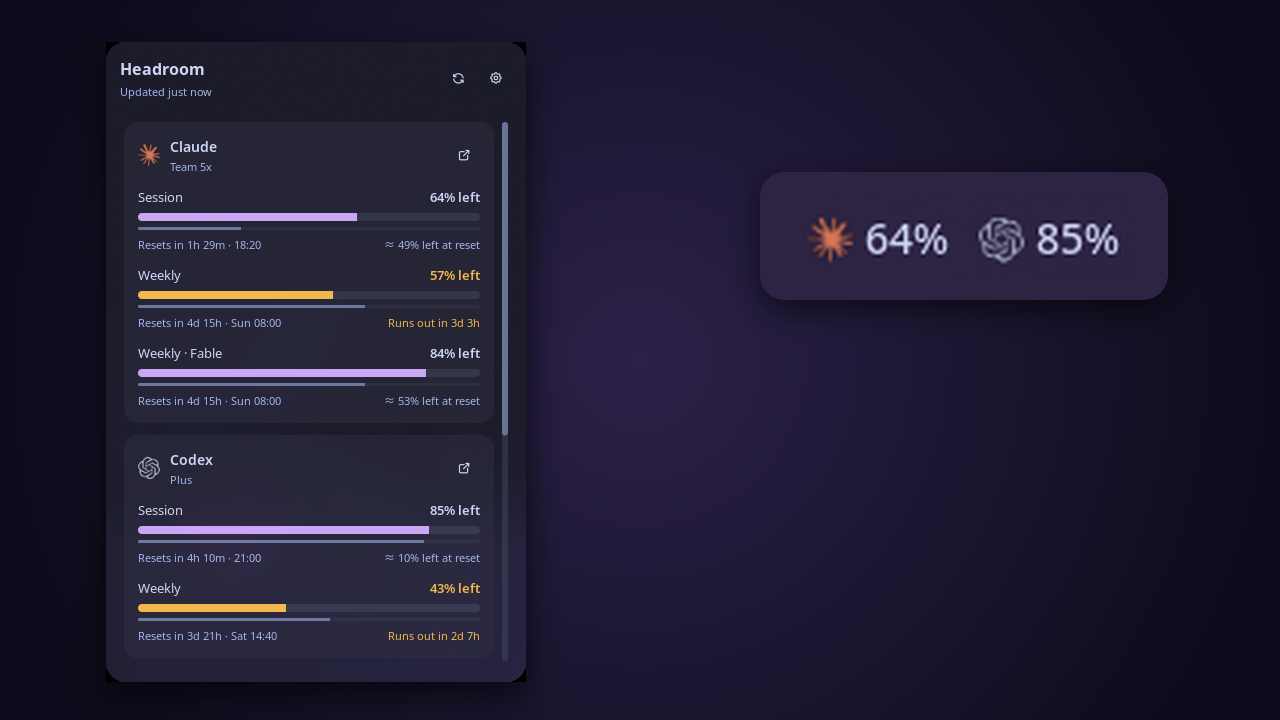
Headroom shows how much of your Claude, Codex and Antigravity plan limits you have left, right in the Noctalia bar. Click it for every usage window, when each one resets, and where you'll be by then at your current rate.
It reads the sign-ins your CLIs have already saved, so there are no API keys to set up.
Plugin
| Field | Value |
|---|---|
| ID | ayagmar/headroom |
| Entries | Bar widget: usage; panel: panel; service: poller |
Requirements
Sign in to at least one of these. Headroom picks up each one on its own; there is nothing to configure.
- Claude: Claude Code on a Pro, Max, Team or Enterprise plan. Headroom reads
~/.claude/.credentials.json(or$CLAUDE_CONFIG_DIR/.credentials.json). - Codex: the Codex CLI, signed in with ChatGPT (
codex login). Headroom reads~/.codex/auth.json(or$CODEX_HOME/auth.json). API-key-only setups have no plan limits to show. - Antigravity: the
agyCLI or an Antigravity app, signed in with Google. Headroom reads the session Antigravity keeps in your keyring (throughsecret-tool) or in~/.gemini/antigravity-cli/antigravity-oauth-token. Plans without Antigravity quota show No quota on this plan.
Optional tools, all declared in dependencies. Each one only powers the feature below, and when it's missing that
feature is skipped:
xdg-openopens a provider's usage page from the panel. Without it, those buttons are hidden.secret-tool(from libsecret) reads Antigravity's keyring session. Without it, only the token file is read.claude(Claude Code) renews an expired Claude session. Without it, the card asks you to sign in again.agy(the Antigravity CLI) renews an expired Antigravity session, run throughenvto turn off its auto-updater for that run. Without them, the card asks you to sign in again.
Usage
Add the Headroom widget to your bar from Settings → Bar.
Bar
Each signed-in provider shows its logo and how much of one window it has used (or has left, if you prefer).
- Amber means usage passed the warning threshold, or that you're on course to be locked out for a good while before the window resets. Red means it passed the critical threshold.
- A maxed-out window shows the time until it comes back, such as
1h 15m, instead of100%. - Tiny amounts read
<1%or>99% leftinstead of being rounded away.
| Action | What it does |
|---|---|
| Left click | Opens the panel. Data older than 30 seconds is fetched again while it opens. |
| Right click | Refreshes now (plugin ayagmar/headroom:poller all refresh; rebind it in the widget's settings). |
| Middle click | Opens Headroom's settings. |
| Hover | Shows each window's usage, reset time and forecast. |
Panel
One card per provider, with a meter for every window (Session, Weekly, Weekly · Opus and so on).
- Time track. The thin line under each meter is time, on the same scale: time elapsed under a "used" meter, time left under a "left" one. When the meter runs ahead of the line, you're using the window faster than it allows.
- Reset time. A countdown plus the clock time, in your shell's time format:
Resets in 3h 27m · 20:19, orSat 07:59for weekly windows. - Forecast. Your usage so far, extrapolated to the reset:
≈ 59% by resetif the window will last,Runs out in 26mif it won't. It waits until 15% of the window has passed, so one busy morning doesn't predict the whole week. - Usage page. The link button on each card opens the provider's own usage page.
- Extras. Extra usage and credits appear under the windows when your plan has them.
- Problems. An expired session, a rejected sign-in or a network failure is explained on the card, with what to do about it. The last numbers stay visible, marked as cached.
In the panel, R refreshes and Esc closes.
noctalia msg panel-toggle ayagmar/headroom:panel
Settings
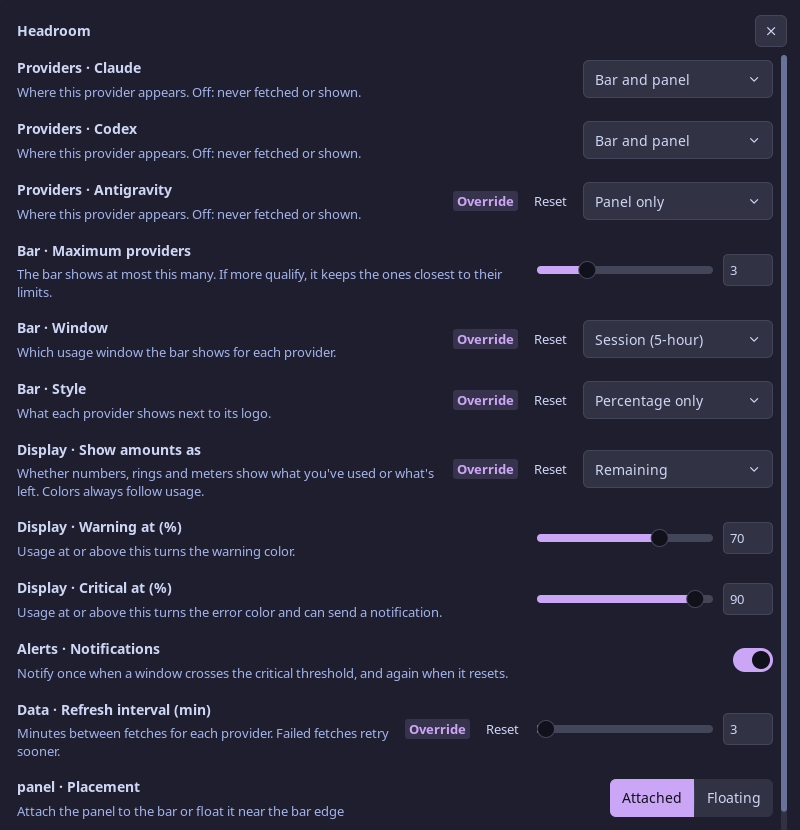
Everything is on one page: Settings → Plugins → Headroom, or middle-click the bar widget. Labels start with their group: Providers, Bar, Display, Alerts and Data.
| Setting | Type | Default | Description |
|---|---|---|---|
provider_claude, provider_codex, provider_antigravity |
select |
bar |
Where each provider appears: bar (bar and panel), panel (panel only) or off (never fetched or shown). |
max_providers |
int |
3 |
The most providers the bar shows (1–8). If more qualify, it keeps the ones closest to their limits, forecast included. |
window |
select |
tightest |
The window the bar shows: tightest (closest to its limit), the 5-hour session, or weekly. |
bar_style |
select |
full |
Next to the logo: full (ring and percentage), value (percentage only) or ring (ring only). |
display |
select |
used |
Whether numbers, rings and meters show what you've used or what's remaining. Colors always follow usage. |
warn_percent |
int |
70 |
Usage at or above this turns amber. So does a window you'd be locked out of for at least a tenth of its length. |
critical_percent |
int |
90 |
Usage at or above this turns red and can send a notification. |
notify |
bool |
true |
Notifies once when a window crosses critical_percent, and again when it resets. |
refresh_minutes |
int |
5 |
Minutes between fetches for each provider (1–120). Failed fetches retry sooner; throttled ones wait longer. |
Healthy meters use your theme's primary color, so amber and red always stand out. Logos keep their brand colors.
Adding a provider
Each provider is an adapter: one folder under providers/ with a Luau module and a logo. The adapter only knows its
vendor (where the sign-in lives, which endpoint to call, how to read the response) and returns usage in a shared
format. Everything else works for it without changes: the bar, the panel, forecasts, notifications, caching, retries
and session renewal. The three adapters here are about 200 lines each.
Wiring one in takes a line in providers/registry.luau, a setting in plugin.toml and two strings in
translations/en.json; the tests fail if any of them is missing. The
contributing guide walks through it. Providers ship
with the plugin, so to get one added (Copilot, Cursor, OpenRouter, …), open an issue or a pull request.
IPC
# Refresh every provider now
noctalia msg plugin ayagmar/headroom:poller all refresh
Notes
Network. Only the
pollerservice makes requests: one per signed-in provider everyrefresh_minutes.- Claude:
GET https://api.anthropic.com/api/oauth/usage - Codex:
GET https://chatgpt.com/backend-api/wham/usage - Antigravity:
POST https://cloudcode-pa.googleapis.com/v1internal:retrieveUserQuotaSummary, and:loadCodeAssistfor the plan name at most every 6 hours
These are the endpoints each vendor's own tools use. Headroom sends
headroom-noctalia/<version>as its User-Agent, except to Antigravity, whose endpoint only answersantigravity. Offline mode (shell.offline_mode) is respected.- Claude:
Credentials are read-only. Headroom never refreshes, rewrites or copies a token. Refresh tokens rotate, so using one here could sign your CLI out. When a session expires, Headroom asks the vendor's CLI to renew it instead (
claude,agy; see Processes). If that CLI isn't installed or the renewal fails, the card asks you to sign in again, and Headroom notices the new session within a minute. Codex sessions last about ten days and aren't renewed by Headroom; if one expires, runcodexonce.Files written. All in
~/.local/state/noctalia/plugins/data/ayagmar/headroom/:cache.json: the last usage numbers, so the bar has data right after login. No credentials.icons/andrings/: small SVGs tinted for your theme.
Processes. Each runs from an argument list, never through a shell:
xdg-open <usage page URL>, when you click a card's link button.claude -p /status --no-session-persistence, when the Claude session has expired, at most every 10 minutes. Claude Code renews its own session. No model call is made, no quota is used and no transcript is kept.secret-tool lookup service gemini username antigravity, to read Antigravity's session. After a failed lookup, such as a locked keyring, Headroom waits 30 minutes before asking again, so it can't keep raising unlock prompts.env AGY_CLI_DISABLE_AUTO_UPDATE=true agy models, when the Antigravity session has expired, at most every 10 minutes. agy renews its own session.
The endpoints are undocumented and can change without notice. If a card says Unexpected response, please open an issue.
Source and issues live at github.com/ayagmar/headroom, along with the tests and a guide to adding a provider.
Trademarks. Claude and Anthropic are trademarks of Anthropic; OpenAI and Codex of OpenAI; Google and Antigravity of Google. The Claude and OpenAI logos come from Simple Icons (CC0) and the Antigravity mark from ai-usagebar (MIT). They only identify each provider and imply no endorsement.
Versions
| Version | Plugin API | Updated |
|---|---|---|
| v0.1.0 latest | 32 | Oct 7, 2026 |
Older versions stay installable on a Noctalia release whose plugin API is below the latest version's.