 Noctalia
About
Grabit Launcher
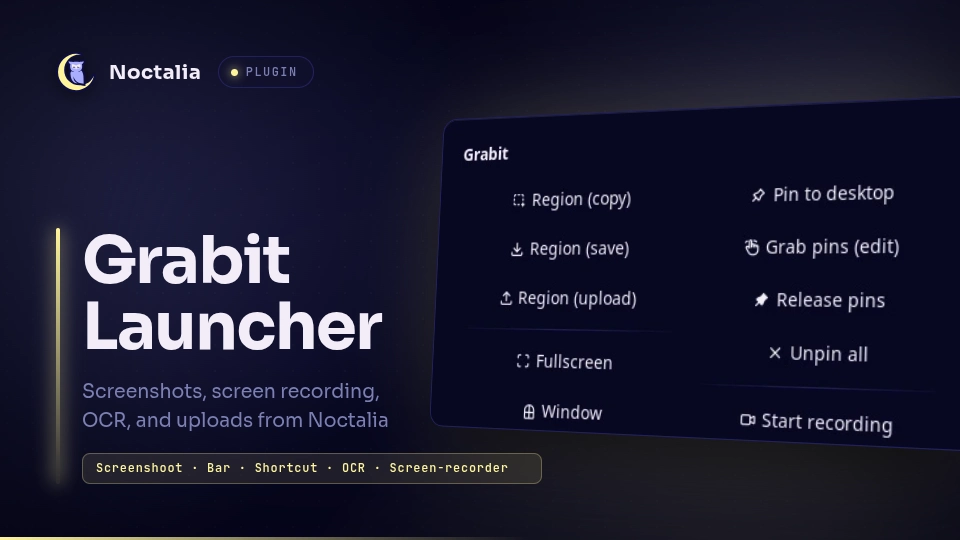
Launch grabit for region screenshots, screen recording, OCR, translation, pins, and uploads from a bar widget, a mode menu, and a control-center shortcut.
Plugin
| Field | Value |
|---|---|
| ID | snowballons/grabit |
| Entries | Bar widget: widget; panels: menu, settings; shortcut: shortcut; services: service, indicator; layer: recording |
Requirements
Install grabit, sleep, and xdg-open on PATH.
grabitdoes every capture, recording, OCR, translation, pin, and upload. Its config is read and written withgrabit setandgrabit unset.sleepprovides the short delay before a capture so a closing panel is not captured.xdg-openopens the grabit config directory from the settings panel.
grabit handles the interactive UI (region selector, annotator, recording control bar). The widget and shortcut are thin clients that mirror the published status and drive grabit through the service.
Usage
Add the Grabit widget to a bar in Settings → Bar. Left-click runs the configured default action; right-click opens the mode menu.
| Gesture | Action |
|---|---|
| Left click | Default action (copy, save, or upload) |
| Right click | Open the mode menu |
| Middle click | Capture the last region |
| Scroll up | Fullscreen capture |
| Scroll down | Window capture |
The mode menu offers region copy/save/upload, fullscreen, window, last region, annotate, OCR, OCR + translate, pin to desktop, grab pins, release pins, unpin all, recording, and settings.
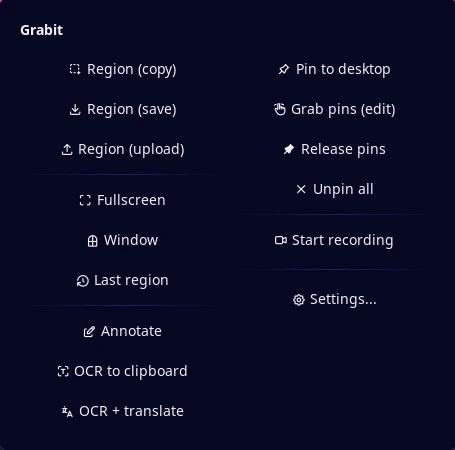
Both panels can also be opened from the command line:
noctalia msg panel-toggle snowballons/grabit:menu
noctalia msg panel-toggle snowballons/grabit:settings
The control-center shortcut mirrors the widget: left-click captures or stops an active recording, right-click opens the menu. Add it in Settings → Control center → Shortcuts.
Settings
| Setting | Type | Default | Description |
|---|---|---|---|
record_upload |
bool |
true |
Upload a finished recording when an upload service is configured. When off, recordings start with --no-upload. |
hide_inactive |
bool |
false |
Hide the bar widget while no capture or recording is active. |
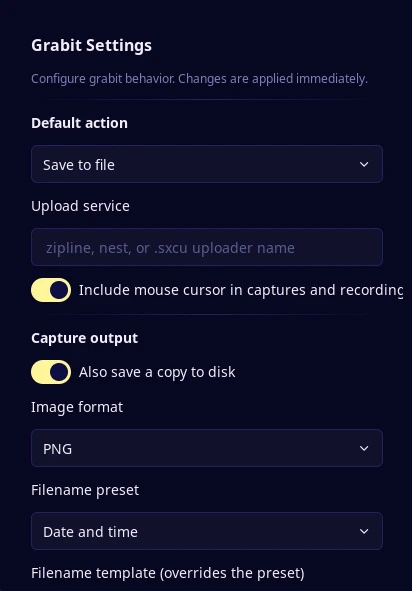
Everything else lives in grabit's own config, so the plugin and grabit never hold competing copies. The settings panel edits default_action, service, capture.cursor and recording.cursor, also_save, image format, filename and filename_preset, recording.fps, recording.format, recording.crf, and translate.target.
default_action is grabit's key. A plain left-click on the widget or shortcut sends no action flag, so grabit resolves the action itself; the menu's explicit entries pass their own flag.
IPC
The service accepts events for scripted control:
noctalia msg plugin snowballons/grabit:service all capture copy
noctalia msg plugin snowballons/grabit:service all record
noctalia msg plugin snowballons/grabit:service all pause
noctalia msg plugin snowballons/grabit:service all resume
noctalia msg plugin snowballons/grabit:service all stop
The capture payload is a mode name (default, copy, save, upload, fullscreen, window, last, annotate, ocr, ocr-translate, pin, pin-grab, pin-release, unpin-all) or a table with mode and delay_ms. default passes no action flag, leaving grabit to apply its default_action config. record accepts a table with delay_ms.
Notes
- Processes spawned:
grabit(captures, recording, pause, pins, OCR),sleep(capture delay), andxdg-open(config folder). The plugin makes no network requests itself; uploads are done by grabit only when the chosen action uploads. - Files written: the plugin reads grabit's recording pid file in
$XDG_RUNTIME_DIRand writes grabit config keys through thegrabitCLI. Screenshots, recordings, and grabit's own log are written by grabit. - The plugin only controls recordings it started.
grabit --recordtoggles on the pid file, so starting a recording while one started elsewhere is running would stop that one instead; the service checks for a livegrabit --recordfirst and refuses, leaving the external recording alone. - The recording indicator is a click-through
recordinglayer shown by theindicatorservice only while recording or paused. The bar widget and shortcut mirror the same state.
Versions
| Version | Plugin API | Updated |
|---|---|---|
| v1.0.0 latest | 42 | Nov 12, 2026 |
Older versions stay installable on a Noctalia release whose plugin API is below the latest version's.