 Noctalia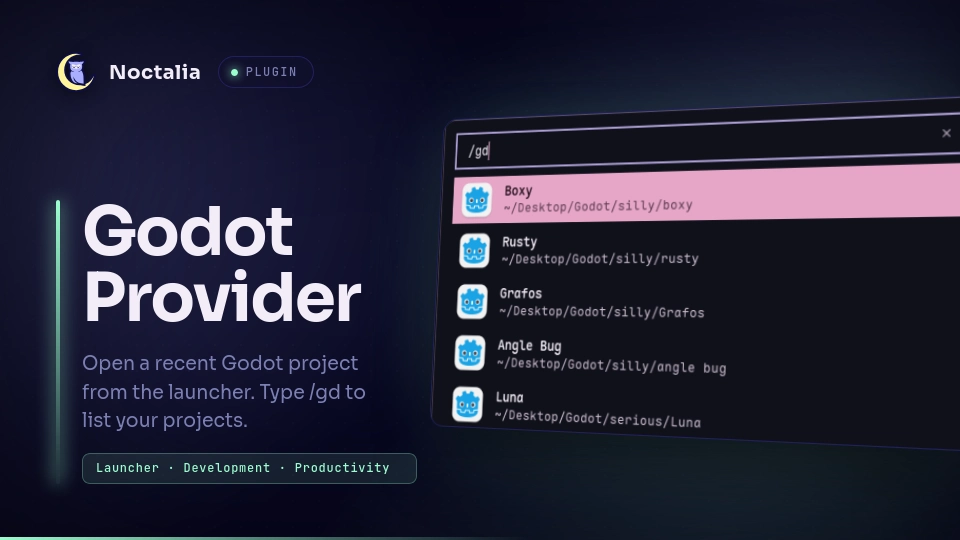
About
Godot Provider
Godot Provider integrates all projects within the project manager with the Noctalia launcher so you can open a project quickly without leaving the shell.
Plugin
| Field | Value |
|---|---|
| ID | ramosdetrigo/godot-provider |
| Entry | Launcher provider: provider |
| Launcher Prefix | /gd |
Requirements
Install Godot and ensure godot is available on
PATH as godot. Alternatively, you can set the path to the godot binary in
the plugin's settings. The nohup command is required to launch Godot.
Usage
Open the Noctalia launcher and type /gd to list local Godot projects.
Continue typing to filter projects by name, then select one to open it with
godot.
Settings
sort_by— Sort projects by last used or most opened projects in the launcher.projects_path— The path to Godot's projets.cfg file.godot_command— The shell command to open godot.
Notes
Projects are read from Godot's projects.cfg file, typically at
~/.local/share/godot/projets.cfg. The list is cached for the launcher session
and refreshed when you clear the query.
The sort_by setting sorts by writing the project's ids in a json inside the plugins'
pluginDataDir.
Small parts of the code were taken or based upon the zed-provider plugin.
Versions
| Version | Plugin API | Updated |
|---|---|---|
| v1.0.0 latest | 3 | Jul 29, 2026 |
Older versions stay installable on a Noctalia release whose plugin API is below the latest version's.