
About
Formula 1
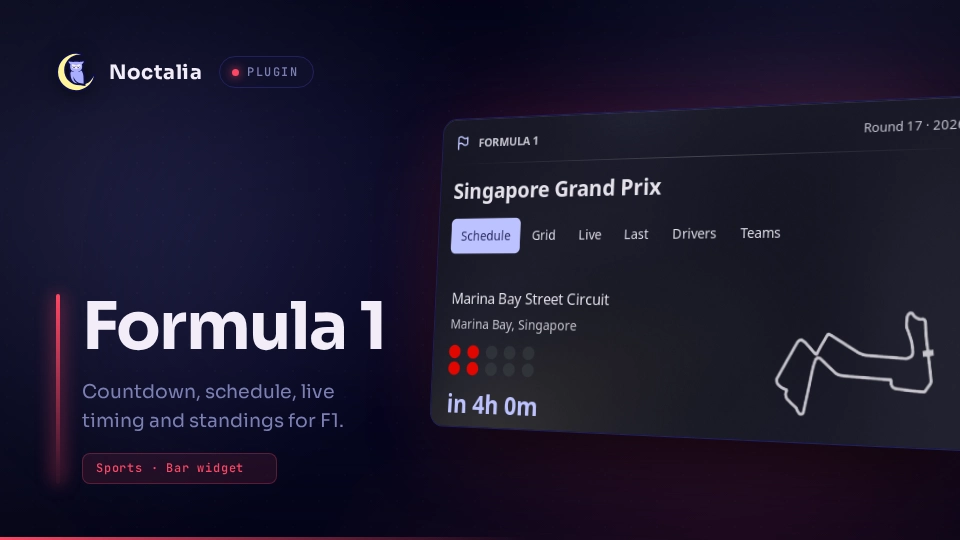
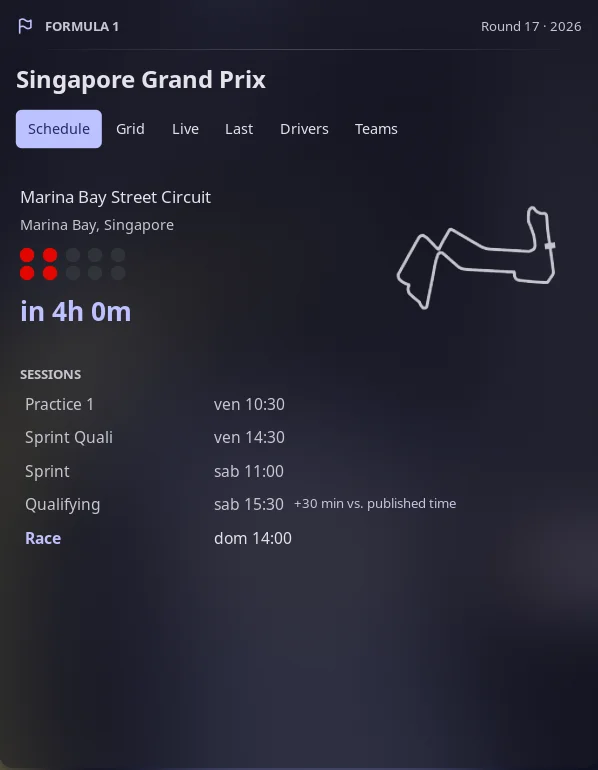
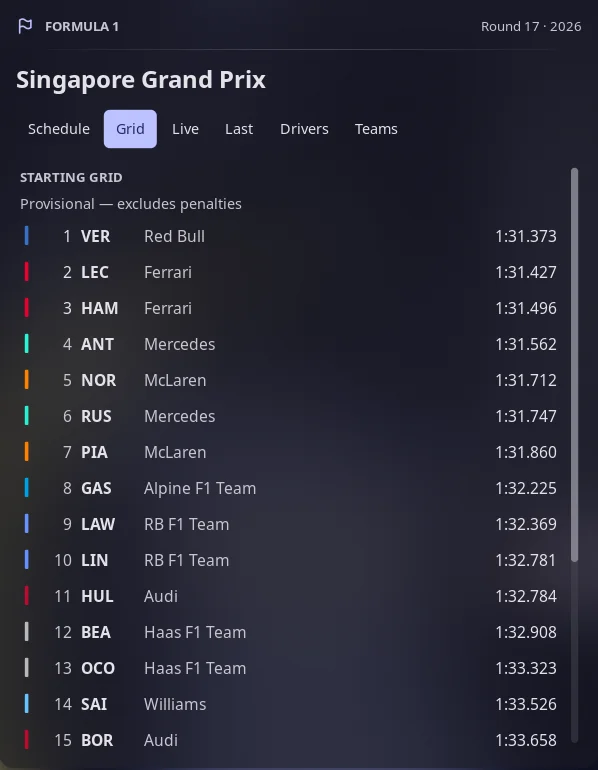
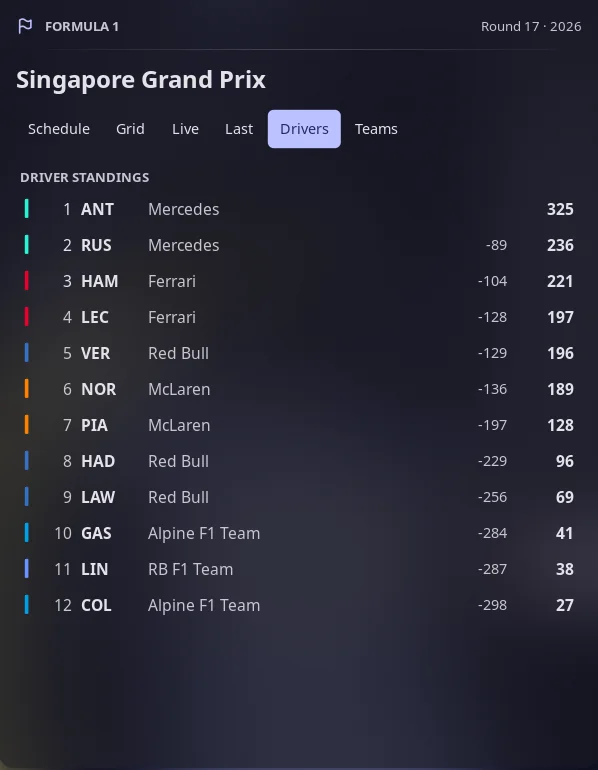
Next-race countdown in the bar, and a panel with the session schedule in local time, the circuit outline, the starting grid, live timing, the last race result and both championships.
Screenshots
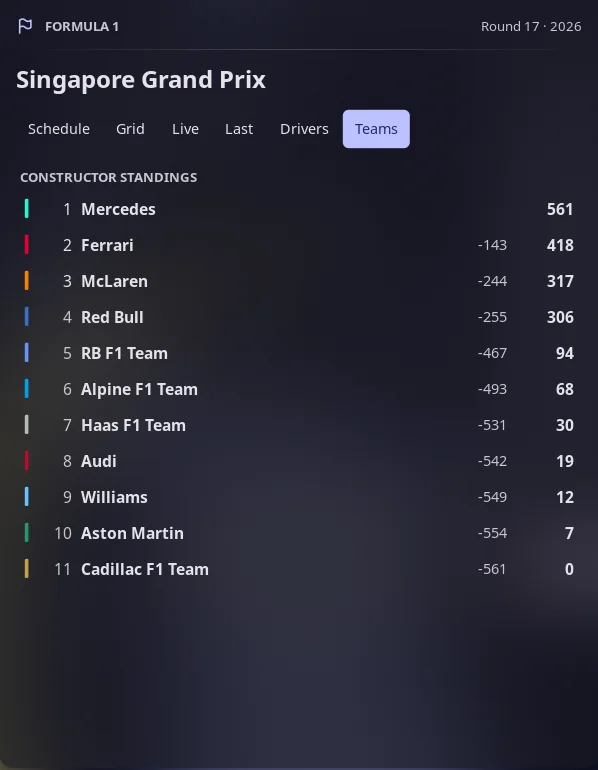
Schedule with the circuit and the start lights, the starting grid before the race, driver and team standings.
Plugin
| Field | Value |
|---|---|
| ID | gcap0n1/f1 |
| Entries | Bar widget: bar; panel: panel; service: poller |
Requirements
Install xdg-open (from xdg-utils) on PATH. It is only used to open a
Wikipedia page when you click a driver, team or race row.
Install curl only if you turn on the experimental F1 live-timing stream below.
Everything else goes through noctalia.http.
Live timing sources
The Live tab has two possible sources, chosen with the live_source setting.
OpenF1 (default). OpenF1 serves real-time data, and during a session the whole API, only to subscribers (see openf1.org). Without an account the Live tab says so and everything else keeps working. To enable it, export your credentials in the environment Noctalia runs in:
OPENF1_USERNAME=you@example.com
OPENF1_PASSWORD=your-password
They are read with noctalia.getenv, exchanged for a one-hour bearer token at
https://api.openf1.org/token, and never written to the plugin settings or to
disk. This login path could not be tested without a subscription. This source
shows the running order and the track flag.
F1 live-timing stream (experimental, off by default). Reads the stream
behind F1's own live-timing page, with no account. During qualifying it shows
the part (Q1, Q2 or Q3) and the time left, each driver's best time and gap,
who is in the elimination zone and who is out; in a race, the gaps to the
leader. It needs curl, because the server hands out a load balancer cookie
that noctalia.http cannot read back, so a small script
(f1-live.sh) keeps it. This stream is unofficial and undocumented. It
may stop working, change format, or be restricted by F1 at any time, and F1's
terms may not allow automated use of it: turn it on only if you accept that.
It connects only from 15 minutes before a session until 3 hours after it.
Usage
Add the bar widget gcap0n1/f1:bar from Noctalia's widget picker, or by hand:
[widget.f1]
type = "gcap0n1/f1:bar"

[bar.default]
end = [ "f1", "tray" ]
Left click opens the panel, right click refreshes the data, and middle click
opens the widget's settings. The pill shows the time left to the race (or to the
next session) and turns to the accent colour with LIVE while a session is on.
Open the panel from a script or a compositor binding:
noctalia msg panel-toggle gcap0n1/f1:panel
Tabs: Schedule, Grid (after qualifying until the race), Live,
Last, Drivers and Teams. With the panel focused, Left and Right
change tab, r refreshes and Escape closes it. A table row with a link opens
its Wikipedia page.
Session times
Times follow delays by themselves. The schedule comes from Jolpica, which
publishes planned times only, so once a minute during a race weekend the plugin
also reads the start time of the current session from F1's own live-timing feed
(SessionInfo.json, the same one F1's apps use) and shows that one instead. A
session that was moved by 30 minutes because of rain shows the new time with a
"+30 min vs. published time" note, in the panel, the bar countdown and the
live window.
If that feed is ever unavailable you can correct a time by hand. The correction wins over both sources until the round changes:
noctalia msg plugin gcap0n1/f1:poller all delay "quali 30"
Settings
Edited under Settings → Plugins.
| Setting | Type | Default | Description |
|---|---|---|---|
time_format |
select |
24h |
24-hour or 12-hour session times. |
countdown_target |
select |
race |
Whether the pill counts down to the race or to the next session. |
default_tab |
select |
schedule |
Tab the panel opens on. Live and Grid take over when they apply. |
team_colors |
bool |
true |
Coloured chip beside each driver and team. |
animations |
bool |
true |
Fade in the circuit and run the start lights (red until the race starts, green after) when the Schedule tab opens. |
favorite_driver |
string |
empty | Three-letter code, for example VER, shown in the accent colour. |
favorite_team |
string |
empty | Team id as the data source writes it, for example ferrari. |
notify_race |
bool |
false |
One desktop notification before lights out. |
notify_lead_min |
int |
10 |
Minutes before the race for that notification, 0 to 120. |
live_source |
select |
openf1 |
openf1 or f1_feed (experimental, see above). |
debug_force_tabs |
bool |
false |
Advanced. Show Grid and Live outside a race weekend, using the last session. |
IPC
# Refresh everything now (also bound to right click on the widget)
noctalia msg plugin gcap0n1/f1:poller all refresh

# Correct a session start by N minutes (-720..720); 0 undoes that session
noctalia msg plugin gcap0n1/f1:poller all delay "<fp1|fp2|fp3|sprint_quali|sprint|quali|race> <minutes>"

# Drop every manual correction
noctalia msg plugin gcap0n1/f1:poller all delay_clear

# Select a tab of an open panel
noctalia msg plugin gcap0n1/f1:panel all tab drivers
Notes
Network access, all HTTPS GET without credentials unless you set the OpenF1 variables above:
livetiming.formula1.com:static/SessionInfo.json, a few hundred bytes, once a minute from 3 hours before the first session of the weekend until 4 hours after the race. It is an unofficial, undocumented feed that F1's timing apps use; if its format changes, times simply fall back to the published ones.api.jolpi.ca(Jolpica-F1): next race, driver and constructor standings, last result and qualifying. The schedule refreshes every 6 hours, standings every 3 hours.livetiming.formula1.com/signalrcore: only withlive_source = f1_feed, throughcurl(see below), from 15 minutes before a session until 3 hours after.api.openf1.org: drivers, positions and race control, only from 15 minutes before a session until 3 hours after, every 15 seconds.POST /tokenonly when credentials are set.
Files: the plugin writes small SVG files of the circuit outline into its own
data directory (noctalia.pluginDataDir()), one per circuit and colour. It
reads tracks.txt from its own directory. It spawns xdg-open only when you
click a link, and only for https links to Wikipedia. With live_source = f1_feed it also runs sh f1-live.sh <seconds> (a script in the plugin
directory) which runs curl against livetiming.formula1.com, keeps a cookie
jar in a temporary file, and removes it when it ends.
Everything fetched is length-limited and stripped of control and bidirectional characters before it is shown.
tracks.txt is data, not code. tools/build-tracks.py rebuilds it from
bacinger/f1-circuits.
Jolpica-F1 data is published under CC BY-NC-SA 4.0 for non-commercial use, see its terms. This is an unofficial project, not associated with Formula 1 companies. F1, FORMULA ONE and related marks belong to their owners.
Credits
Ported from Snackwrap/omarchy-f1 by Robert (leafbox), MIT. Circuit outlines from bacinger/f1-circuits by Tomislav Bacinger, MIT. Live data from OpenF1.
Versions
| Version | Plugin API | Updated |
|---|---|---|
| v0.1.0 latest | 31 | Oct 11, 2026 |
Older versions stay installable on a Noctalia release whose plugin API is below the latest version's.