 Noctalia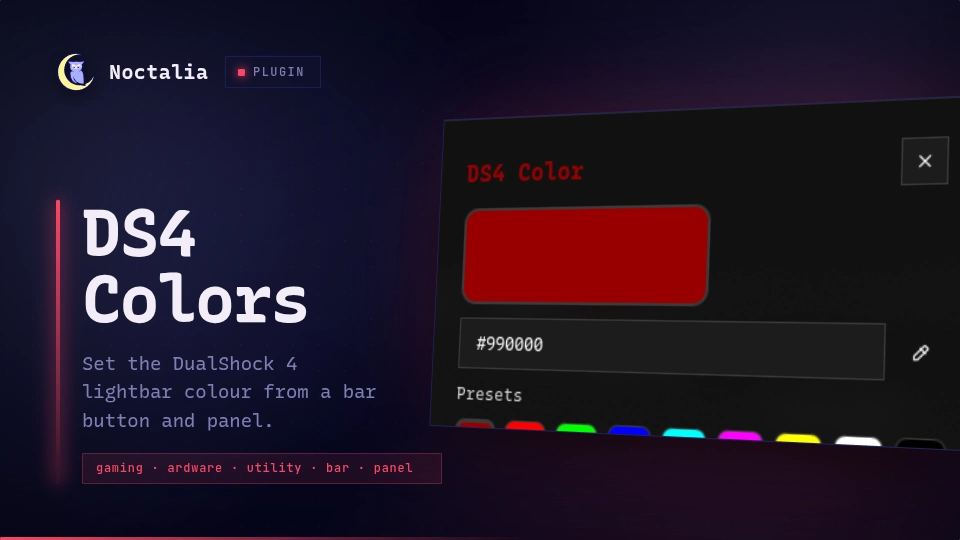
About
DS4 Color
Set the LED lightbar colour on a connected PlayStation 4 DualShock 4 controller from a Noctalia bar button and a color panel. Click the bar icon to apply your saved colour, or right-click to open the panel and pick a new one.
The entire DualShock 4 output-report protocol (USB report 0x05, Bluetooth
report 0x11 with CRC32) is implemented in pure Lua — no external binary or
library is required. The plugin writes the HID output report straight to
/dev/hidrawN.
Plugin
| Field | Value |
|---|---|
| ID | hy4ri/ds4-color |
| Entries | Bar widget: widget; panel: panel; service: service |
Requirements
Requires python3 (declared in dependencies): if Noctalia's writeFile cannot
open the /dev/hidrawN node O_WRONLY, the plugin falls back to a python3
one-liner that performs the raw binary write. Systems without Python present cannot
apply the colour when the direct write path fails. The plugin also needs
read/write access to the DualShock 4 /dev/hidrawN node.
On most modern Linux desktops with systemd-logind and uaccess, the device
node is automatically accessible when you are logged in at the seat.
On headless systems or systems without uaccess, create a udev rule:
SUBSYSTEM=="hidraw", ATTRS{idVendor}=="054c", ATTRS{idProduct}=="05c4|09cc|0ba0", MODE="0660", GROUP="plugdev"
Then add your user to the plugdev group:
sudo usermod -a -G plugdev $USER
Re-login or run udevadm trigger for the change to take effect.
Usage
Left-click the DS4 Color bar button to instantly apply the last saved colour to every connected DualShock 4. Right-click the bar button (or run the command below) to open the panel:
noctalia msg panel-toggle hy4ri/ds4-color:panel
In the panel: pick a colour with the native picker, type a hex value
(RRGGBB / #RRGGBB / 0xRRGGBB), or tap a preset. Save persists the
chosen colour (so left-click reapplies it later) without touching the
controller; Apply sets the lightbar immediately and also saves it. The saved
colour survives restarts.
Settings
| Setting | Type | Default | Description |
|---|---|---|---|
glyph |
glyph |
device-gamepad-2 |
Icon shown on the bar button. |
IPC
noctalia msg plugin hy4ri/ds4-color:service all apply <hex>
noctalia msg plugin hy4ri/ds4-color:service all save <hex>
Notes
- Implements the DualShock 4 HID output report protocol directly in Lua
(derived from the Linux kernel
drivers/hid/hid-playstation.c): USB report id0x05(32 bytes) and Bluetooth report id0x11(78 bytes) with the required CRC32 checksum. No kernel drivers or external binaries. - Detects all connected DS4 controllers (USB
0x03and Bluetooth0x05bus) by scanning/sys/class/hidraw/*/device/ueventfor Sony VID054cand product IDs05c4/09cc/0ba0. - The last chosen colour is persisted to the plugin data directory
(
last.json) and restored on next open. Left-clicking the bar button applies the saved colour; the panel's Save button updates it without writing to the controller. - No network access. Only the locally detected DualShock 4 controllers are touched.
Versions
| Version | Plugin API | Updated |
|---|---|---|
| v0.1.2 latest | 43 | Oct 25, 2026 |
| v0.1.1 | 9 | Jul 24, 2026 |
| v0.1.0 | 3 | Jul 19, 2026 |
Older versions stay installable on a Noctalia release whose plugin API is below the latest version's.