
About
DeepSeek Peak Hours
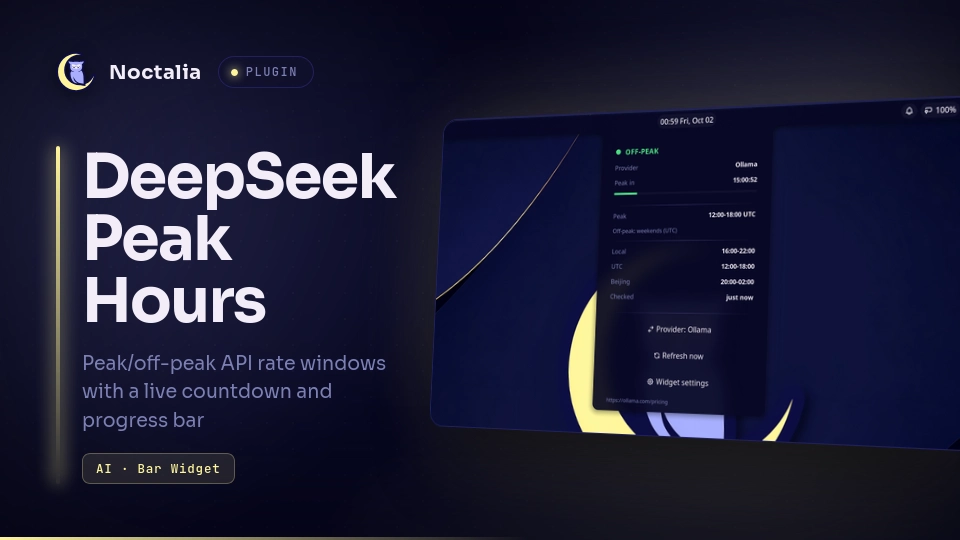
Show whether DeepSeek API calls are billed at peak (2×) or off-peak rates, with a live countdown and progress gauge for the current rate block. Supports both the direct DeepSeek API and DeepSeek models on Ollama Cloud, which use different peak windows.
Plugin
| Field | Value |
|---|---|
| ID | alpzy/deepseek-peak |
| Entries | Bar widget: peak; panel: panel; service: checker |
Usage
Add the bar widget from Settings → Bar (widget type alpzy/deepseek-peak:peak).
It shows a coloured dot with the countdown and a progress bar for the current
block: green off-peak, red peak, amber when the published policy drifts from
the bundled schedule.
- Left-click opens the info panel.
- Right-click opens this plugin's settings.
Open the panel from the bar or with IPC:
noctalia msg panel-toggle alpzy/deepseek-peak:panel
The panel shows the active provider, the countdown to the next flip, the peak windows in local/UTC/Beijing time, the holiday status, and when the pricing policy was last checked. It includes buttons to switch provider (DeepSeek / Ollama), refresh the policy check, and open the settings.
The checker service runs while the plugin is enabled. Every
check interval hours it fetches the provider's public pricing page and
raises an amber drift warning if the published peak windows no longer match
the bundled schedule. Nothing is uploaded and no API key is used.
Settings
| Setting | Type | Default | Description |
|---|---|---|---|
displayMode |
select |
compact |
Bar display: compact (dot + countdown), icon (dot only), or full (state + countdown). |
provider |
select |
deepseek |
Which tariff to follow: deepseek or ollama. Also switchable from the panel. |
offPeakColor |
color |
#4ade80 |
Dot/countdown colour off-peak. Pick a theme role or a custom hex colour. |
peakColor |
color |
#f87171 |
Colour during peak hours. |
driftColor |
color |
#fbbf24 |
Colour when the published policy drifts from the bundled schedule. |
showTooltip |
bool |
true |
Show the dual-provider tooltip grid on hover. |
autoCheck |
bool |
true |
Periodically fetch the pricing page to detect policy drift. |
offlineOnly |
bool |
false |
Disable all network checks. |
checkIntervalH |
int |
6 |
Hours between policy checks. |
customSourceUrl |
string |
"" |
Override the pricing page URL (for example a mirror). |
IPC
noctalia msg plugin alpzy/deepseek-peak:checker all check    # force a policy check now
noctalia msg plugin alpzy/deepseek-peak:checker all refresh  # gated by autoCheck/offlineOnly
Notes
- Two pricing profiles: DeepSeek peaks 01:00–04:00 and 06:00–10:00 UTC on weekdays; Ollama (DeepSeek models) peaks 12:00–18:00 UTC on weekdays. Weekends and bundled Chinese public holidays are off-peak all day where the provider bills that way.
- Network access: the
checkerservice fetches the pricing page fromapi-docs.deepseek.comorollama.com(or yourcustomSourceUrl). WithofflineOnly = trueno request is made; the widget keeps working from the bundled schedule. - Filesystem: the plugin stores its provider override in its own data
directory (
$XDG_STATE_HOME/noctalia/plugins/data/alpzy/deepseek-peak/). - Holiday data from NateScarlet/holiday-cn (MIT).
Versions
| Version | Plugin API | Updated |
|---|---|---|
| v1.0.0 latest | 22 | Oct 1, 2026 |
Older versions stay installable on a Noctalia release whose plugin API is below the latest version's.