
About
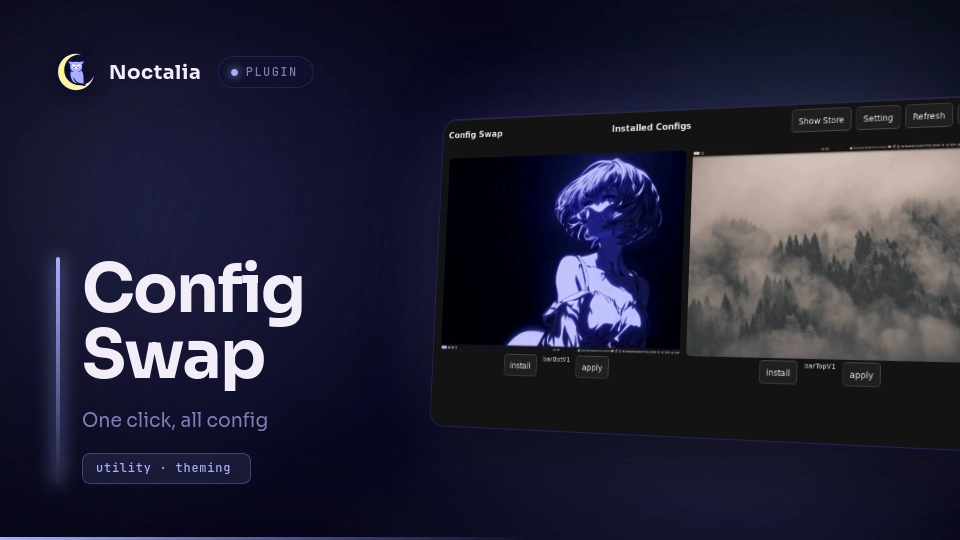
Config Swap
A Noctalia v5 plugin for switching between saved Noctalia configurations.
Dependencies
For this plugin, you need:
- internet access to fetch configuration data from GitHub on the store page
cpto apply a configurationrmto delete the selected installed configuration (not the current configuration)
Plugin
| Field | Value |
|---|---|
| ID | tadomika_ari/config-swap |
| Entries | Bar widget: widget; panel: panel; service: start |
Usage
This plugin is still under development.
You can open Config Swap with:
noctalia msg panel-toggle tadomika_ari/config-swap:panel
The plugin downloads saved configurations from the Config-Swap-Box GitHub repository and stores them in ~/Config-Swap.
Applying a configuration copies its settings.toml to ~/.local/state/noctalia/settings.toml and sets the matching wallpaper.
Keep a backup of your current configuration before using it.
Open the panel from the bar widget, then switch between the two views with Show Store and Show List.
Before Start
A welcome page is shown after each restart. Agree to continue, or close the plugin if you prefer not to use it.
Show Store
The store view fetches available configurations from GitHub.
Use refresh to reload the list if nothing appears.
Do not spam refresh; GitHub rate limits unauthenticated requests.
Each card lets you install a configuration.
An information panel is also available to explain the store view.
| Action | Effect |
|---|---|
| Refresh | Refresh the GitHub API data |
| Info | Show information about the store |
| Install | Install the configuration in ~/Config-Swap |
| Show list | Switch to the list view |
Show List
The list view shows configurations already installed in ~/Config-Swap.
From there, you can apply them again or delete them again to refresh the files.
You will be asked to confirm before applying the selected configuration and confirm before deleting the selected configuration.
Click a preview image to see extra information such as the author, origin, and description.
Use Show Store to return to the GitHub store view.
| Action | Effect |
|---|---|
| Refresh | Refresh the GitHub API data |
| Delete | Delete the configuration in ~/Config-Swap |
| Apply | Apply the configuration |
| Setting | Open the Config Swap settings |
| Click the preview | Open extra information |
| Show store | Switch to the store view |
Setting Info
A settings panel is available. At this time, only saving a configuration is supported.
You can save your current configuration under a custom name for backup or export.
Saving a configuration copies the current settings.toml and creates an info.json file, which is important for the plugin and for export to the GitHub store. The info.json file can be edited to add information, and you can also add a preview.png and a default wallpaper as wallpaper.png.
Files are saved in ~/Config-Swap/{name}.
This also refreshes the list of installed configurations.
| Action | Effect |
|---|---|
| Input field | Enter a custom name for the save (default: save) |
| Save | Create a backup of the current configuration |
Extra Info
You can add your own configuration folder to ~/Config-Swap.
Each configuration should follow the same structure as the downloaded ones, including an info.json file and the expected asset files.
If you want to publish a configuration, add it to the Config-Swap-Box repository: https://github.com/Tadomika-Ari/Config-Swap-Box
Make sure Config Swap is enabled in your plugin list before you try to use it.
You can delete a configuration with the trash button. A warning panel will appear before deletion.
Contributing
You can contribute to Config Swap! Add your own configuration files and wallpaper to the store so others can use them. To do so:
- Go to the Settings section and save your configuration. The plugin will copy your
settings.tomland create aninfo.jsonfile. - Take a preview image and wallpaper, then go to
~/Config-Swap/{name}and copy yourpreview.pngandwallpaper.pngfiles (the exact names are required). - Update your
info.jsonwith important information such as the author and description. - Go to the GitHub page linked from the information panel in the Store section and create a pull request.
- Wait for review, and then your configuration can be shared.
Settings
No setting needed
Requirements
- Noctalia ≥ 5.0.0
cprm- internet access for the store view
Install
Install the plugin and add it to your bar.
License
MIT.
Versions
| Version | Plugin API | Updated |
|---|---|---|
| v1.2.0 latest | 4 | Sep 4, 2026 |
Older versions stay installable on a Noctalia release whose plugin API is below the latest version's.