
About
Command Runner
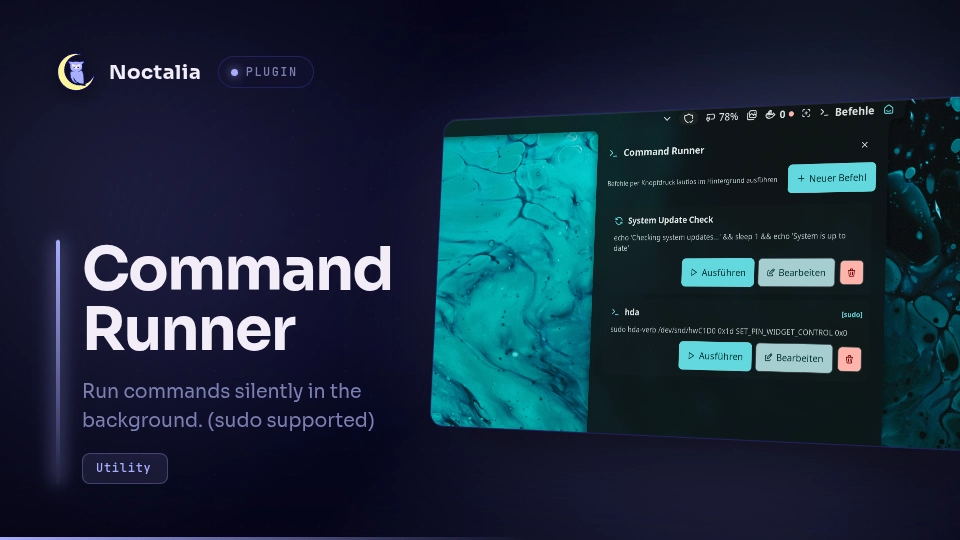
Save and execute CLI commands silently in the background with a single click and a one-time sudo password.
Plugin
| Field | Value |
|---|---|
| ID | nocode-96/cmd-runner |
| Entries | Bar widget: cmd-runner; panel: panel; service: cmd-service |
Requirements
sudo– used to run commands with elevated privileges when the user enables the sudo option for a command.secret-tool(part oflibsecret) – used to store and retrieve sudo passwords in the system keyring (GNOME Keyring, KWallet, or any libsecret-compatible backend). Must be unlocked at session start.
Install on Arch Linux: sudo pacman -S libsecret
Install on Debian/Ubuntu: sudo apt install libsecret-tools
Usage
Add the cmd-runner widget to a bar. Left-click it to open the command panel.
From the panel you can:
- Add a new command with a custom name, CLI command line, and optional sudo password.
- Run a saved command silently in the background (no terminal opens).
- Edit an existing command. The sudo password field is always empty; enter a new password only when changing it.
- Delete a command (also removes its keyring entry).
- Log – view the stdout/stderr output and exit code of the last run.
Open the panel directly with:
noctalia msg panel-toggle nocode-96/cmd-runner:panel
Settings
| Setting | Type | Default | Description |
|---|---|---|---|
show_toast |
bool |
true |
Shows a desktop notification when a command completes or fails. |
show_label |
bool |
true |
Displays 'Commands' next to the icon in the top bar. |
Notes
Sudo password storage: When a sudo password is provided, it is stored in the system keyring via secret-tool store. It is never written to disk in the plugin's data files. At runtime the password is retrieved from the keyring via secret-tool lookup and piped directly to sudo -S; it does not appear in any process's command-line arguments.
Command data (names, CLI strings, icons) is persisted to commands.json in the plugin's data directory (pluginDataDir()). No credentials are stored in that file.
Versions
| Version | Plugin API | Updated |
|---|---|---|
| v1.0.0 latest | 9 | Aug 30, 2026 |
Older versions stay installable on a Noctalia release whose plugin API is below the latest version's.