
About
Cider
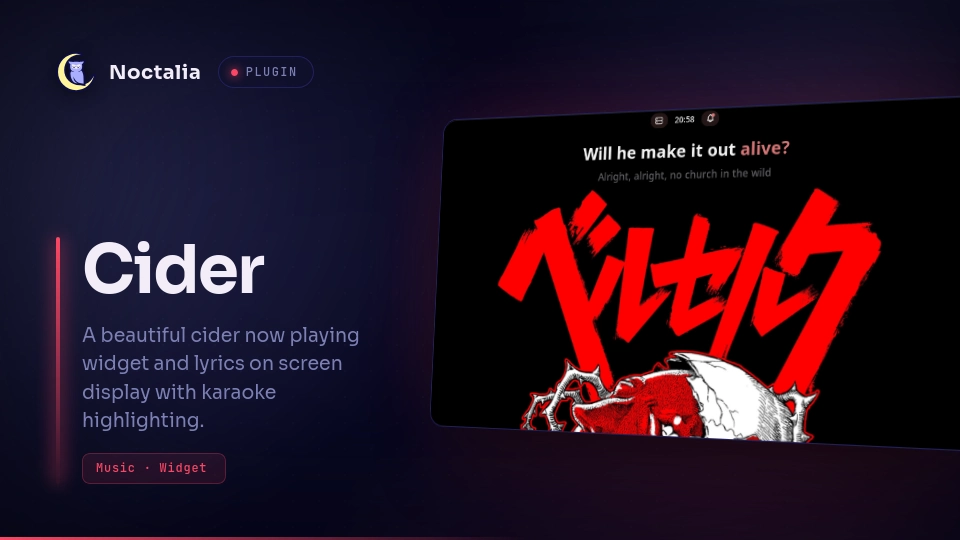
Cider track-change alerts as Noctalia notifications or a rich now-playing card, plus a sticky karaoke lyrics HUD.
Replaces the sparse stock media OSD for Cider only. Other players keep Noctalia’s default media popups.
Plugin
| Field | Value |
|---|---|
| ID | dragged/cider |
| Entries | Bar widget: now-playing; panel: osd; service: bridge |
| Dependencies | python3, gtk3, gtk-layer-shell, python-gobject |
Requirements
- Noctalia v5.0.0-beta.9+ (
plugin_api24 — argvrunAsync). Tested on Umbriel 0.1.0 / Noctalia v5.0.1; Niri and Hyprland keep left-click = lyrics HUD. - Cider with Connectivity / External API enabled
python3onPATH, withpython-socketio,requests, andwebsocket-client(pip install -r requirements.txtfrom this plugin directory)- Overlay HUD:
gtk3,gtk-layer-shell, andpython-gobject. Untimed silence gate optionally usesparec(PulseAudio / PipeWire). - Umbriel loft (middle-click):
umbrielonPATH(0.1.0+). No-op on other compositors.
Usage
- Enable Cider in Settings → Plugins (or
noctalia msg plugins enable dragged/cider). - Open Settings → Plugins → Cider and set the API token, or leave it empty to reuse
~/.config/cider-kde-notifier/config.json. - Add bar widget
dragged/cider:now-playing. Left-click toggles the sticky lyrics HUD. Middle-click lofts Cider to the Umbriel scratchpad (and restores it). Right-click shows the OSD card. All three are remappable in the widget editor ([widget.actions]). - Do not put Cider on
shell.mpris.blacklist— that also kills Control Center / Media Now Playing. - Hide Cider app toasts with a notification filter (not an MPRIS blacklist). Plugin toasts use app name
Now Playing/ desktop entrynoctalia-now-playing:
[notification.filter.cider_app]
enabled = true
match = "cider"
show_toast = false
play_sound = false
save_history = false
Put cider_app first in notification.filter_order.
- Optional — hide the stock track-change OSD (this plugin’s rich card replaces it for Cider):
[osd.kinds]
media = false
Panels
noctalia msg panel-toggle dragged/cider:osd
osd is the now-playing card (also opened automatically on track change when Track alert is OSD). It is a persistent floating panel. Lyrics always use the gtk-layer-shell overlay. On 5.0.1 the host also injects Attached/Floating/Layer/Open Near Click overrides under Settings → Plugins (gear on this plugin).
Cider’s MPRIS has no synced lyrics. The bridge pulls Apple Music TTML via Cider’s amapi (LRCLIB fallback) for the sticky HUD.
Bar chip clicks
Defaults are remappable in the widget editor.
| Click | Umbriel | Niri / Hyprland |
|---|---|---|
| Left | Lyrics HUD | Lyrics HUD |
| Middle | Loft that Cider window (scratchpad send/restore) | Lyrics HUD (chip-left dispatcher) |
| Right | Track OSD | Track OSD |
toggle-loft is also a bindable IPC event. It is a no-op when Cider is not running or the window id is unknown. Lyrics and OSD IPC stay unaliased.
Settings
| Setting | Type | Default | Description |
|---|---|---|---|
apptoken |
string |
"" |
Cider Connectivity token. Empty reuses the KDE notifier config file. |
base_url |
string |
http://127.0.0.1:10767 |
Cider HTTP API. |
display_mode |
select |
notification |
Track-change alert: notification, osd panel, or off. |
save_to_history |
bool |
false |
Keep notification alerts in history. |
osd_duration_ms |
int |
4500 |
How long the notification or now-playing OSD stays visible (1000–20000 ms). |
lyrics_osd_enabled |
bool |
true |
Master switch for the sticky lyrics HUD. |
lyrics_osd_position |
select |
top_center |
Overlay HUD edge. |
lyrics_osd_show_next |
bool |
true |
Dim upcoming lyric line. |
lyrics_osd_animate_cues |
bool |
true |
Animate intro cue dots. |
lyrics_osd_karaoke |
bool |
true |
Word-level sing-along when Apple timings exist. |
lyrics_osd_glow |
bool |
true |
Overlay-only drop shadow under glyphs. |
lyrics_karaoke_style |
select |
theme |
Theme role tokens vs custom hex. |
lyrics_karaoke_sung |
string |
"" |
Custom sung-word hex. |
lyrics_karaoke_active |
string |
"" |
Custom active-word hex. |
lyrics_karaoke_upcoming |
string |
"" |
Custom upcoming-word hex. |
lyrics_osd_show_idle |
bool |
true |
Idle placeholder when the HUD is open with no lyrics. |
lyrics_show_untimed |
bool |
false |
Show plain (no-timestamp) lyrics. Off = hide them; synced lyrics still show. |
lyrics_plain_scroll |
bool |
false |
Opt-in / advanced: advance untimed lyrics across the song length. |
lyrics_plain_scroll_speed |
int |
100 |
Plain-lyrics scroll pace (%; 25–300). |
lyrics_plain_scroll_silence |
bool |
false |
Opt-in / advanced: hold scroll while system audio is quiet (parec). |
lyrics_plain_scroll_silence_level |
int |
8 |
Quiet threshold 1–40. |
show_cover |
bool |
true |
Bar widget: show artwork. |
cover_size |
int |
18 |
Bar widget artwork size, 12–32 px. |
glyph |
glyph |
music |
Bar widget fallback icon when artwork is hidden/missing. |
Gap under the bar is shell-global: Settings → Shell → Panel → floating offset.
IPC
noctalia msg plugin dragged/cider:bridge all show-osd
noctalia msg plugin dragged/cider:bridge all hide-osd
noctalia msg plugin dragged/cider:bridge all toggle-lyrics-hud
noctalia msg plugin dragged/cider:bridge all show-lyrics-hud
noctalia msg plugin dragged/cider:bridge all hide-lyrics-hud
noctalia msg plugin dragged/cider:bridge all chip-left
noctalia msg plugin dragged/cider:bridge all toggle-loft
Notes
- Network: the Python bridge talks to Cider’s local Connectivity API (
base_url). Lyrics use Cideramapi/run-v3(Apple Music TTML) with an LRCLIB fallback. - Processes:
scripts/start-bridge.shlaunchesscripts/cider_bridge.py. The lyrics HUD isscripts/lyrics_overlay.py. Umbriel loft is a one-shotpython3 cider_bridge.py --toggle-loft(does not restart the bridge). Disable/uninstall stops helpers viaonExit. - Filesystem: runtime JSON, artwork, loft latch, and the Cider API token file live under
~/.cache/noctalia-cider/. Durable settings also go tonoctalia.pluginDataDir().ui.imageonly loads local cover files after the bridge downloads them. Detached process logs:/tmp/noctalia-cider-bridge.log,/tmp/noctalia-cider-lyrics-overlay.log. - Compositor: Umbriel loft send/restore uses
umbriel msg(window-move-to-scratchpad,scratchpad-toggle,window-restore-from-scratchpad). If another client is stored in the same output pad, it can flash for a frame on restore — Umbriel cannot restore a hidden pad member without showing the pad first. - Panels:
panel-open/panel-closeare used instead oftogglePanelso a persistent toast is never inverted if it is already open. - Local path source for development:
noctalia msg plugins source add cider-local path /path/to/noctalia-plugin
noctalia msg plugins enable dragged/cider
noctalia msg config-reload
noctalia plugins lint cider
Versions
| Version | Plugin API | Updated |
|---|---|---|
| v1.10.0 latest | 24 | Sep 9, 2026 |
| v1.8.4 | 23 | Aug 23, 2026 |
Older versions stay installable on a Noctalia release whose plugin API is below the latest version's.