 Noctalia
About
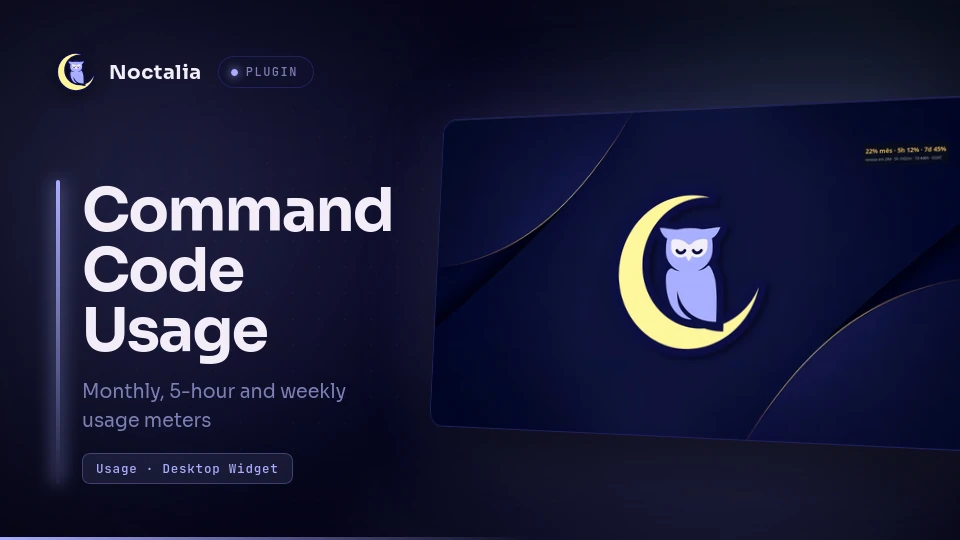
Command Code Usage
Desktop widget with the same meters as Command Code's /usage overlay — monthly,
5-hour and weekly usage with reset countdowns — computed from Command Code's local
transcripts.
Plugin
| Field | Value |
|---|---|
| ID | wennington/cc-usage |
| Entries | Desktop widget: usage |
Requirements
python3onPATH.- Command Code CLI usage data under
~/.commandcode/projects/**/*.jsonl. These files are written by using the Command Code CLI; the plugin needs no login, API key or network access of its own.
Usage
Open Settings → Desktop → Toggle Editor, add a desktop widget and pick Command Code Usage, then place it. Outside edit mode the tile sits on the desktop layer, so normal windows draw above it.
Settings
| Setting | Type | Default | Description |
|---|---|---|---|
plan |
select |
GOAT |
Plan whose caps are used: Go, GOAT, Pro or Max 20x. |
multiplier |
double |
2.5 |
Credits per USD of usage inside the 5-hour window. Calibrate against /usage; 1.0 is a full-allowance model. |
weekly_multiplier |
double |
2.5 |
Credits per USD of usage inside the weekly window. |
month_multiplier |
double |
2.5 |
Credits per USD of usage for the monthly cycle. |
billing_day |
int |
28 |
Day of the month the subscription renews, used to find the current monthly cycle. |
usage_command |
string |
"" |
Optional command that prints server values (see below). Empty uses the local estimate. |
usage_interval_minutes |
int |
60 |
How often usage_command may run. Its result is cached in the plugin data dir and wins while fresh. |
Server values (optional)
/usage reads Command Code's server-side credit accounting, which is not exposed
headlessly yet (CommandCodeAI/command-code#1093).
When a headless source exists, point usage_command at anything that prints this
JSON shape on stdout — the widget prefers a fresh result over the local estimate and
re-runs the command at most every usage_interval_minutes:
{
  "title": "27% mês · 5h 8% · 7d 48%",
  "description": "renova em 28d · 5h 3h08m · 7d 4d0h · GOAT",
  "month_percent": 27,
  "five_hour_percent": 8,
  "weekly_percent": 48,
  "renew_in_days": 28,
  "five_hour_reset": "3h08m",
  "weekly_reset": "4d0h"
}
Only title/description are rendered; the numeric fields are there for wrappers
and debugging. A non-zero exit or invalid JSON leaves the previous value in place.
Notes
What it reads and runs
- Reads
~/.commandcode/projects/**/*.jsonl(the top-levelusageobject on assistant messages). Nothing outside that directory is touched. - Spawns
python3 cc_usage.pyfrom the plugin directory once a minute; the script prints JSON and exits. A run takes ~0.4 s on a 47 MB transcript set. - Optionally spawns
usage_commandeveryusage_interval_minutesand writes its result tousage.jsonin the plugin data dir. - No network access, no credentials read.
Limitations
- Approximation, not the server's numbers.
/usagereads the server's credit accounting. This plugin simulates the 5-hour and weekly windows from local timestamps — a window opens on the first request and resets a fixed span later, as the usage-limits docs describe — and applies a per-meter credit multiplier. - Other machines are invisible. Usage made from another computer (or from transcripts that were deleted) does not appear here, so the weekly and monthly meters can read low when you use Command Code elsewhere.
- Credits are not a fixed number of dollars. A lower-allowance model draws more
credits per dollar, and the draw can differ per model and over time. That is why
each meter has its own multiplier: calibrate it against
/usage. - The billing day has to match your subscription. The monthly meter starts at
billing_day00:00 local time; set it to your renewal day. - Window resets can differ from
/usageby the time since the last refresh (the widget updates once a minute).
Versions
| Version | Plugin API | Updated |
|---|---|---|
| v1.0.1 latest | 3 | Nov 1, 2026 |
Older versions stay installable on a Noctalia release whose plugin API is below the latest version's.