 Noctalia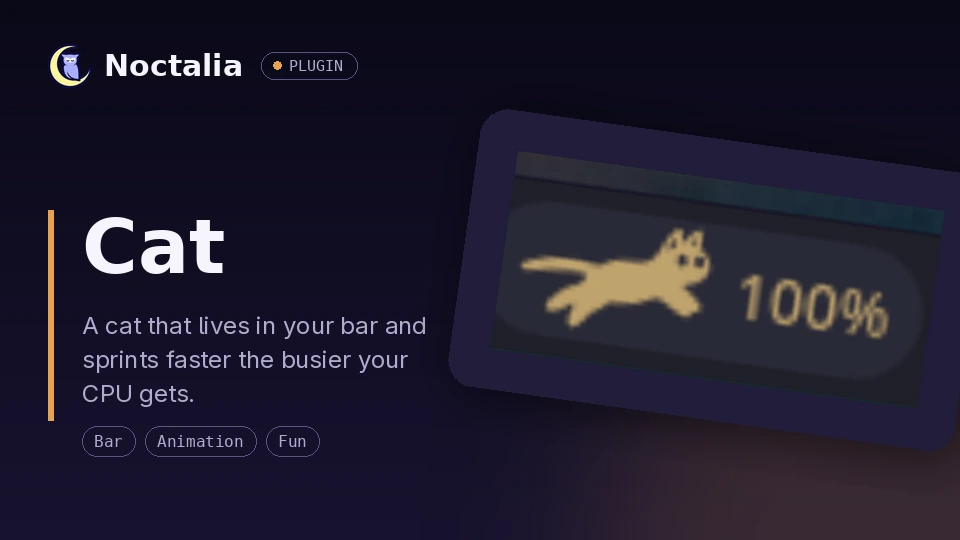
About
Cat
An animated cat that lives in your bar. It sleeps when your CPU is idle, walks as load picks up, and breaks into a full sprint under heavy load — colored to match your theme, or any color you pick.
Plugin
| Field | Value |
|---|---|
| ID | dotnetrob/cat |
| Entries | Bar widget: cat; panel: panel |
Usage
Add the "Cat" widget to any bar from Settings → Bar → Add Widget. Click the widget to toggle a popup panel showing the same cat at panel size — animating in step with the bar cat — plus the current CPU percentage; click anywhere outside the panel to dismiss it. The panel can also be toggled over IPC:
noctalia msg panel-toggle dotnetrob/cat:panel
Settings
| Setting | Type | Default | Description |
|---|---|---|---|
cat_size |
int |
24 |
Sprite size in the bar, in pixels (12–48). |
show_cpu_percent |
bool |
false |
Display the CPU percentage next to the cat. |
walk_threshold |
int |
15 |
CPU percentage at which the cat wakes up and starts walking. |
run_threshold |
int |
60 |
CPU percentage at which the cat breaks into a run. |
poll_interval |
int |
2 |
How often to read CPU usage, in seconds (1–10). Noctalia's system monitor sets the fastest refresh, 2 seconds by default. |
cat_color_mode |
select |
theme |
theme colors the cat with the palette's secondary role and tracks theme changes; custom uses the color below. |
cat_color |
color |
#E8A24C |
Used when cat_color_mode is custom. |
Notes
Every poll_interval seconds the widget reads CPU usage from Noctalia's
system monitor (noctalia.systemStats(), plugin API 12) — apart from loading
its bundled font no files are read or written, nothing is downloaded, and no
processes are spawned. Noctalia refreshes that reading on its own schedule
(cpu_poll_seconds under [system.monitor], 2 seconds by default), and with
the system monitor disabled the cat stays asleep at 0%. The panel does no sampling of its own: it mirrors the
bar widget through the plugin's in-process shared state store, so without a
cat widget in any bar it shows a sleeping cat with no CPU reading. The cat's shape comes from a small custom icon font
(fonts/catwalk2.otf) traced from the MIT-licensed
CatWalk plasmoid by Driglu4it, which lets
it be recolored like normal bar text instead of a fixed-color image.
Versions
| Version | Plugin API | Updated |
|---|---|---|
| v1.3.0 latest | 12 | Oct 9, 2026 |
| v1.2.0 | 3 | Jul 25, 2026 |
Older versions stay installable on a Noctalia release whose plugin API is below the latest version's.