 Noctalia
 Back to plugins 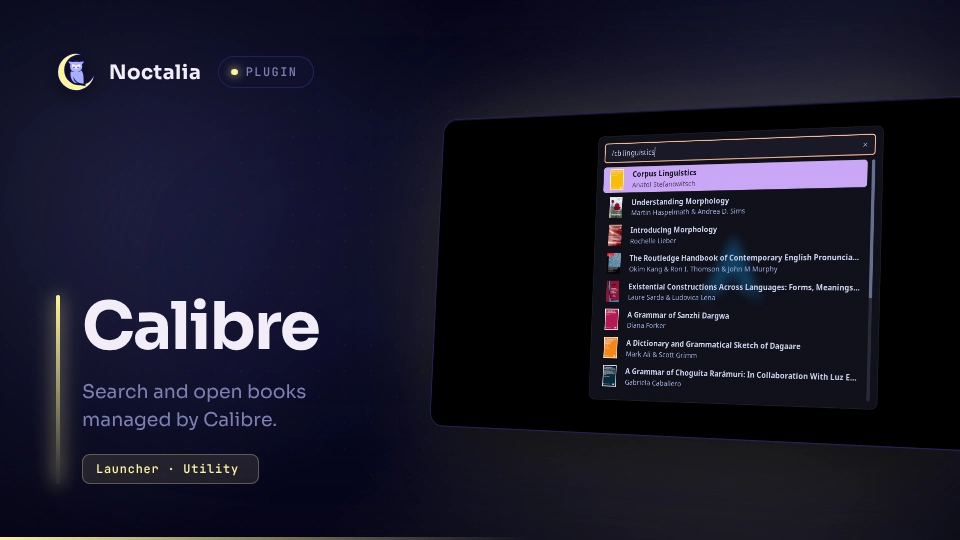
v0.1.0 CongLuanTran
About
Calibre
Quickly search and open books in Calibre library. Type /cb in the launcher.
Plugin
| Field | Value |
|---|---|
| ID | congluantran/calibre |
| Entries | Launcher provider: launcher |
| Launcher Prefix | /cb |
Requirements
Install calibre on PATH.
Usage
Open the launcher and type /cb, followed by an optional search filter.
Press Enter to open the selected book by the default opener of its type.
Notes
- For search filter expression, see the relevant section from Calibre User Manual.
- Currently, the plugin only searches and opens books already added to Calibre library. Other functionalities might be added in the future
- Currently, the plugin only uses Calibre default library stored in Calibre own settings.
- Currently, Calibre Content Server is not supported.
Versions
| Version | Plugin API | Updated |
|---|---|---|
| v0.1.0 latest | 24 | Sep 16, 2026 |
Older versions stay installable on a Noctalia release whose plugin API is below the latest version's.