 Noctalia
 Back to plugins 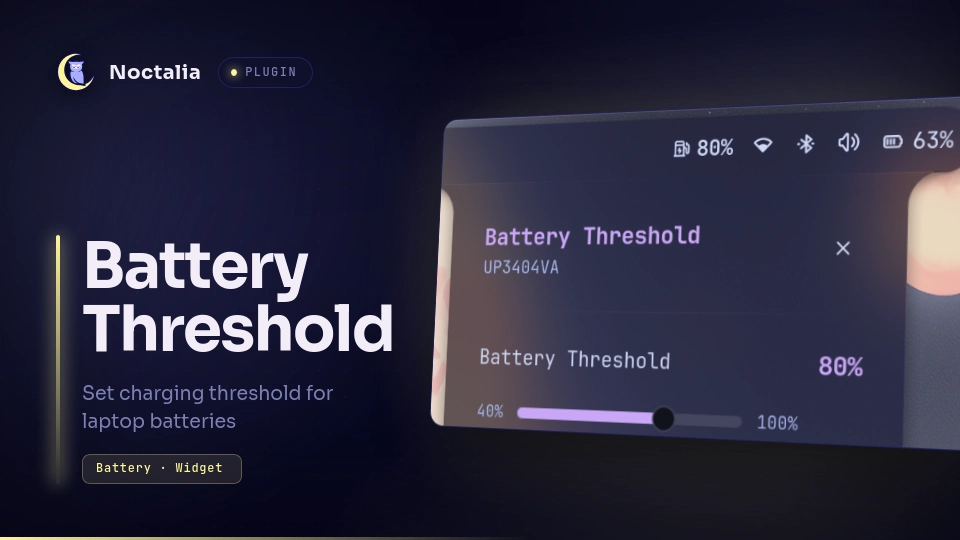
v2.0.1 Damian D'Souza
About
Battery Threshold Control
Control the battery charge threshold on laptop batteries to help extend overall battery lifespan. Someone would use this plugin to limit maximum charge levels while plugged in, reducing battery wear and heat.
Plugin
| Field | Value |
|---|---|
| ID | damian-ds7/battery-threshold |
| Entries | Bar widget: battery-threshold; panel: panel; service: service; launcher: launcher |
| Launcher Prefix | /batt |
Requirements
- Laptop hardware supporting battery charge threshold control in sysfs
(
/sys/class/power_supply/*/charge_control_end_threshold). - The following external programs must be available on
PATH:test,sudo,bash,readlink,cat,getent,groupadd,usermod,udevadm,chgrp, andchmod.
Usage
- Bar Widget (
battery-threshold): Displays the current battery threshold in the bar. Click to toggle the panel. - Panel (
panel): Adjust the battery threshold using a slider (40–100%). Includes a Configure Permissions button if write access is missing. Toggle the panel using:
noctalia msg panel-toggle damian-ds7/battery-threshold:panel
- Launcher (
/batt): Type/battwith no arguments to open the panel. Type/batt <number>(e.g./batt 60) to set the charge threshold to that percentage directly, without opening the panel; the value is clamped to 40–100%.
Settings
| Setting | Type | Default | Description |
|---|---|---|---|
battery_device |
string_list |
/sys/class/power_supply/BAT0 |
Paths to the battery sysfs directories. |
charge_threshold |
int |
80 |
Default charge threshold percentage (40–100%). |
IPC
# Set charge threshold percentage (between 40 and 100)
noctalia msg plugin damian-ds7/battery-threshold:service all set 80

# Trigger setup script for udev permissions
noctalia msg plugin damian-ds7/battery-threshold:service all setup
Notes
- Supported Devices: Only works on laptops with battery charge threshold support (ThinkPad, ASUS), tested on Asus Zenbook 14 and dual-battery ThinkPads
- Permissions & Setup: Requires write access to
/sys/class/power_supply/BAT*/charge_control_end_threshold. Automated setup creates thebattery_ctlgroup, adds the active user to it, and installs99-battery-threshold.rulesto/etc/udev/rules.d/. - Relogin / Reboot: A logout or system reboot is required after running
setup for
battery_ctlgroup membership changes to take effect. - Manual Setup Fallback: If Polkit is not available, run
sudo ./setup_rules.shmanually from the plugin directory. - Persistence: Threshold settings are stored in
threshold.txtin plugin data directory and restored across reboots.
Versions
| Version | Plugin API | Updated |
|---|---|---|
| v2.0.1 latest | 43 | Oct 25, 2026 |
| v2.0.0 | 22 | Sep 22, 2026 |
| v1.0.1 | 3 | Jul 28, 2026 |
Older versions stay installable on a Noctalia release whose plugin API is below the latest version's.