
About
Basecamp
Unread and recent Basecamp notifications in the bar, from every account you are signed in to, read through the official Basecamp CLI. A port of the Omarchy Basecamp plugin by 37signals. Unofficial and unaffiliated: the Basecamp mark belongs to 37signals.
Plugin
| Field | Value |
|---|---|
| ID | kjvdven/basecamp |
| Entries | Bar widget: bar; panel: panel; service: service |
Requirements
basecamponPATH, version 0.9 or newer: the Basecamp CLI. Sign in once withbasecamp auth login; the plugin never reads or stores your tokens.jqonPATH, used to slim the CLI's JSON before it reaches the plugin runtime.xdg-openonPATH, or another browser command in theopen_commandsetting.
Usage
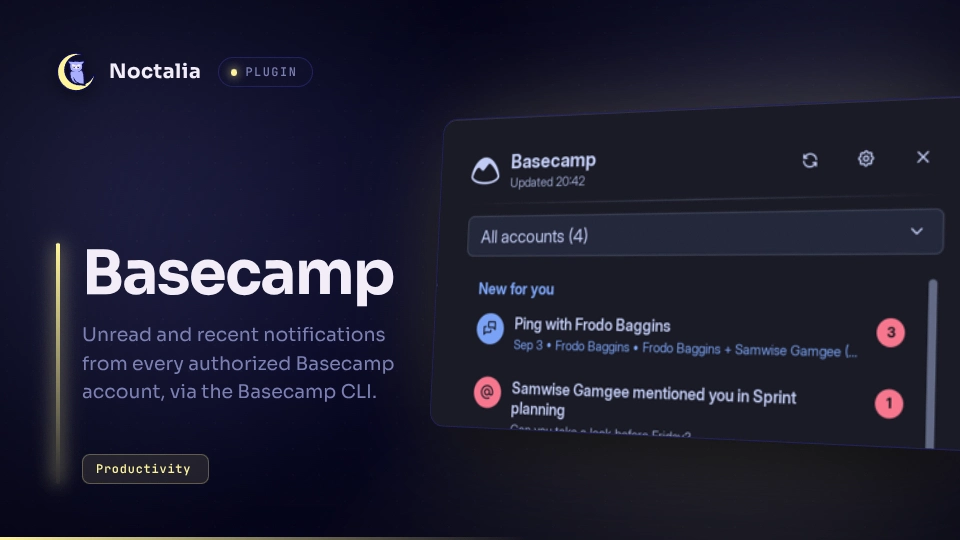
Add the Basecamp widget to a bar in Settings → Bar. The widget shows the Basecamp mark; when something is unread the mark is coloured and the count sits beside it. Hover for the unread total, the selected account and the last check.
- Left click opens the panel. Right or middle click checks Basecamp now.
- The panel lists unread notifications first, then the previous ones, with the sender, project and time on each row. Click a row to open it in the browser. Click the red badge on an unread row to mark it as read without opening it.
- With more than one account, the dropdown in the panel header filters the list and the bar count to one account.
- Load more at the bottom fetches the next page from Basecamp.
- Keyboard, while the panel is open: Up and Down walk the list, Return opens
the selected row, Left and Right switch account,
rchecks Basecamp now.
Toggle the panel from a keybind or script:
noctalia msg panel-toggle kjvdven/basecamp:panel
When the CLI is missing, too old, or signed out, the bar mark turns red and the
panel shows a setup card instead of the list. Sign in to Basecamp opens a
terminal running basecamp auth login; the install and update buttons open the
CLI's instructions in the browser. The card disappears by itself once the CLI
answers.
Settings
| Setting | Type | Default | Description |
|---|---|---|---|
refresh_interval |
int |
600 |
Seconds between automatic checks (60 to 3600). Opening the panel also refreshes when the data is older than this. |
mark_read_on_open |
bool |
true |
Clicking a notification marks it as read in Basecamp as well as opening it. |
open_command |
string |
xdg-open {url} |
How a notification is opened. {url} is replaced with the Basecamp link. The command runs directly, not through a shell, so pipes and && do not work; point it at a script for those. |
show_count (widget) |
bool |
true |
Show the number of unread notifications next to the mark in the bar. |
IPC
noctalia msg plugin kjvdven/basecamp:service all refresh          # check now
noctalia msg plugin kjvdven/basecamp:service all account <id>     # filter to one account id; empty for all
noctalia msg plugin kjvdven/basecamp:service all load_more        # fetch the next page
noctalia msg plugin kjvdven/basecamp:service all dump             # write the service state to the noctalia log
Notes
- Network access happens only through the
basecampCLI:accounts list,auth status,version,notifications listandnotifications read. - Opening a notification spawns the
open_command. Some compositors leave the browser window in the background because a plugin cannot pass the focus token the shell uses; on niri,brave --new-window {url}or a similar new-window flag works around it. - The plugin writes no files. State lives in the shell and is rebuilt on reload.
Versions
| Version | Plugin API | Updated |
|---|---|---|
| v0.1.0 latest | 24 | Oct 8, 2026 |
Older versions stay installable on a Noctalia release whose plugin API is below the latest version's.