
About
Audio Reactive Sticker
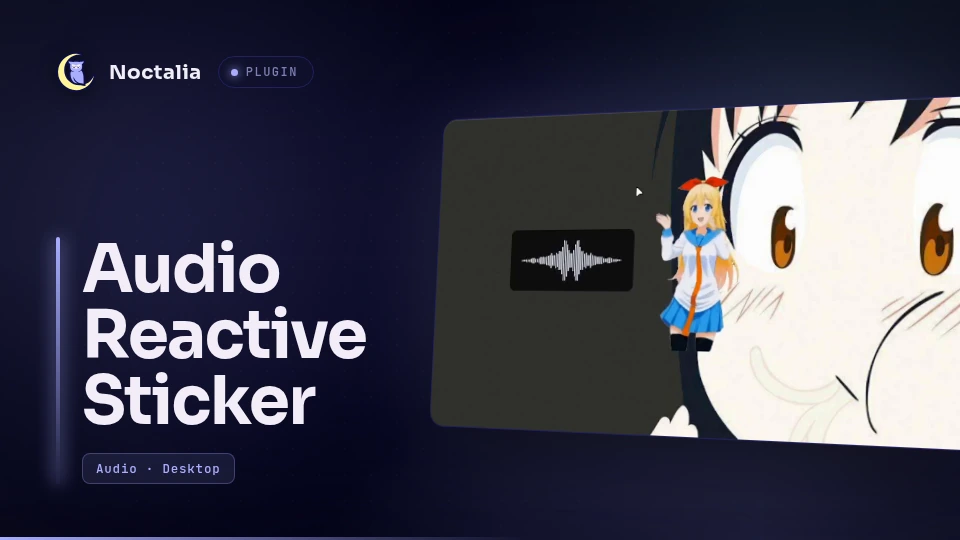
A Noctalia desktop widget that shows a sticker image and fades it in and out with real audio playback. A small PipeWire helper decides when something is actually playing, so paused players do not keep the sticker on screen.
Plugin
| Field | Value |
|---|---|
| ID | miixz/audio-sticker |
| Entries | Desktop widget: sticker; service: monitor |
What it does
- A
monitorservice buildsbin/noctalia-audio-monitorfromnative/on the first run and keeps one copy alive per session. - The helper watches PipeWire output stream node states: a stream that stays
open but is not running (paused Brave, Spotify in
init, ...) does not count. - The
stickerdesktop widget fades betweenidle_opacityandactive_opacity, and every instance shares the same monitor process. - Supports static images (PNG, JPEG, WebP, SVG) and animated GIFs. GIF frames
are decoded with
ffmpegand cached, so the first use takes a moment.
Demo
The sticker fades in when audio starts playing and fades out when playback stops.
https://github.com/user-attachments/assets/84cb0612-8bdb-4727-a319-b5d509568e9a
Requirements
- Noctalia 5.0.0-beta.9 or newer (plugin API 24)
- PipeWire running, with WirePlumber or any session manager that exposes the
output streams as
Stream/Output/Audionodes ccandmake(any C toolchain)pkg-configlibpipewire-0.3development headers (Arch:pipewire, Debian/Ubuntu:libpipewire-0.3-dev, Fedora:pipewire-devel, Void:pipewire-devel)ffmpeg, for animated GIF stickers (it also providesffprobe)
On Arch: base-devel pipewire libpipewire pkgconf ffmpeg. On Debian/Ubuntu:
build-essential pkg-config libpipewire-0.3-dev ffmpeg.
Usage
Add the widget from Settings → Desktop widgets (or Desktop in the Noctalia settings window) and pick Audio Reactive Sticker as its type, then choose an image in the widget settings.
- While any application is actually playing audio, the sticker fades to Active opacity.
- When every output stream has stopped, it waits Idle hysteresis and fades
to Idle opacity. With the default
0the sticker disappears completely, which is what makes it a sticker rather than a permanent overlay. - Paused players do not count: the helper looks at the PipeWire node state, so a stream that stays open but is not running keeps the sticker hidden.
- Add the widget more than once to decorate several outputs or positions. All instances share one monitor process.
- A GIF sticker animates only while it is visible. Frames are extracted once and cached, so the first use of a large GIF takes a moment.
Enable from the shell
noctalia msg plugins enable miixz/audio-sticker
Then add a widget of type miixz/audio-sticker:sticker from the widget editor,
or in settings.toml:
[desktop_widgets.widget.my-audio-sticker]
type     = "miixz/audio-sticker:sticker"
output   = "DP-2"
cx       = 1280.0
cy       = 720.0
box_width  = 256.0
box_height = 256.0
rotation = 0.0

    [desktop_widgets.widget.my-audio-sticker.settings]
    image_path     = "/path/to/sticker.png"
    active_opacity = 1.0
    idle_opacity   = 0.0
    fade_ms        = 300
Build
make -C native
Compiles native/audio-monitor.c into bin/noctalia-audio-monitor. Run it from
the plugin directory, or from the repository root; the published plugin ships
native/Makefile, not a top-level one. You do not need to run this by hand: the
plugin service builds the helper the first time the plugin is enabled, and
shows an alert if the build fails.
Development
The source repository is
MiixZ/noctalia-audio-sticker.
Clone it and run make install to copy the plugin, helper included, into
~/.local/share/noctalia/plugins/audio-sticker/.
Settings
Per-widget settings
| Setting | Type | Default | Description |
|---|---|---|---|
image_path |
file |
"" |
Path to the sticker image: PNG, JPEG, WebP, SVG or animated GIF. |
active_opacity |
double |
1.0 |
Opacity while audio plays, 0 to 1. |
idle_opacity |
double |
0.0 |
Opacity while silent, 0 to 1. 0 hides the sticker. |
fade_ms |
int |
300 |
Fade duration in milliseconds. 0 switches instantly. |
Plugin-level settings
Shared by every sticker and found under Settings → Plugins → Audio Reactive Sticker. Changes apply the next time the helper starts (plugin reload).
| Setting | Type | Default | Description |
|---|---|---|---|
hysteresis_ms |
int |
500 |
Delay in milliseconds before fading out after the last stream stops. |
The opacity settings apply to the whole image, text and transparency included; they are not a wallpaper mask.
Testing
- Pause all media. The sticker sits at
idle_opacity, which is0by default, so it is invisible. - Start playback. It fades to
active_opacity. - Pause. After
hysteresis_msit fades back toidle_opacity.
To watch the helper directly, stop the plugin first: while the service is running, the pid lock makes a second copy exit immediately.
noctalia msg plugins disable miixz/audio-sticker
./bin/noctalia-audio-monitor --debug
noctalia msg plugins enable miixz/audio-sticker
Notes
- On first run, and after an update that does not carry a binary, the service
runs
make -C nativeinside the plugin directory and buildsbin/noctalia-audio-monitorfromnative/audio-monitor.c. That compiled file is the only write inside the plugin directory. If the build fails, the sticker shows an alert glyph with the reason and the compiler output goes to the Noctalia log. bin/is generated locally and is not tracked in git.- One long-lived helper process per session, started by the
monitorservice and restarted by a small shell loop if it exits. It writes and locks$XDG_RUNTIME_DIR/noctalia-audio-monitor.pid, so a second copy exits immediately, and it exits when the loop that started it goes away, so a reload never leaves an orphan behind. To debug node transitions, stop the plugin and runbin/noctalia-audio-monitor --debugyourself. - The helper connects to the PipeWire registry as a normal client and reads node states only. It never opens a capture stream, so no audio is recorded, buffered or stored, and the plugin makes no network requests.
- Animated GIFs are decoded with
ffmpegandffprobeinto PNG frames underpluginDataDir()/gif-cache/<image>/, next to ametadata.jsonwith frame durations. The cache is rebuilt when the source file's size or modification time changes, and it stays there until the plugin data directory is removed. - Only
ffmpeg/ffprobe(GIF stickers),make(first run) and the helper itself are ever spawned. Nothing else is executed.
Credits
- Background Music: "burger" by bbno$ (Cleared for creator use)
Friendly Reminding
Also try Nisekoi :)
License
MIT
Versions
| Version | Plugin API | Updated |
|---|---|---|
| v1.1.1 latest | 24 | Oct 21, 2026 |
Older versions stay installable on a Noctalia release whose plugin API is below the latest version's.