 Noctalia
About
AndroidConnect
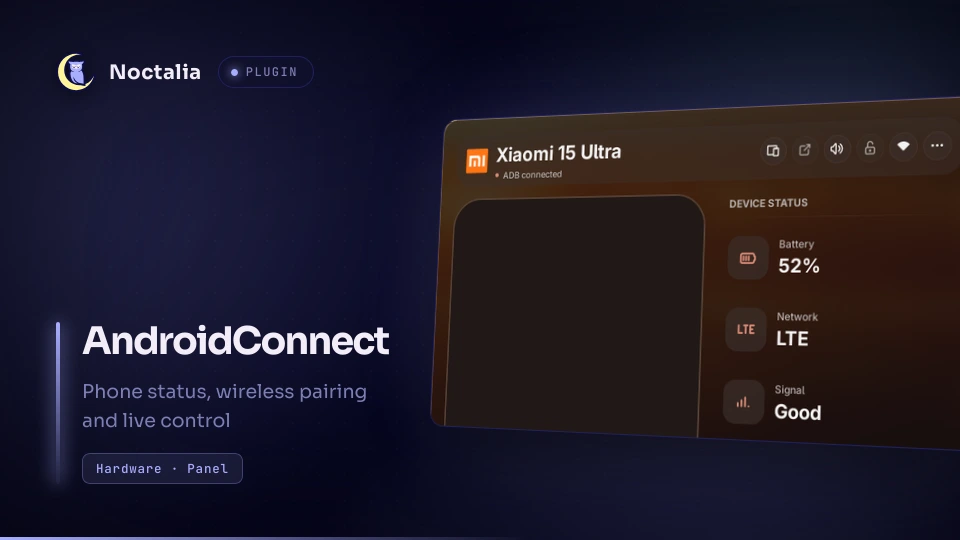
Monitor Android devices, use KDE Connect actions, and control an authorized phone through a live scrcpy preview inside Noctalia. KDE Connect is optional for ADB control and mirroring; the panel also supports USB and wireless ADB devices.
Plugin
| Field | Value |
|---|---|
| ID | demencia89/androidconnect |
| Entries | Bar widget: bar; panel: panel; service: devices; shortcut: toggle |
| Plugin API | 43 or newer, including the current palette roles |
Requirements
- Linux and
python3for the companion. It uses only Python's standard library. adbfor authorized device discovery, phone controls, screenshots, recordings, and wireless pairing. Enable USB debugging or Wireless debugging on Android and accept the computer's authorization prompt on the phone.scrcpyfor mirroring and optional audio. The embedded preview additionally needsffmpegandfuser(usually supplied by psmisc).- A dedicated V4L2 loopback device readable and writable by your user for the
embedded preview,
/dev/video10by default. Configure it before opening the preview. The plugin does not load kernel modules, run sudo, or reuse an occupied device. Open in window only needsadbandscrcpy. - Optional
busctland the KDE Connect desktop daemon/mobile app for battery, network status, pairing, Find phone, file sharing, and browsing. File browsing also needs KDE Connect's SFTP plugin and its normal SSHFS/FUSE setup;xdg-openopens the mounted directory. - Optional
qrencodefor QR pairing; wireless discovery usesadb mdns serviceswithavahi-browseas an optional fallback. - Optional
xdg-user-dirto locate Pictures and Videos. Without it, the plugin uses~/Picturesand~/Videos. - Adwaita Sans is recommended for the panel typography; Fontconfig substitutes another font if it is unavailable.
For an unused loopback setup, an administrator can load the module with:
sudo modprobe v4l2loopback video_nr=10 card_label="scrcpy-panel" exclusive_caps=0
If another application already uses virtual cameras, configure an additional unused device rather than unloading its module. This command is a setup example; the plugin never runs it.
Usage
- Enable AndroidConnect from Noctalia's plugin store after this submission is merged, or add the development checkout as a local plugin source.
- Add AndroidConnect → bar in the bar widget picker. Clicking it opens the
panel. Thedevicesservice starts with the enabled plugin and owns device discovery, phone operations, and the preview companion. - Optionally add AndroidConnect → toggle to the control-center shortcuts.
This
toggleshortcut opens the same panel. - Select your device with Devices in the header. A single authorized ADB-only phone is selected automatically; ambiguous devices require an explicit choice. KDE Connect and ADB associations can be saved per phone.
Open the panel directly or assign this command to a keybind:
noctalia msg panel-toggle demencia89/androidconnect:panel
The live preview supports taps, drags, keyboard input, and wheel scrolling. Back, Home, and Recents sit below it. The header provides Wake and unlock, Devices, Open in window, audio, wireless tools, and More. Wake and unlock asks Android to dismiss the keyguard over authorized ADB; secure locks still require Android authentication.
Quick actions capture a screenshot, start/stop a recording, keep the phone awake, or turn its physical screen off while the preview continues. More includes file browsing/sharing, Find phone, text input, diagnostics, and settings. KDE Connect actions are disabled when the selected KDE Connect device is unavailable.
Use Wireless for pairing codes, QR pairing, saved endpoints, and reconnects. Opening the panel can attempt a bounded reconnect to the selected phone's saved host. Wireless ADB port changes are rediscovered even when KDE Connect is offline; the plugin does not guess a different phone from its display name.
The three preview sizes remain saved. Panel width is 680 px; height follows its content up to the manifest limit. Stop a recording before closing/disabling the plugin so it can finish downloading. Opening the standalone scrcpy window stops the embedded preview; reopening the panel returns to embedded mode.
Settings
Open Settings → Plugins → AndroidConnect for these options:
| Setting | Type | Default | Description |
|---|---|---|---|
video_device |
string | /dev/video10 |
Dedicated, accessible V4L2 loopback device for the embedded preview. |
auto_mirror |
bool | true |
Start the preview when the panel opens with an authorized ADB target. |
preview_height |
int | 720 |
Preview-height setting in pixels, from 240 to 720. The panel size control also remembers its selected preset. |
fps |
int | 60 |
Capture frame-rate limit, from 1 to 60 frames per second. |
hide_when_disconnected |
bool | false |
Hide the bar widget when no supported phone is connected. |
icon_color |
color | primary |
Theme color used by the bar icon. |
Local preferences also remember selected devices, nicknames, associations, wireless hosts, and preview size in Noctalia's per-plugin data directory.
IPC
The devices service accepts these events:
noctalia msg plugin demencia89/androidconnect:devices all toggle
noctalia msg plugin demencia89/androidconnect:devices all refresh
toggle opens/closes the panel; refresh requests device discovery.
Screenshots
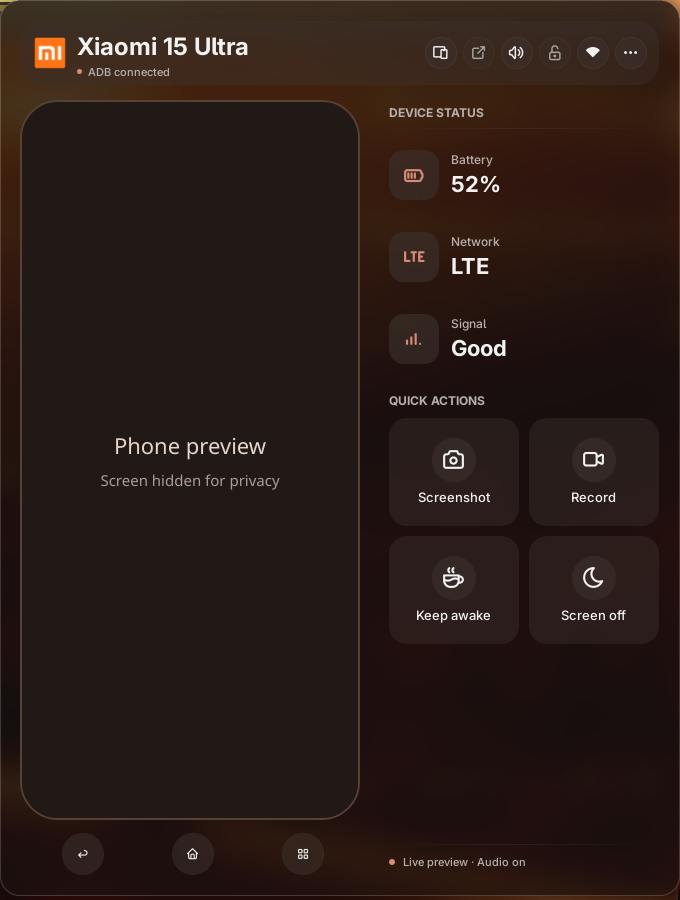
The running-panel screenshot is cropped to the plugin. An opaque cover hides the phone screen for privacy; no desktop or phone messages are included.
Notes
- No custom Noctalia shell patch or compositor-specific API is required. The runtime was confirmed working on packaged Noctalia 5.4.1 with Umbriel. Older development builds that lack plugin API 43 are not supported.
- A Python companion communicates through atomic JSON request files in a private
directory under
XDG_RUNTIME_DIR. It publishes structured status to the Luau service on stdout. The preview uses a same-user UNIXSOCK_SEQPACKETsocket and sealed shared-memory file descriptors consumed byui.pixelStream. - Device discovery/control runs the declared commands. USB/wireless ADB and
scrcpy talk to the selected phone; mDNS/Avahi discover local wireless ADB
endpoints. KDE Connect actions use the user's session D-Bus through
busctl; its daemon handles the phone connection and SFTP/file transfers. There are no analytics, cloud API calls, or remote code downloads. - The companion stores preferences and a lock file in Noctalia's per-plugin data directory. Private runtime files include requests, preview sockets/logs, and QR artwork. Pairing secrets are not written to persistent preferences or command arguments. Runtime files are removed on companion shutdown.
- Screenshots and completed recordings are saved to Pictures and Videos. Recording creates a temporary Android MP4, pulls it to the computer, then removes the temporary phone file. User-requested sharing reads the selected local file; browsing asks KDE Connect to mount the phone and opens its returned directory.
- Only owned preview, recording, and standalone-window processes are stopped. The plugin refuses an occupied loopback device and does not kill another application's mirroring session. Stale commands are rejected when the panel closes or the selected device changes.
- Plugins run as trusted code in your user session. Device control requires authorization on the phone. Fractional scaling, every phone model, and all audio/QR pairing combinations have not been comprehensively tested.
Source and regression tests: AndroidConnect v5. This submission packages the v2.4.0 runtime with current palette-role names, community-store metadata, and artwork as v2.4.1. The v4 QML plugin remains a separate project.
Licensed under GPL-2.0-only; see LICENSE. Based on WerWolv's original Noctalia KDE Connect plugin, with the AndroidConnect extension and native v5 port by demencia89.
Versions
| Version | Plugin API | Updated |
|---|---|---|
| v2.4.1 latest | 43 | Nov 6, 2026 |
Older versions stay installable on a Noctalia release whose plugin API is below the latest version's.