
About
AirPods
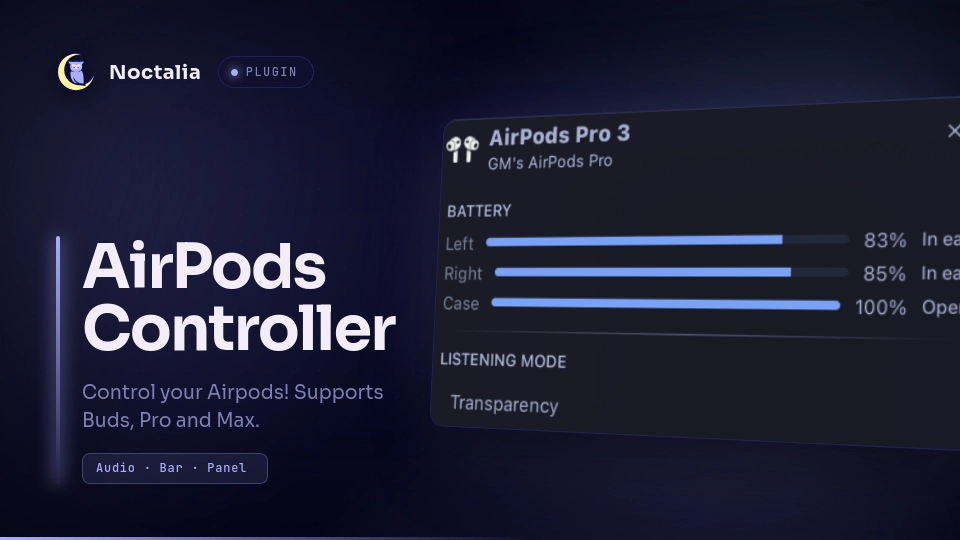
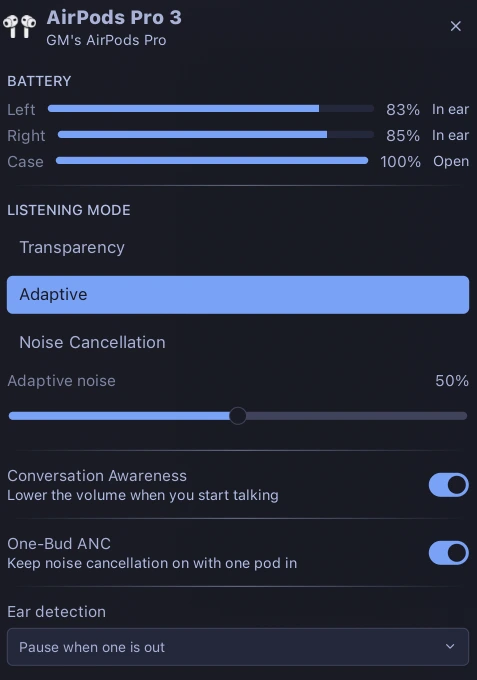
AirPods in the Noctalia bar: battery for each pod and the case, the listening modes, adaptive noise level, Conversation Awareness, One-Bud ANC and ear detection. This is a port of the Omarchy widget thisisgm/omarchy-pods by GM (thisisgm).
Screenshots
Plugin
| Field | Value |
|---|---|
| ID | harveywuk/airpods |
| Entries | Bar widget: airpods; panel: panel; service: service |
Requirements
The panel never talks to Bluetooth itself. It reads the status line published by the librepods daemon and drives it through librepods-ctl, so both must be installed and the daemon must be running.
Install librepods-ctl on PATH (or set the ctl_path setting below).
The daemon must be a fork with the extensions this plugin needs: a published
state file, a status verb, and the ca:, onebud: and adaptive: verbs.
Upstream librepods has none of
these. Build it from the patched fork (derived from
thisisgm/omarchy-pods by GM):
git clone https://github.com/harveywuk/librepods
cd librepods
cmake -B build -G Ninja -DBUILD_TESTING=OFF
cmake --build build
cmake --install build --prefix ~/.local
systemctl --user daemon-reload
systemctl --user enable librepods.service
systemctl --user restart librepods.service
Build dependencies: cmake, ninja, pkgconf, Qt 6 (qt6-connectivity,
qt6-tools, qt6-declarative, plus the Quick/Widgets/DBus/Bluetooth modules),
OpenSSL and libpulse.
~/.local is the prefix the unit expects: it runs %h/.local/bin/librepods.
Make sure ~/.local/bin is on PATH, or point ctl_path at the installed
librepods-ctl.
Pair your AirPods through the usual Bluetooth flow first.
Usage
Add the AirPods widget to a bar from Settings → Bar. The icon stays hidden
until AirPods are connected (see hide_when_disconnected).
- Left click opens the panel.
- Right click cycles the listening mode without opening anything.
The panel is also available directly:
noctalia msg panel-toggle harveywuk/airpods:panel
Settings
| Setting | Type | Default | Description |
|---|---|---|---|
ctl_path |
file | empty | Path to librepods-ctl. Leave empty to find it on PATH. |
hide_when_disconnected |
bool | true |
Leave the bar entirely rather than sitting there with nothing to say. |
IPC
The service exposes events you can trigger from a compositor keybind, a hook, or the terminal. The main one is cycling the listening mode — the same action as right-clicking the bar widget:
noctalia msg plugin harveywuk/airpods:service all cycle-noise
Bind it in Hyprland, for example:
# ~/.config/hypr/hyprland.conf
bind = SUPER, N, exec, noctalia msg plugin harveywuk/airpods:service all cycle-noise
| Event | Effect |
|---|---|
cycle-noise |
Cycle the listening mode through the modes the connected device actually has. |
refresh |
Re-read the daemon's status file immediately. |
Notes
- The daemon publishes to
$XDG_STATE_HOME/librepods/status.json(falling back to~/.local/state/librepods/status.json) and removes the file when it stops. The service polls that file; an absent file is shown as "librepods is not running". - Controls are optimistic: the panel reflects a click immediately and snaps back only if the daemon rejects it or does not confirm within a few seconds.
- The panel reads the daemon's capability keys, so it only draws the modes and toggles the connected device actually supports (a plain AirPods 4 gets no listening section, an AirPods Max gets one battery and no One-Bud ANC).
License
The Lua/UI plugin is MIT (see LICENSE). It is based on thisisgm's MIT-licensed
Omarchy widget. The librepods daemon it drives is a separate GPL-3.0 work by
Kavish Devar and is not distributed with this plugin.
Versions
| Version | Plugin API | Updated |
|---|---|---|
| v1.0.0 latest | 24 | Aug 26, 2026 |
Older versions stay installable on a Noctalia release whose plugin API is below the latest version's.