
Back to plugins 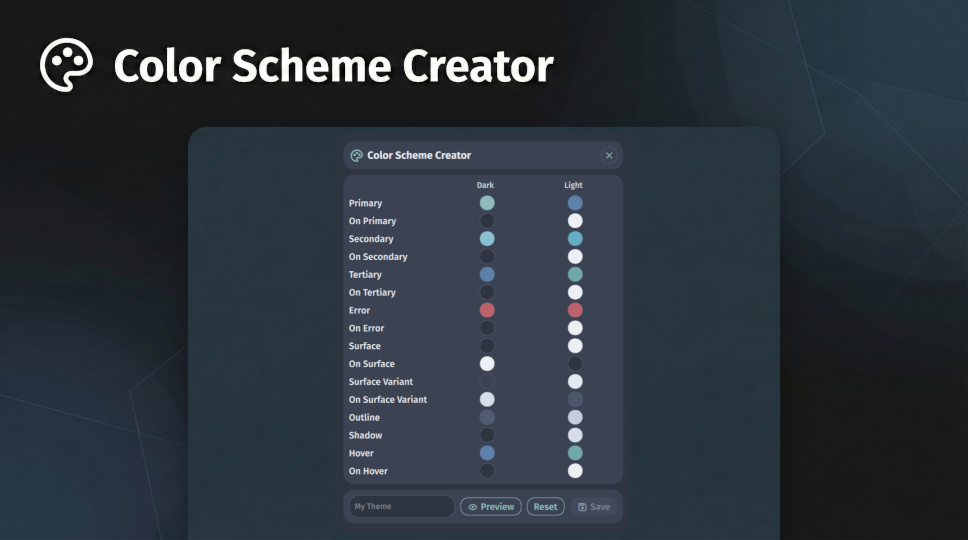
Color Scheme Creator
Create and manage custom predefined color schemes with a visual color editor.
v1.0.5 Noctalia Team MIT Apr 25, 2026
About
Color Scheme Creator Plugin for Noctalia
A visual editor for creating custom predefined color schemes directly from the Noctalia bar.
Features
- Visual Editor: Edit all 16 MD3 color roles side-by-side for dark and light variants
- Live Preview: Toggle preview mode to see your color changes applied to the shell in real time — including live updates as you drag the color picker
- Terminal Colors: Automatically generates a full ANSI terminal color palette (normal + bright variants, cursor, selection) derived from your MD3 roles when saving
- WIP Persistence: Your in-progress edits are saved automatically when closing the panel and restored when reopening
- Smart Seeding: On reset or first open, seeds the editor from the currently active predefined color scheme (dark and light variants), so you always start from a coherent base
- One-Click Apply: Saving a scheme immediately applies it, disables wallpaper colors, and runs the full template processor for all enabled app/terminal themes
Usage
- Click the palette icon on the bar to open the editor
- Adjust colors by clicking any color swatch — a color picker opens for that role
- Enable Preview to see changes live on the shell without committing
- Enter a name and click Save — the scheme is saved to
~/.config/noctalia/colorschemes/{name}/and applied immediately - The scheme will appear in Settings → Colors as the active predefined scheme
IPC Commands
qs -c noctalia-shell ipc call plugin:color-scheme-creator toggle
qs -c noctalia-shell ipc call plugin:color-scheme-creator open
Requirements
- Noctalia 4.1.2 or later