
Calibre Provider
Search for books in your Calibre library
About
Calibre Provider
A launcher provider plugin that lets you search your Calibre library by title or author.
Usage
- Open the Noctalia launcher
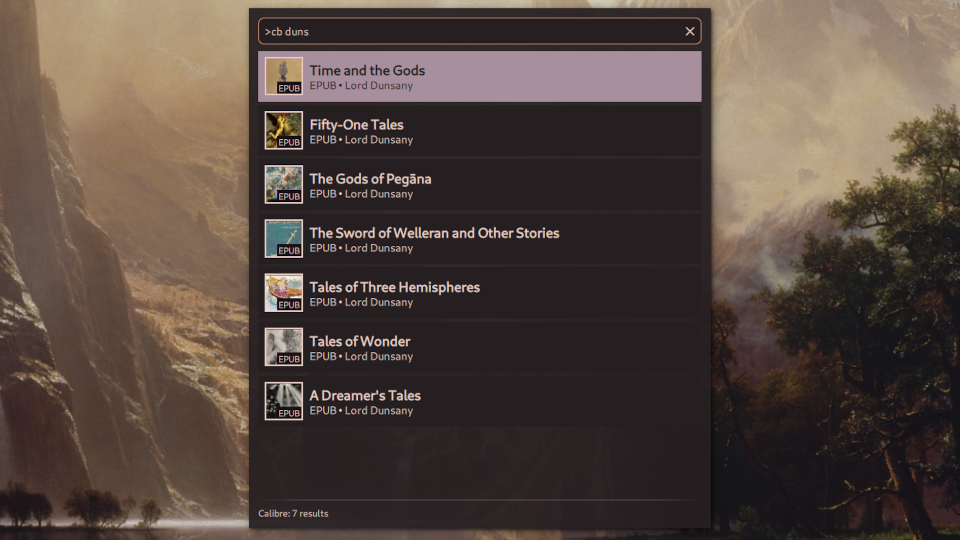
- Type
>cbto enter Calibre mode - Add a search term after the command (e.g.,
>cb duns) - Select your book and press Enter
Alternatively, you can trigger the provider by IPC with the command qs -c noctalia-shell ipc call plugin:calibre-provider toggle.
Settings
Launcher
If you don't have xdg-open installed, or prefer to use a different file opener, you can configure this using the Launcher setting.
Force grid view
Enable this to force the launcher into grid view when searching Calibre. This gives the cover images more space, but shows less metadata. If this option is disabled, your configured launcher view will be used.
Recently opened count
Maximum number of recently opened books to remember. Default is 36, which enough to completely fill the launcher in compact grid view. Note that recently opened books are saved in the plugin settings by the internal Calibre book id. If you sync your Noctalia settings across multiple devices, and each device has a different Calibre library, you may get unexpected books showing up in your recently opened list.
Requirements
- Noctalia 4.3.0 or later
- Calibre
- xdg-open (Or other smart file opener. You can change this in the settings.)