
Back to plugins 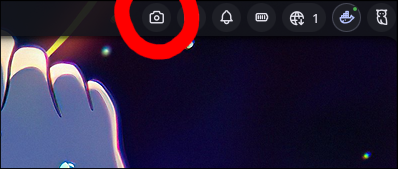
Screenshot
Quick screenshot button in bar for Hyprland, Sway, and Niri
v1.2.1 Cleboost MIT Apr 18, 2026
About
Screenshot Plugin
A simple screenshot plugin for Noctalia Shell that provides a button in the bar to quickly take screenshots. Automatically detects your compositor and uses the appropriate tool.
Features
- Quick Screenshot: One-click screenshot button in the bar
- Compositor Detection: Automatically detects Hyprland, Sway, or Niri and uses the appropriate tool
- Two Modes (Hyprland only): Choose between region selection or direct full screen capture
- Clipboard Integration: Screenshots are automatically copied to clipboard
- Silent Operation: Runs silently without notifications
Requirements
- Hyprland:
- hyprshot - The screenshot tool
- Install via package manager:
hyprshot
- Install via package manager:
- hyprshot - The screenshot tool
- Niri:
- Built-in screenshot functionality (no additional tools required)
- Sway:
- grimshot - Screenshot helper script for wlroots compositors
- Usually provided by
sway-contribor your distro's Sway extras package
- Usually provided by
- grimshot - Screenshot helper script for wlroots compositors
- Noctalia 3.6.0 or later
Installation
Copy this plugin to your Noctalia plugins directory:
cp -r screenshot ~/.config/noctalia/plugins/Add the widget to your bar through Noctalia settings
Usage
Bar Widget
- Left Click: Take a screenshot (mode depends on configuration)
- Right Click: Open plugin settings
Configuration
Hyprland and Sway: Configure the screenshot mode through the settings panel:
- Region Selection: Opens a region selector to capture a specific area
- Full Screen: Captures the entire screen directly
Niri: Uses the built-in screenshot functionality (no configuration needed).
When clicked, the plugin will:
- Detect your compositor (Hyprland, Sway, or Niri)
- Use the appropriate tool:
- Hyprland:
hyprshotwith the selected mode
- Hyprland:
- Sway:
grimshot copy <area|screen|window> - Niri:
niri msg action screenshot
- Copy the screenshot to clipboard
- Run silently without notifications
IPC Commands
Control the plugin via command line:
# Screenshot of screen
qs -c noctalia-shell ipc call plugin:screenshot takeScreenshot output

# Screenshot of window
qs -c noctalia-shell ipc call plugin:screenshot takeScreenshot window

# Screenshot of region
qs -c noctalia-shell ipc call plugin:screenshot takeScreenshot region
License
MIT License