Back to plugins 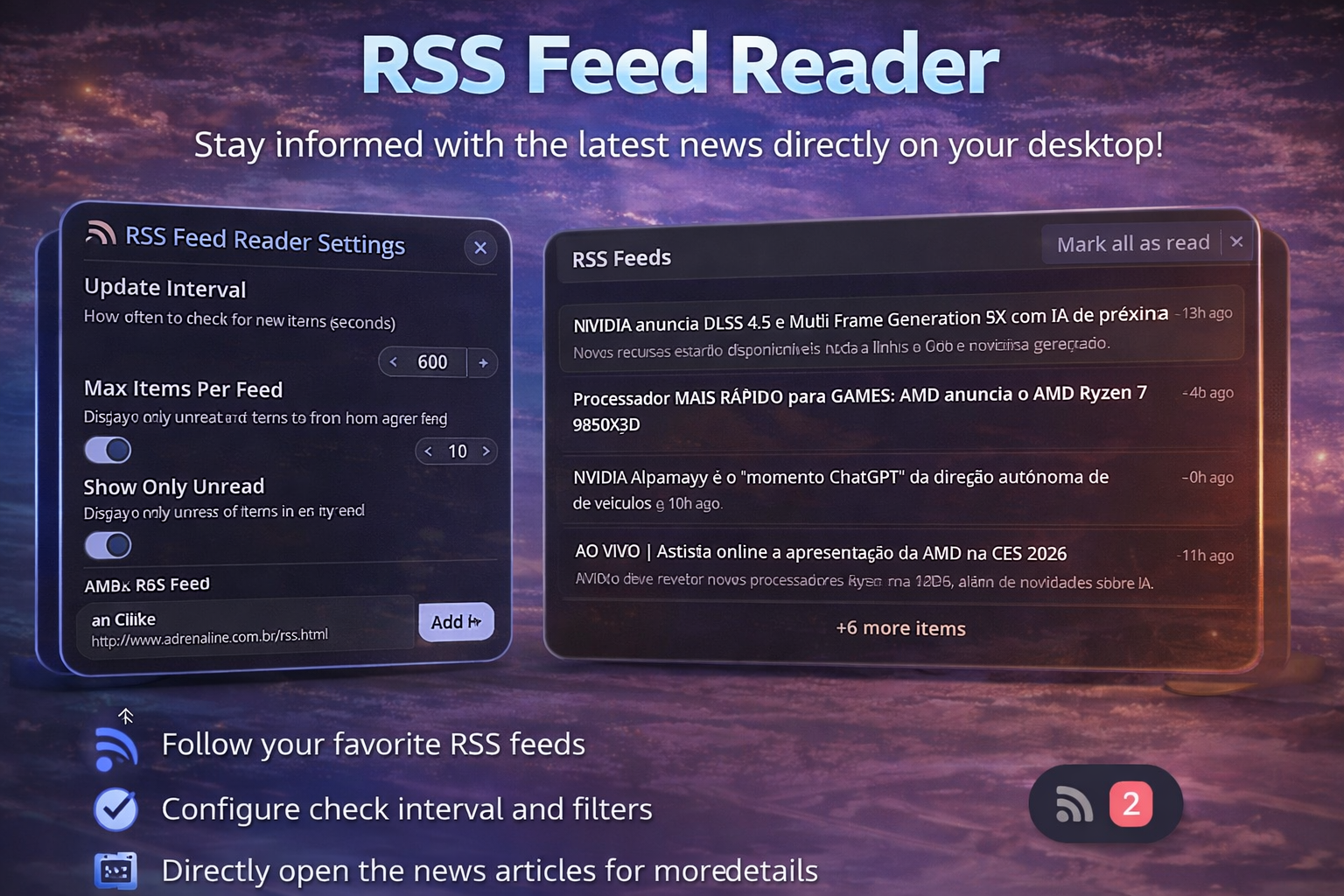
RSS Feed Reader
Monitor and read RSS/Atom feeds directly from your desktop
v1.0.4 Lokize MIT Mar 29, 2026
About
RSS Feed Reader Plugin
Stay updated with your favorite websites and blogs directly from Noctalia Shell. Monitor multiple RSS/Atom feeds, track unread items, and never miss important content.
Features
- Multiple Feeds: Subscribe to unlimited RSS/Atom feeds
- Unread Badge: Visual indicator showing number of unread items
- Smart Updates: Automatic periodic refresh with configurable interval
- Mark as Read: Click items to open in browser and mark as read automatically
- Feed Management: Easy add/remove/edit feeds through settings
- Customizable Limits: Control how many items to fetch per feed
- Universal Format: Supports both RSS and Atom feed formats
- Clean Interface: Responsive panel with scrollable feed list
- Multilingual: Full internationalization support
Setup Instructions
Step 1: Add RSS Feeds
- Right-click the RSS icon in your Noctalia bar
- Select "Settings"
- Click "Add Feed"
- Enter:
- Feed Name: Display name for the feed
- Feed URL: RSS/Atom feed URL
- Click "Add"
Step 2: Configure Options
- Update Interval: How often to check for new items (seconds)
- Max Items Per Feed: Limit items fetched from each feed
- Show Only Unread: Toggle to filter viewed items
- Mark as Read on Click: Auto-mark when opening items
Finding RSS Feeds
Most websites offer RSS feeds. Look for:
- RSS/Feed icons on websites
/feed,/rss, or/atom.xmlURL patterns- Browser extensions that discover feeds
- Popular feeds:
- News sites (usually
/rssor/feed) - Blogs (commonly available)
- YouTube channels (
/feeds/videos.xml?channel_id=...) - Reddit (
/.rsssuffix on any page)
- News sites (usually
Usage
- View Items: Click the RSS icon to open the feed panel
- Open Item: Click any item to open in browser
- Mark as Read: Items are marked automatically when clicked
- Mark All as Read: Button in panel header
- Refresh: Manual refresh button available in panel
Configuration
| Setting | Description | Default |
|---|---|---|
feeds |
Array of feed objects {name, url} | [] |
updateInterval |
Check frequency in seconds | 600 (10 min) |
maxItemsPerFeed |
Max items to fetch per feed | 10 |
showOnlyUnread |
Show only unread items | false |
markAsReadOnClick |
Auto-mark when opening | true |
Feed Object Structure
{
  "name": "Example Blog",
  "url": "https://example.com/feed.xml"
}
Troubleshooting
Feeds not loading
- Check URL: Ensure the feed URL is correct and accessible
- Network: Verify internet connection
- Feed Format: Confirm it's a valid RSS/Atom feed
- HTTPS: Some feeds may require secure connection
No unread count
- First Load: May take a few moments on initial fetch
- Read Items: Items you've already clicked are marked as read
- Update Interval: Wait for next refresh or click refresh button
Items not showing
- Feed Limit: Check
maxItemsPerFeedsetting - Feed Empty: Source may have no recent items
- Parse Error: Check console for XML parsing issues
Privacy
- All feed data is fetched directly from sources
- No data is sent to third parties
- Read status is stored locally
- Feed URLs are stored in plugin settings
Performance Tips
- Start with 3-5 feeds and expand gradually
- Use reasonable update intervals (10-30 minutes)
- Limit items per feed (5-15 recommended)
- Remove inactive feeds to reduce load
Popular Feed Sources
News
- Hacker News:
https://news.ycombinator.com/rss - Reddit:
https://www.reddit.com/.rss - BBC News:
https://feeds.bbci.co.uk/news/rss.xml
Tech
- GitHub:
https://github.com/{user}.atom - Dev.to:
https://dev.to/feed - Ars Technica:
http://feeds.arstechnica.com/arstechnica/index
Design
- Dribbble:
https://dribbble.com/shots/popular.rss - Behance: Available for projects/users
Contributing
Found a bug or have a feature request? Open an issue on the Noctalia Plugins repository.
Changelog
Version 1.0.0 (2026-01-05)
Initial Release
Features:
- Multi-feed RSS/Atom support
- Unread count badge with visual indicator
- Automatic periodic updates (configurable interval)
- Mark as read on click (optional)
- Mark all as read functionality
- Feed management in settings (add/remove/edit)
- Maximum items per feed limit
- Show only unread filter option
- Universal RSS and Atom feed parsing
- Clean scrollable feed list interface
- Per-item timestamps and descriptions
- External link opening in browser
- Comprehensive error handling
- Full i18n support for 12 languages
- Compatible with Noctalia Shell 3.6.0+
Technical:
- Built with Quickshell framework
- Curl-based feed fetching
- Regex-based XML parsing
- Noctalia UI components integration
- Persistent read state management
- Automatic feed refresh timer
- Efficient item sorting and limiting
License
MIT License - See repository for details
Credits
- Author: Lokize
- Repository: https://github.com/noctalia-dev/noctalia-plugins
- Noctalia Shell: https://noctalia.dev
- RSS Icon: Nerd Fonts